
Participant
May 22, 2017
Answered

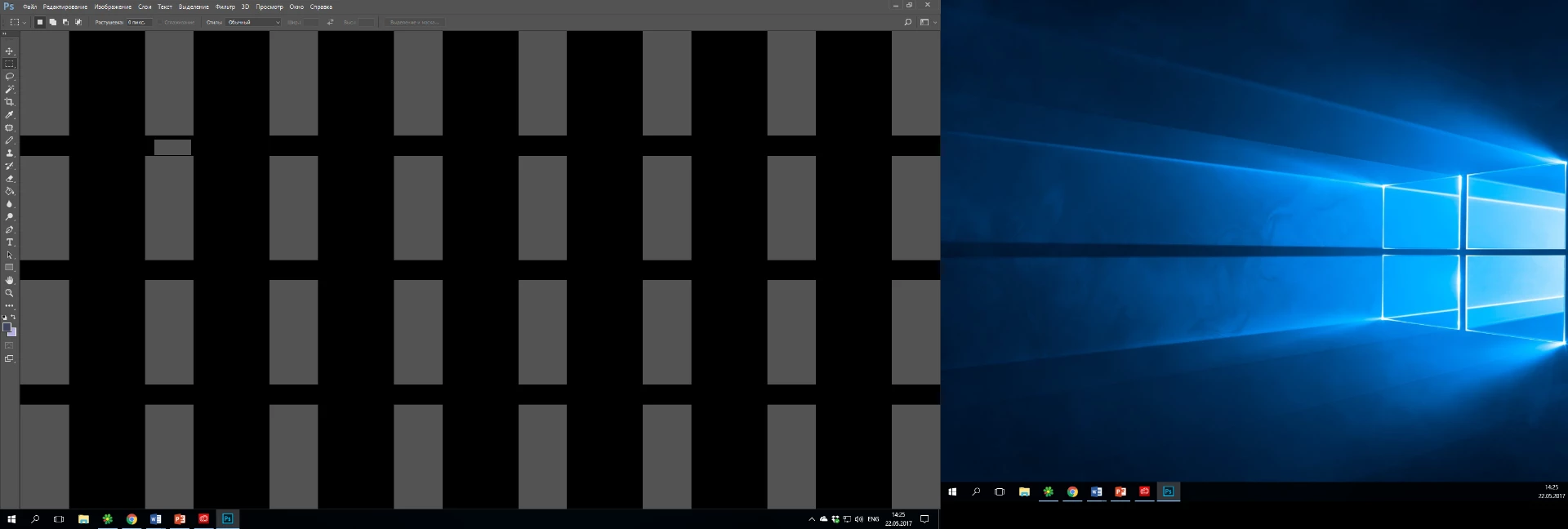
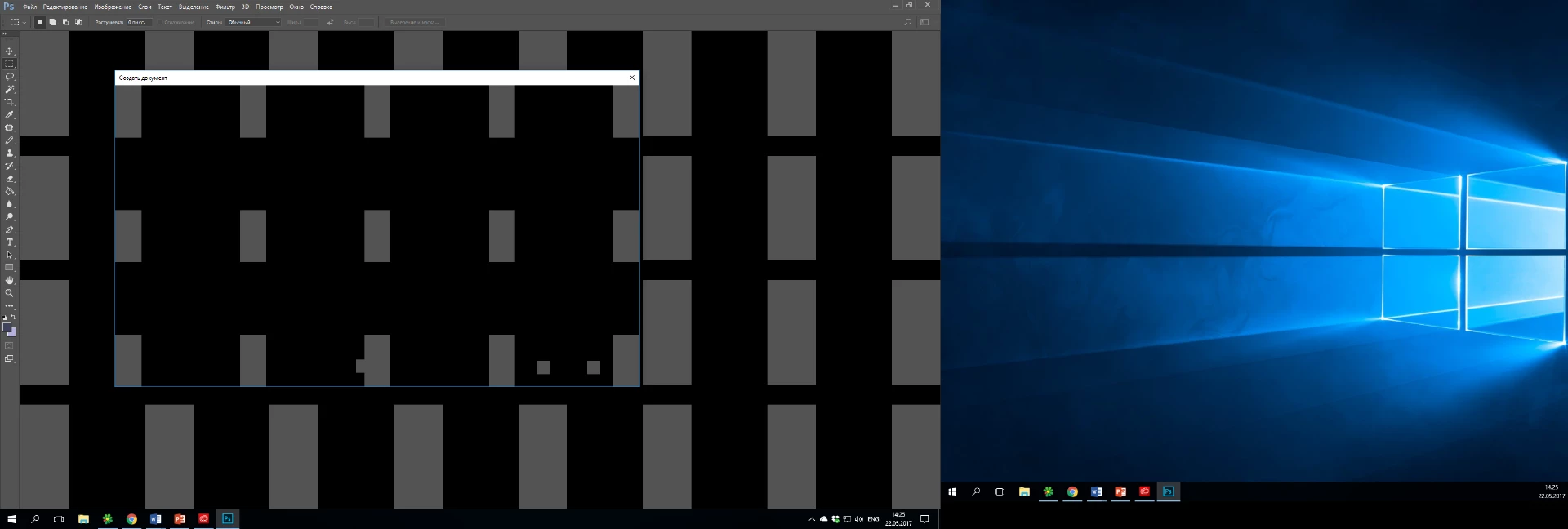
strange black rectangle on first screen(after open photoshop)

  • May 22, 2017
  • 1 reply
  • 950 views

I have the latest version of Photoshop. Version Adobe Photoshop: 2017.1.1 20170425.r.252 2017/04/25:23:00:00 CL 1113967 ( x64).
3 weeks ago strange thing appeared. When i open photoshop, on the start screen i see black rectangle(also this is in the CreateNewFile window).
May be someone know why this happened?@@
    This topic has been closed for replies.
    Correct answer c.pfaffenbichler

    Just to make sure: You did restart Photoshop after changing the setting?

    What have you done for trouble-shooting so far?

    Restoring Preferences after making sure all customized presets like Actions, Patterns, Brushes etc. have been saved might be a good starting point:

    https://helpx.adobe.com/photoshop/kb/basic-trouble-shooting-steps.html

    1 reply

    c.pfaffenbichler
    Community Expert
    Community Expert
    May 22, 2017

    Does turning off »Use Graphics Processor« in the Performance Preferences (Photoshop > Preferences > Performance > Graphic Processor Settings) and restarting Photoshop have any bearing on the issue?

    temich080Author
    Participant
    May 23, 2017

    No

    c.pfaffenbichler
    Community Expert
    c.pfaffenbichlerCommunity ExpertCorrect answer
    Community Expert
    May 23, 2017

    Just to make sure: You did restart Photoshop after changing the setting?

    What have you done for trouble-shooting so far?

    Restoring Preferences after making sure all customized presets like Actions, Patterns, Brushes etc. have been saved might be a good starting point:

    https://helpx.adobe.com/photoshop/kb/basic-trouble-shooting-steps.html