
arakorna29349492
Participating Frequently
May 27, 2018
Question

Strange shapes in the sky

  • May 27, 2018
  • 2 replies
  • 445 views

Hi,

I would like to ask for an advice nad solution for my Photoshop problem. When I compose panorama with blue sky a wierd shapes occurs in the sky when I set high dehaze and low brightness to check the dirty spots of the sky. Every single photo of such panorama is absolutelly clear with no shapes. Problem occurs only when I try to create panorama from selected photos. Can you please tell me what causes this and what to do to avoid this?  Thank you in advance.
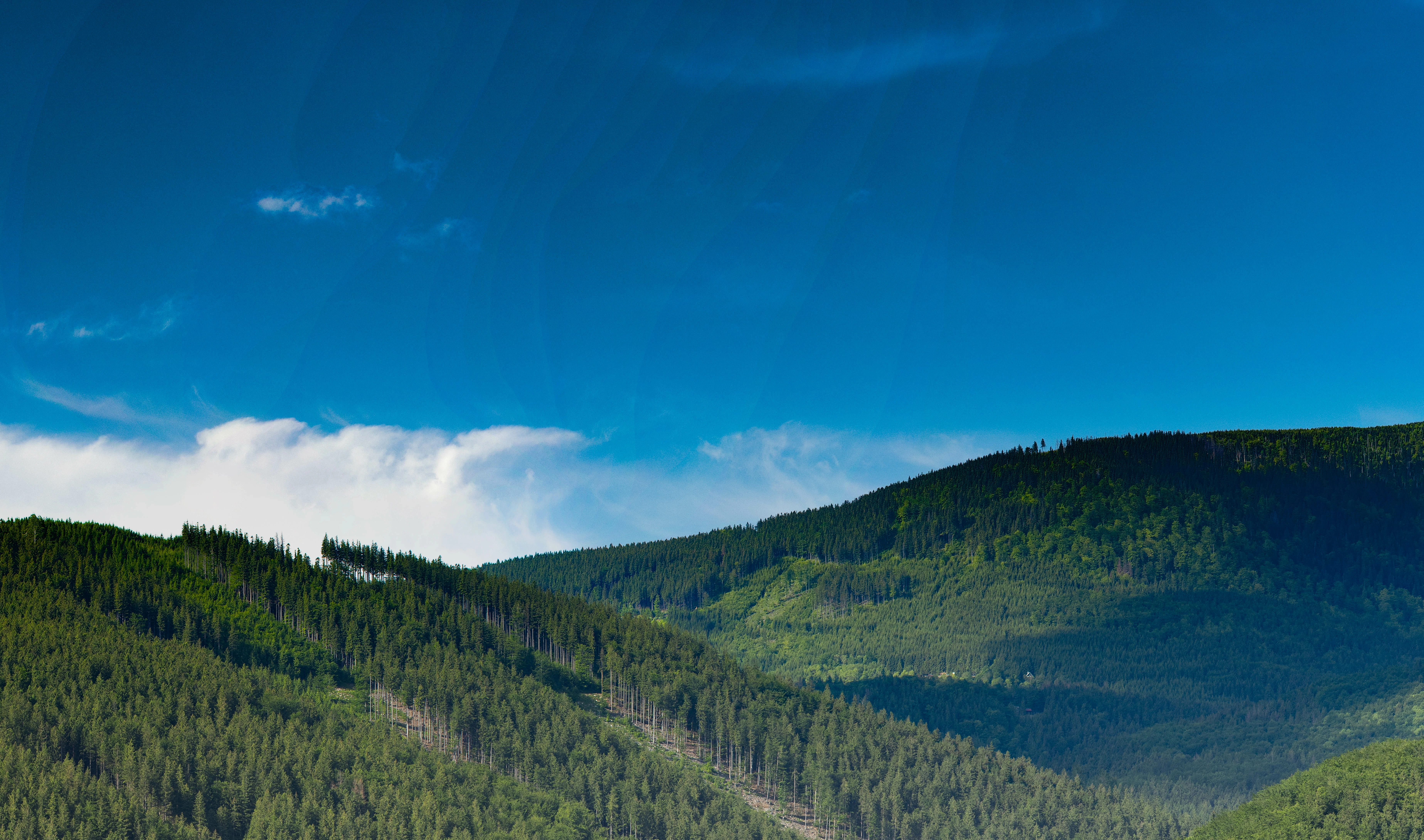
P.S. those lines are  not the effect of the monitor and high resolution. It is there even when zooming.

This topic has been closed for replies.

2 replies

D Fosse
Community Expert
Community Expert
May 27, 2018

It looks like you are using 8-bit files. With only 256 discrete levels, subtle adjustment will often result in banding as the levels jump. Try again with 16 bit files.

The dehaze effect looks highly unrealistic in the background and I'd turn that off, especially with the graduated filter on top.

The best way to get deep blue skies is to use a polarizer in front of the lens.

Semaphoric
Community Expert
Community Expert
May 27, 2018

Polarizers aren't good for panoramas, though, because the area of maximum darkening (90 degrees from the Sun) can make a hazy, curved line when stitched.

D Fosse
Community Expert
Community Expert
May 27, 2018

https://forums.adobe.com/people/Semaphoric  wrote

Polarizers aren't good for panoramas

True. This looks like a fairly narrow view though, about the equivalent of a 50mm lens, but maybe it's just a portion.

Semaphoric
Community Expert
Community Expert
May 27, 2018

What are you using to create the panoramas?

arakorna29349492
Participating Frequently
May 27, 2018

Photoshop - Photomerge - automatic.

But the same results are from Lightroom.