

Stephen Marsh
Community Expert
Community Expert
October 7, 2024
Answered

Stubborn URI %20 in ScriptUI Dialog Button Text Field

  • October 7, 2024
  • 1 reply
  • 348 views

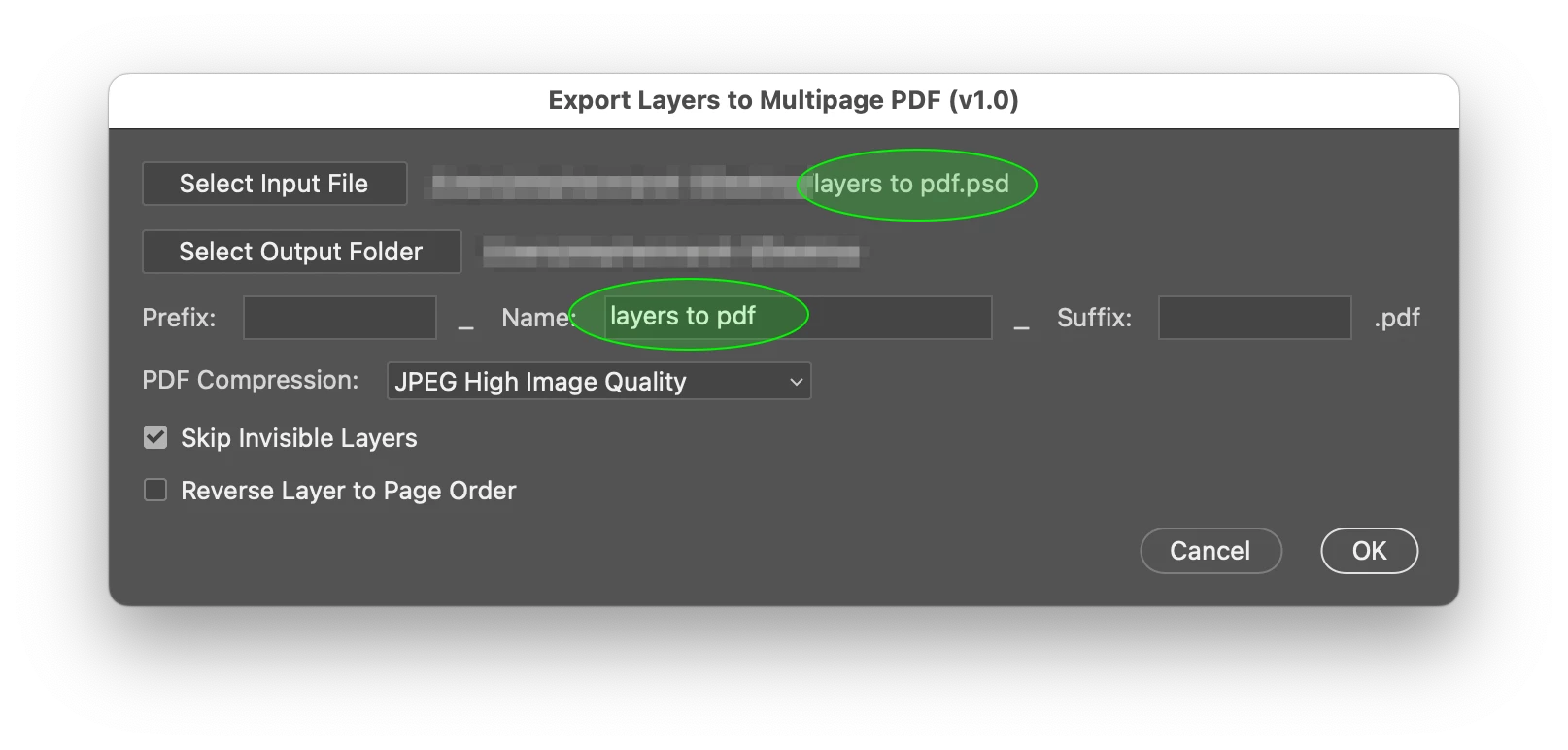
When the script is run with a single open and saved doc, the doc is closed and its path and name are used to populate the following scriptUI dialog:
 

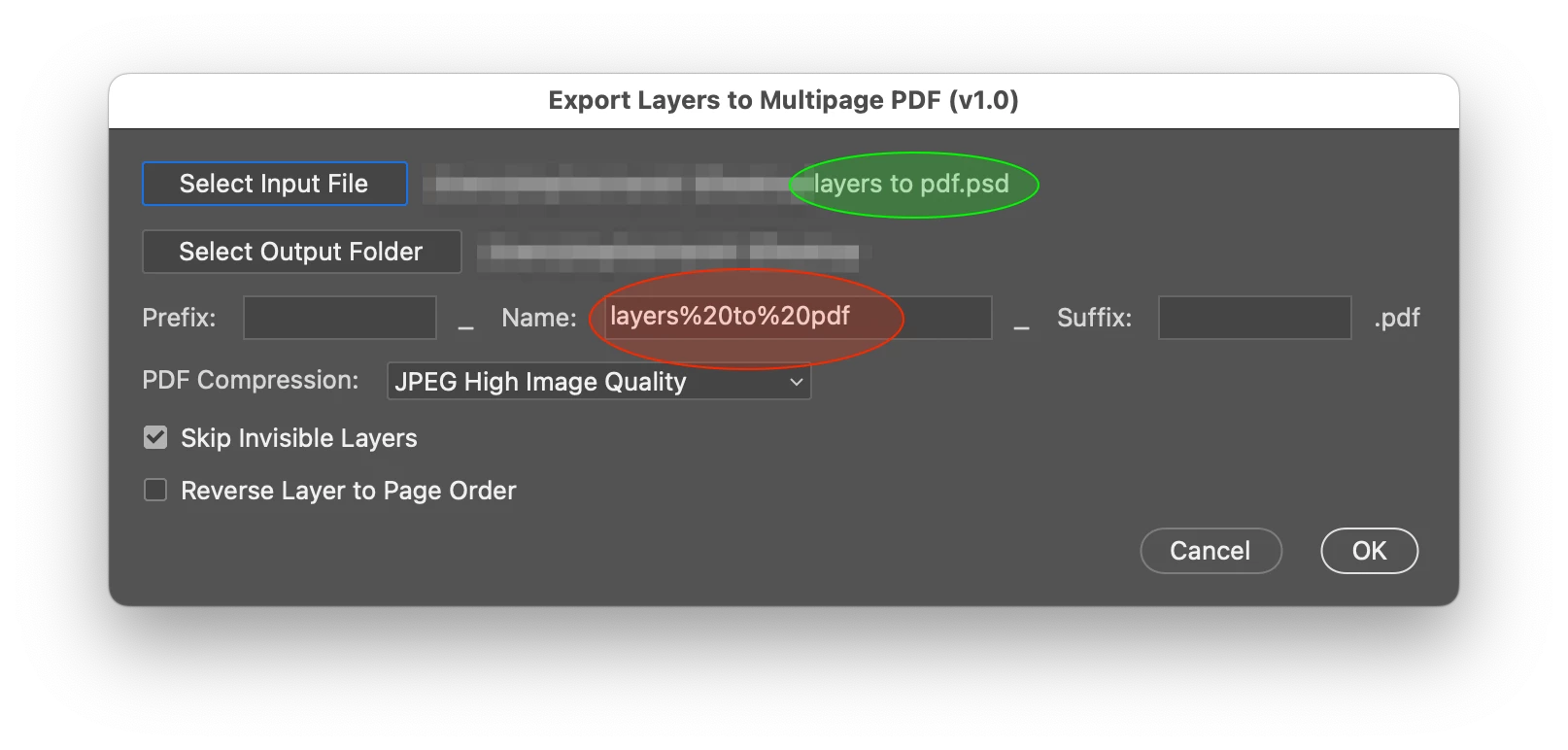
However, when running the "Select Input File" button manually, the Name: field is incorrectly using URI encoded word space %20 characters. Although the file saves correctly, this is confusing for users:


I have spent hours trying to fix this up, without any success. I have tried various decodeURI() and decodeURIComponent() and regular expressions and split/join in fruitless attempts to sanitise the result.


I'm sure it's a newb error, my scriptUI is next to zero and I have only made it this far with the help of AI to build the GUI around my existing code. The full code can be found in the following link, I want to keep that topic separate from the bug fixing in this topic, however, I will give credit in the updated code:


https://community.adobe.com/t5/photoshop-ecosystem-ideas/new-feature-request-layers-to-pdf/idc-p/14901556#M23179


Please reply in this topic, thank you in advance!


This topic has been closed for replies.
Correct answer Lumigraphics

Quit processing the name. Just use File.fullName or File.fsName and put that in your text field as-is.


var baseNameText = filenameGroup.add("edittext", undefined, "");
baseNameText.text = "abc";


Try this snippet (run directly in VSCode) to see the differences:


var myFile = File.openDialog();
Window.alert(myFile.fullName + '\r' + myFile.fsName + '\r' + myFile.name);


 Also, its easier to follow if you use this format for your child elements:


filenameGroup.baseName = filenameGroup.add("edittext", undefined, "");


1 reply

LumigraphicsCorrect answer
Legend
October 7, 2024

Quit processing the name. Just use File.fullName or File.fsName and put that in your text field as-is.


var baseNameText = filenameGroup.add("edittext", undefined, "");
baseNameText.text = "abc";


Try this snippet (run directly in VSCode) to see the differences:


var myFile = File.openDialog();
Window.alert(myFile.fullName + '\r' + myFile.fsName + '\r' + myFile.name);


 Also, its easier to follow if you use this format for your child elements:


filenameGroup.baseName = filenameGroup.add("edittext", undefined, "");


Stephen Marsh
Community Expert
Community Expert
October 8, 2024

@Lumigraphics 


Thank you, I made a variable from the file object and that resolved the issue!