I have a problem with the color, it is stuck in grayscale. I have checked to see if it's simply just put on "Grayscale" mode but it is still in RGB mode, and I've tried restarting Photoshop so that the preferences are reconverted back to the original state but for some reason the color scale is still messed up?
I have attached a photo here:
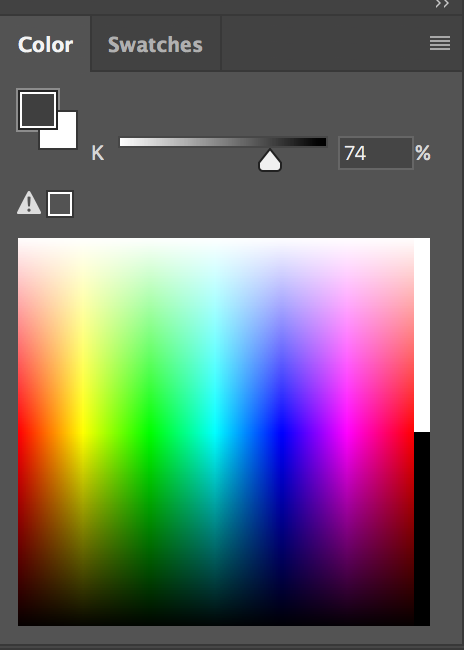
and here's a gif on the problem I'm facing:
Animated GIFs - Find & Share on GIPHY
to the right, you can see that I'm trying to select other colours, but it only appears as a gray tone. On the canvas, no matter what color I pick (even if it's grayscale), it turns out as a shade of pink/red.
I'm not sure how to fix this. Any help will be appreciated at all, thank you!




 5
Replies
5
Replies





 AdChoices