Participating Frequently
November 6, 2019
Answered

Styles and brushes

  • November 6, 2019
  • 1 reply
  • 439 views

why can't i use styles on my brushes as i do with text?

This topic has been closed for replies.
Correct answer jane-e

Hi RaspberryNut,

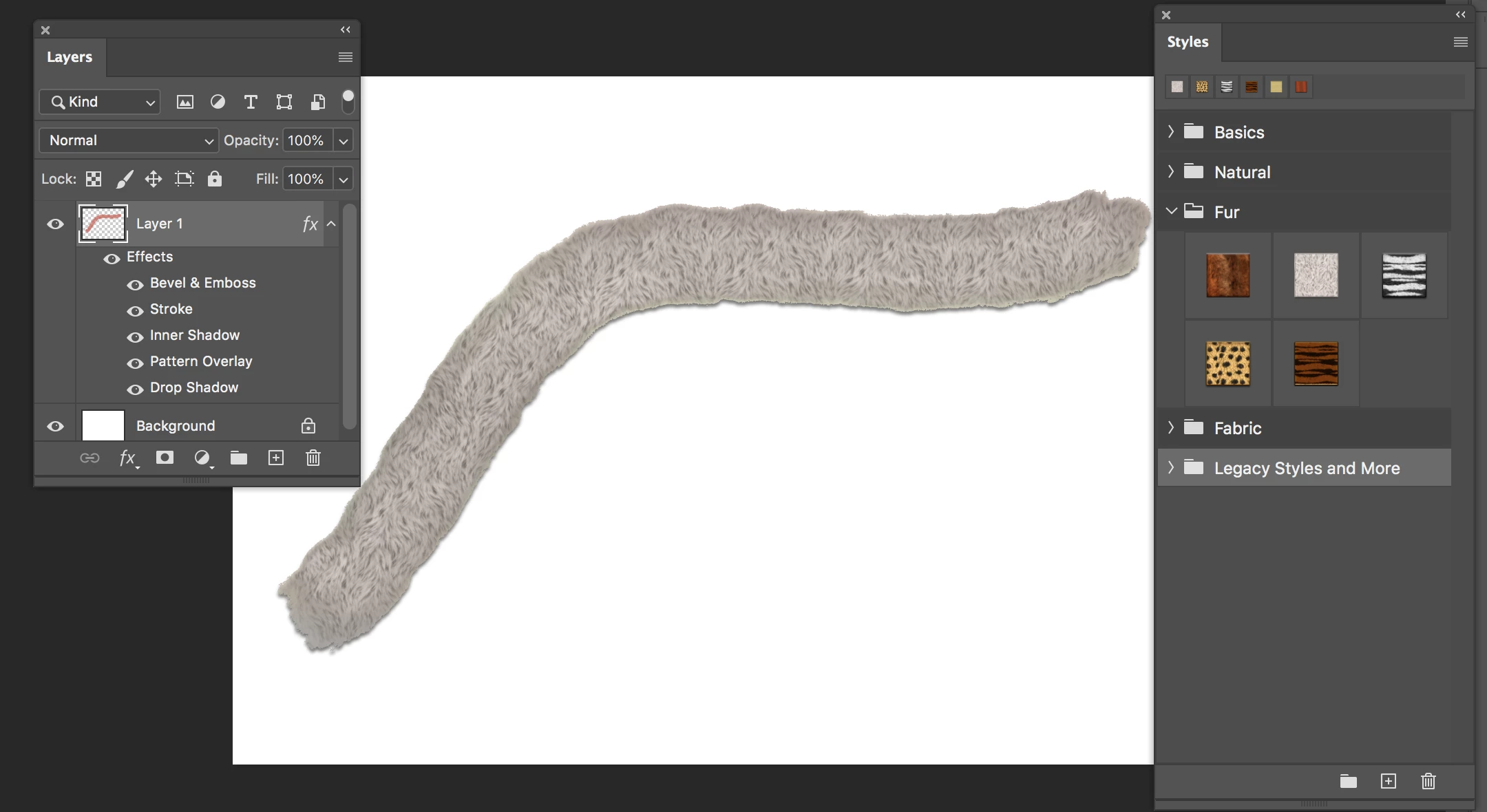
  1. First, draw with the Brush tool on a new Layer as in Dave's directions
  2. Click the fx button at the bottom on the Layers panel to add one or more effects.
    or
  3. Open the Styles panel from the Window menu to apply a collection of preset Effects to the selected layer. When you choose a Style, you will see the effects listed in the Layers panel.


If you have trouble, post a screen shot and tell us what you are trying to achieve.


~ Jane
 

1 reply

davescm
Community Expert
Community Expert
November 6, 2019

You can by applying brushing on a separate layer with a layer style applied.


Dave


Participating Frequently
December 1, 2019

Please explain how

jane-e
Community Expert
jane-eCommunity ExpertCorrect answer
Community Expert
December 1, 2019

Hi RaspberryNut,

  1. First, draw with the Brush tool on a new Layer as in Dave's directions
  2. Click the fx button at the bottom on the Layers panel to add one or more effects.
    or
  3. Open the Styles panel from the Window menu to apply a collection of preset Effects to the selected layer. When you choose a Style, you will see the effects listed in the Layers panel.


If you have trouble, post a screen shot and tell us what you are trying to achieve.


~ Jane