

natrev
Legend
March 31, 2016
Answered

Suggest me! File modify date changing when copying

  • March 31, 2016
  • 4 replies
  • 1344 views

Hi Everyone!,

I have to copy one file and paste into another location using java script. After the transition the file modified date was changed to current date and time.

However, If I copy file physically and paste into other location. The File modified date was not changed. This is what I exact want.

Anyone explain why its happen?

- yajiv

Code:

var myFile=File("/Volumes/tempFiles/1234.tif");

myFile.copy("~/Desktop/1234.tif");

Copy using Script:

After Paste..

This topic has been closed for replies.
Correct answer c.pfaffenbichler

Hi SuperMerlin and Chris,

Thank you so much for prompt response.

Both scripts are working fine...  However It's showing today's date for modified...
The File modified date was did not changed when I copy file physically and paste it into other location. 

Kindly suggest me or provide alternate solution.

-yajiv


Both scripts are working fine...  However It's showing today's date for modified...

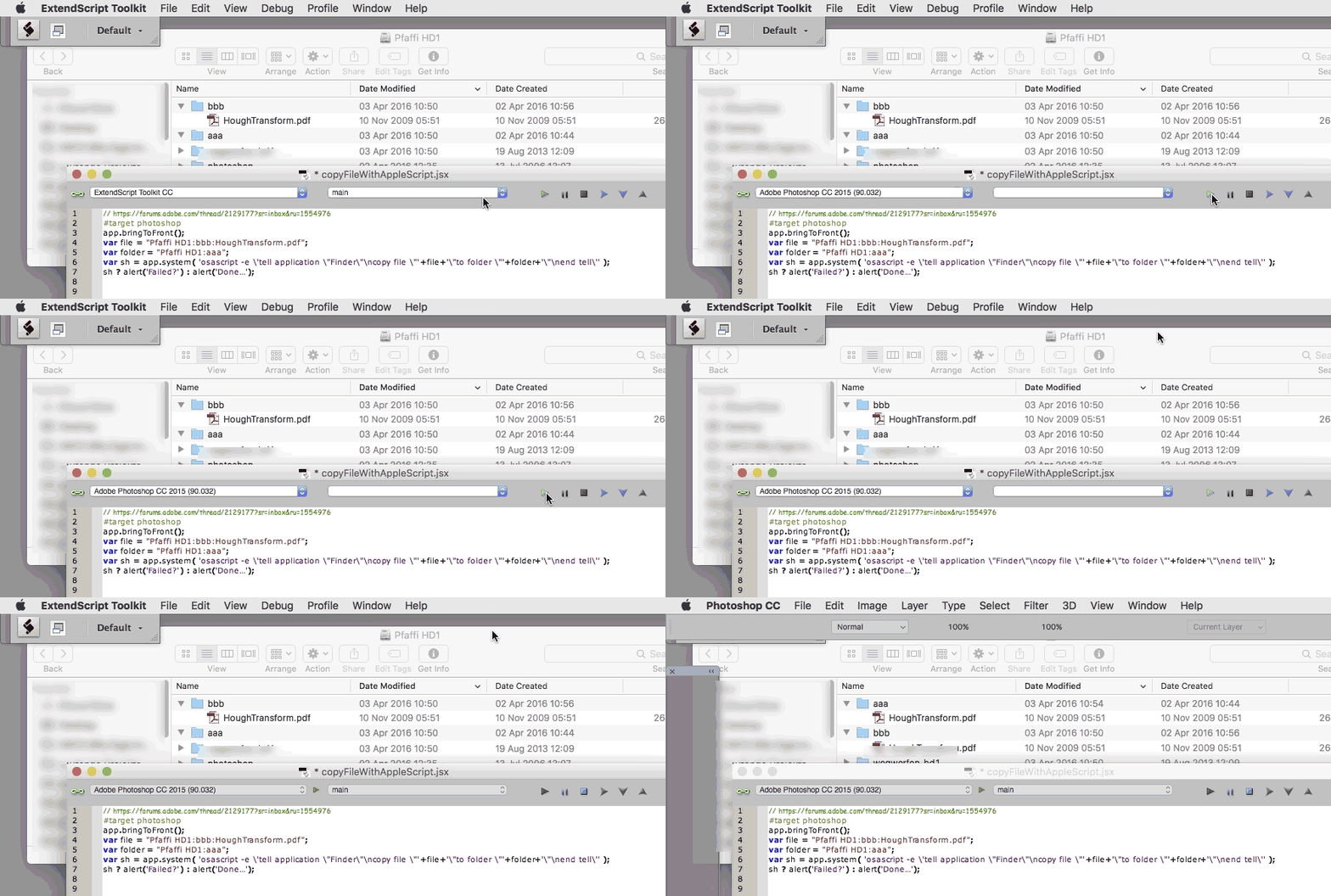
I can not reproduce that, the Created and Modified Dates are kept (see screen recording).

4 replies

April 3, 2016

This appears to work for me in Photoshop CS4 under Mac OS X Yosemite 10.10.5:

#target photoshop

app.bringToFront ();

var sourceFile = new File ("~/Desktop/source/test.txt");

var destFolder = new Folder ("~/Desktop/dest/");

if (!sourceFile.exists)

{

    alert ("Invalid source file!\r" + sourceFile.fsName);

}

else if (!destFolder.exists)

{

    alert ("Invalid destination folder!\r" + destFolder.fsName);

}

else

{

    var command = 'cp -p "' + sourceFile.fsName + '" "' + destFolder.fsName + '"';

    var sh = app.system (command);

    sh ? alert ('Failed?\r' + command) : alert ('Done…\r' + command);

}

It makes use of the system command cp with attribute -p.

Cf. man cp:

-p    Cause cp to preserve the following attributes of each source file in the copy: modification time, access time, file flags, file mode, user ID, and group ID, as allowed by permissions.  Access Control Lists (ACLs) and Extended Attributes (EAs), including resource forks, will also be preserved.

HTH,

--Michel

c.pfaffenbichler
Community Expert
Community Expert
April 2, 2016

This works for me to copy a file from a folder named "bbb" to one named "aaa" one the volume "Pfaffi HD1".

#target photoshop

app.bringToFront();

var file = "Pfaffi HD1:bbb:HoughTransform.pdf";

var folder = "Pfaffi HD1:aaa";

var sh = app.system( 'osascript -e \'tell application \"Finder\"\ncopy file \"'+file+'\"to folder \"'+folder+'\"\nend tell\'' );

sh ? alert('Failed?') : alert('Done…');

Naturally you’d have to amend the paths of file and folder.

natrev
natrevAuthor
Legend
April 1, 2016

Thanks for your reply Chris,

Can anyone help me.......

I've a issue while copying a file from one location to some other location. If I copied and paste manually, the Date modified is shown as same as copied file.

However If I did it with JS codes, It's showing today's date for modified. I want the same as the copied file by using Javascript.

-yajiv

SuperMerlin
Inspiring
April 1, 2016

You could use app.system() to issue an OS command.

On a PC it would be.

var file1 = new File("/path/to/file/file.name");

var dest = Folder ("/path/to/destination/folder");

var cmd = "copy " + file1.fsName + " " + dest.fsName;

app.system(cmd);

natrev
natrevAuthor
Legend
April 2, 2016

Hi SuperMerlin,

Thanks for your response. The above mentioned command not working on MAC OS

I tried other scenario but can't work. However this command working in internal file transfer, not working server to desktop

Please suggest me, If any-other solution is there?

This command is working

var cmd="cp ~/Desktop/Test.tif ~/Documents"

Not Working..

var file1 = File("/Volumes/Test/Test.tif");

var dest = Folder (Folder.desktop);

var cmd = "cp " + file1.fsName + " " + dest.fsName;

app.system(cmd);

c.pfaffenbichler
Community Expert
Community Expert
April 1, 2016

Sorry I can’t help you there, I see no way around this with JS.

Maybe VB or AS (depending on your OS) could provide a different result used in a ShellScript – but I am not sure it would or how to set it up …