
Inspiring
May 2, 2023
Answered

Suspiciously complicated to install and activate Photoshop CS5

  • May 2, 2023
  • 4 replies
  • 2234 views

I run Win 10.

Way back I bought Photoshop CS3, CS4 and CS5. Photoshop CS5 is shown on the Product page under my Adobe account:
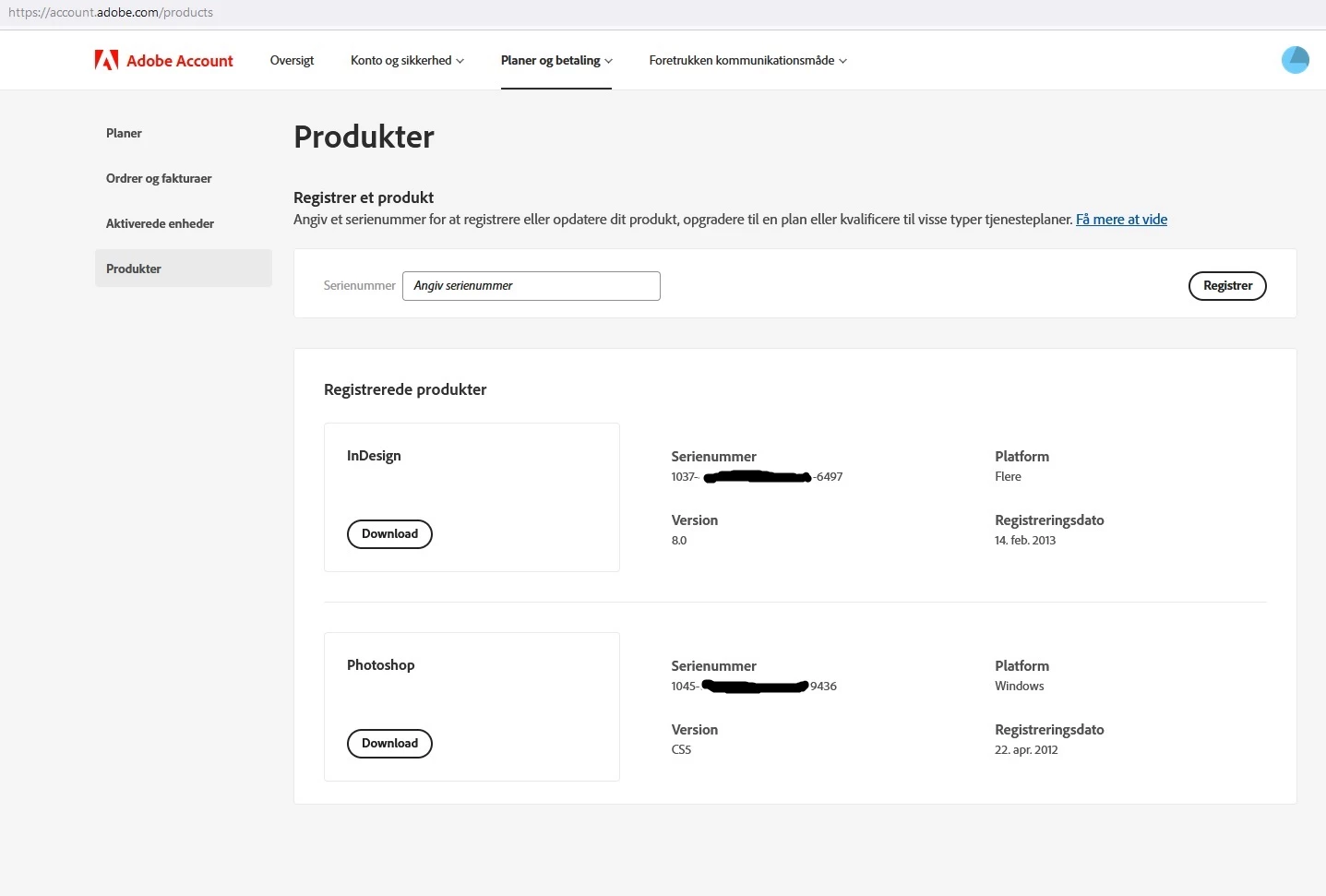


I downloaded the English version, which should match the originally purchaced CS5.

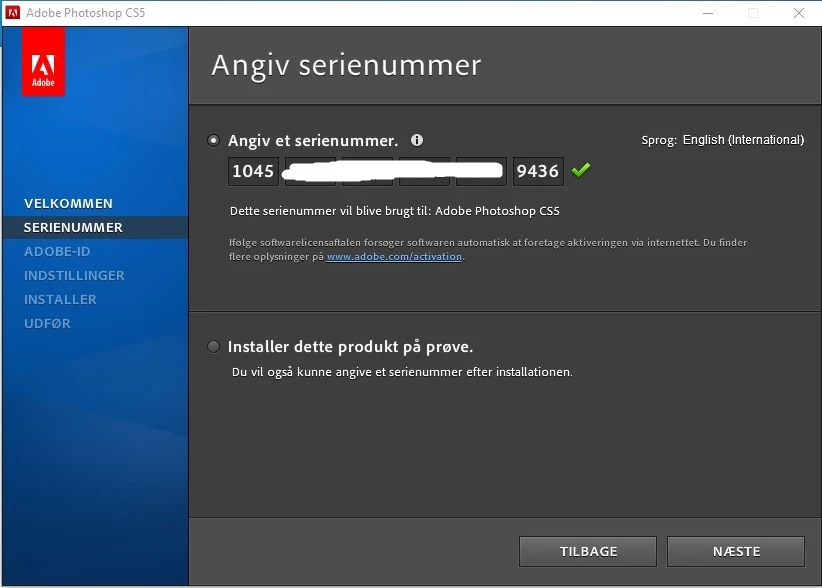
In the set-up window I inserted the serialnumber, which was recognized with the following info -
'This serial number will be used for : Adobe Photoshop CS5'
(promising so far):


Next, the troubles began:

Apparently the set-up routine expected a previous software to be installed on the computer, but it isn't (all original versions are long gone with an old pc).

The next message said:
'This serial number, you gave, is valid, but no qualifying product exists on the computer.'

Apparently this installation routine is still looking for CS4, which also is long gone and forgotten:
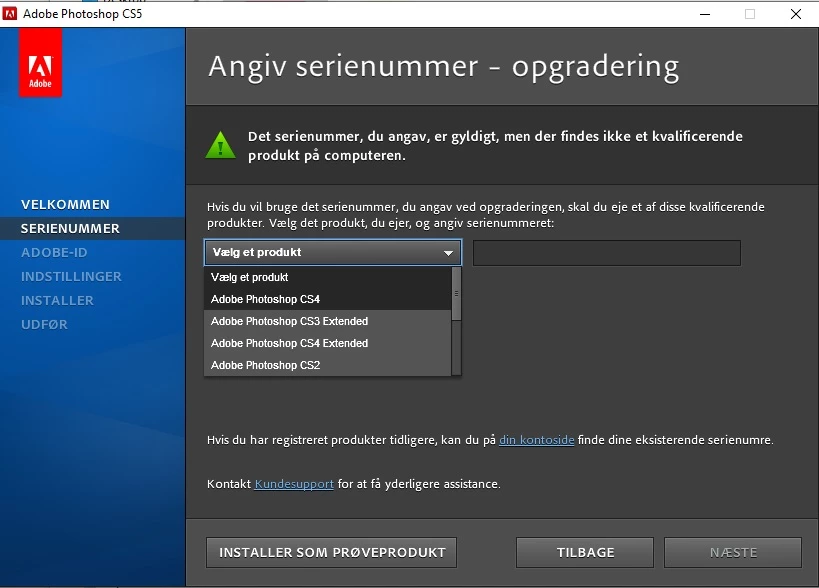


Conclusion: I can't install the downloaded Photoshop CS5, due to old installation formalities.

Or - is there a way to convince Adobe support (if it exists?) that I am the rightious owner of a valid license for Photoshop CS5 - as Adobe has stated in my account - and to by pass the check for an earlier version?

Or is there another way to work around this barrier?

This topic has been closed for replies.
Correct answer D Fosse

In addition, you have an upgrade serial number. That means you must enter the qualifying product serial number, which in your case I assume would be CS4.


You don't need to actually have CS4 installed! It's enough that you enter the CS4 serial when prompted.


If CS4 is itself an upgrade from CS3 is beyond wht the installer cares about. It just asks for the preceding one, upgrade or full.

4 replies

Inspiring
May 2, 2023

Problem solved.

I found my old CS4 serial number.

Inspiring
May 2, 2023

Thank you, all.

As I wrote, I found the serial number for CS4, from 2012 I think, and the installation of CS5 went on successfully.

I guess there's no way around - my CS5 license would be worthless - if I had lost the serial number for CS4 (?)

D Fosse
Community Expert
Community Expert
May 2, 2023

I never liked the subscription model. The price was fair in my case, but the constant bombardment with creative this and that, the likewise constant promotion of sky based services and all the political correct images have become too much Adobe.
I am very satisfied with Photoshop CS5.


It does tend to clutter your mail inbox, true. Not very creative at that 😄


As for the cloud stuff, once you've opted out, it doesn't bother you much again and it's business as usual.

davescm
Community Expert
Community Expert
May 2, 2023

Did you buy an upgrade to CS5 from CS4 or earlier. If so you will also need to enter the serial number for the previous product (you do not have to install or activate it)


Dave


[Sorry Dag, you must have posted while I was typing]

D Fosse
Community Expert
D FosseCommunity ExpertCorrect answer
Community Expert
May 2, 2023

In addition, you have an upgrade serial number. That means you must enter the qualifying product serial number, which in your case I assume would be CS4.


You don't need to actually have CS4 installed! It's enough that you enter the CS4 serial when prompted.


If CS4 is itself an upgrade from CS3 is beyond wht the installer cares about. It just asks for the preceding one, upgrade or full.

Abambo
Community Expert
Community Expert
May 2, 2023

You need to use the installer and language version corresponding to your serial number. I.e. if the serial number is for a French educational product, you need to use the French installer that comes with the educational disks/downloads. If this correspondence is not established, then the serial number is not correct and you cannot activate the product.

ABAMBO | Hard- and Software Engineer | Photographer