Exit
  • Global community
    • Language:
      • Deutsch
      • English
      • Español
      • Français
      • Português
  • 日本語コミュニティ
  • 한국 커뮤니티
0

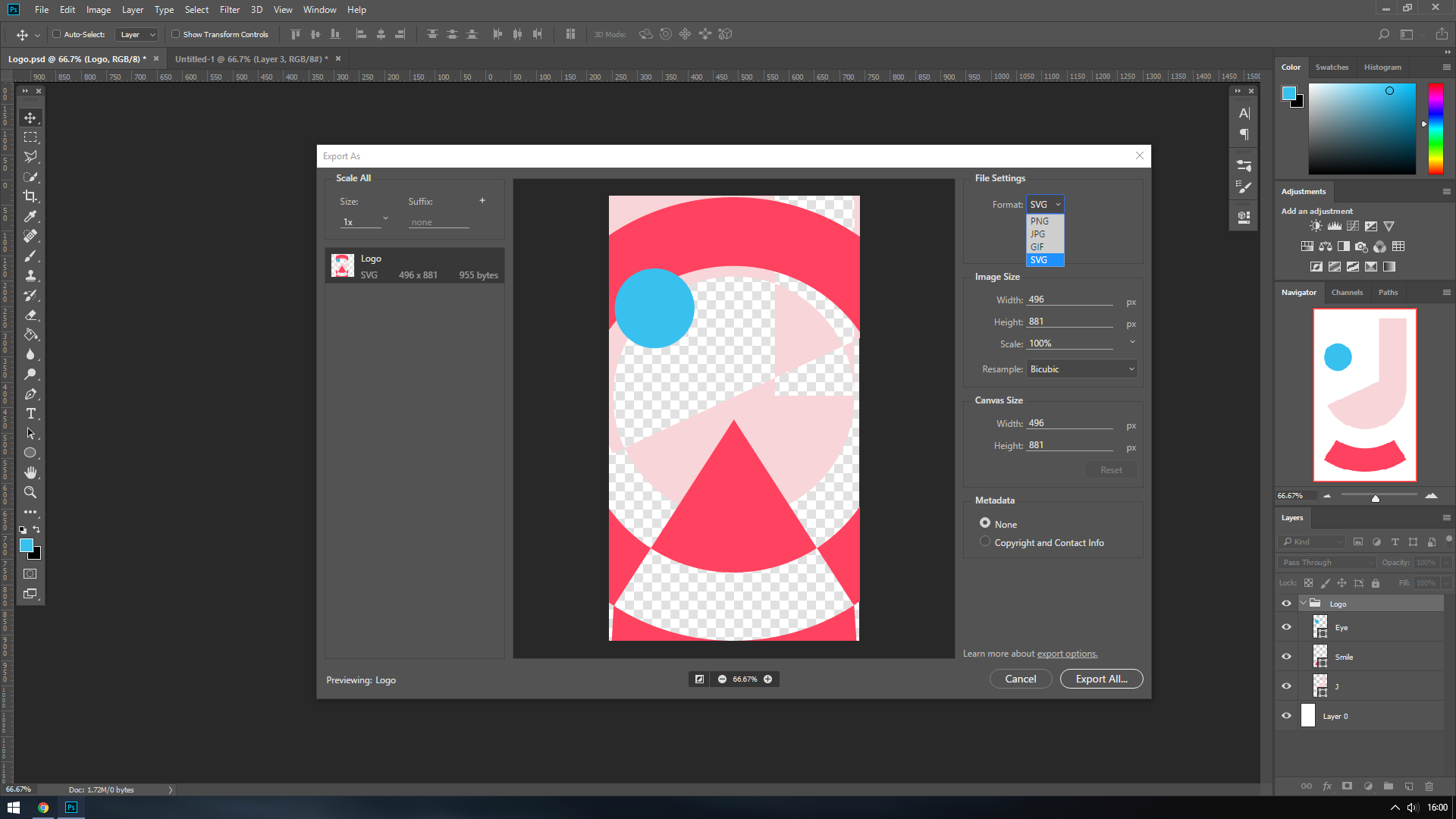
SVG Exporting Incorrectly

New Here ,
Jul 09, 2018 Jul 09, 2018

Hey guys,

So a few weeks ago I managed to export this vector shape as an SVG without issue, but now that I want to save it out again, it doesn't seem to work - as soon as I select SVG, the wrong areas are filled in. Does anyone know how I can fix this? I'm completely stuck, I can't find the answer anywhere.

PNG.png

SVG.png

Thanks for any help!

172
Translate
Report
Community guidelines
Be kind and respectful, give credit to the original source of content, and search for duplicates before posting. Learn more
community guidelines
Adobe
Community Expert ,
Jul 09, 2018 Jul 09, 2018
LATEST

When you export does it really look like that? Thinking maybe a screen redraw issue. I can't help you fix it, but here is a work around:

If you are still having problems you can bring this over to Illustrator and save it out as svg. I would drop into a library, drag it into an AI document and save it out.

Melissa Piccone | Adobe Trainer | Online Courses Author | Fine Artist

Translate
Report
Community guidelines
Be kind and respectful, give credit to the original source of content, and search for duplicates before posting. Learn more
community guidelines