
joeh87907460
Inspiring
January 5, 2020
Question

Templates in Photoshop

  • January 5, 2020
  • 3 replies
  • 673 views

Can someone explain how to save templates in Photoshop so they show in the "New Document" dialog like these in the image below?
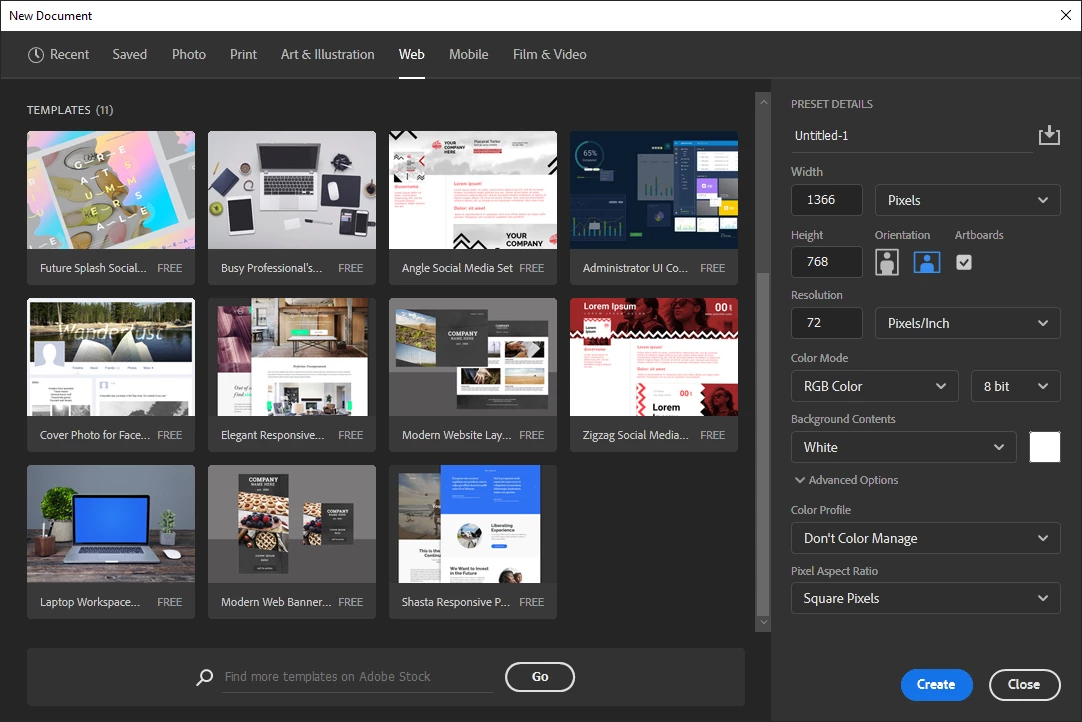


I don't want any of the ones on Adobe Stock. Not that there is anything wrong with them, they are just not what I need or want. I have created a few .psdt files and dragged them into a library, but that isn't accessible when Photoshop is first opened, you have to open or create a new document first before you can get to the libraries, then you have to navigate to the proper library before you can get to them. I'd like to eliminate all of those steps if possible.

This topic has been closed for replies.

3 replies

JJMack
Community Expert
Community Expert
January 5, 2020

Adobe changed this they are old document that contain content thew download now only into your templates library. A better place for them.

JJMack
Jeff Arola
Community Expert
Community Expert
January 5, 2020

Sorry for the confusion. The Templates in Saved are from Adobe Stock.


As far as i know, adobe has not provided a way publicly for users to insert their own Templates into the New document dialog, although that would make for a great feature request, which can be done over here.


https://feedback.photoshop.com/photoshop_family

joeh87907460
Inspiring
January 5, 2020

I tried to leave a suggestion at the link you provided, but it doesn't work. I made the post then the only button was to "Sign in to post". I clicked it, and up came a dialog with several options to sign in (again). So I signed it and another dialog came up saying "You have signed in successfully, you can now close this window", so I did. Now there is no way to post it because the "Sign In To Post" button is grayed out and non opperative. 

Jeff Arola
Community Expert
Community Expert
January 5, 2020

You can use the Preset save button and that will show under Saved


joeh87907460
Inspiring
January 5, 2020

Doesn't work for me. All I have been able to do with "Presets Save" is save a single layer of a specific size. I can find no way to add graphics, styles, text laywers and guides from there. Can you please tell me how you were able to save those to the "Saved" tab?