
augustk94532170
Participant
March 31, 2017
Question

Terrible Glitch Affecting My Artwork

  • March 31, 2017
  • 1 reply
  • 541 views

Hello, this is a question, with a hard to find answer.

First off: Macbook Pro, Processor 2.5 GHz, Memory 8GB,   258.96GB free of 499.05GB

               Ad Ph CS6 version 13.0.6

Im an Artist who often draws pen and ink, and colors digitally. A page from comic will look like this
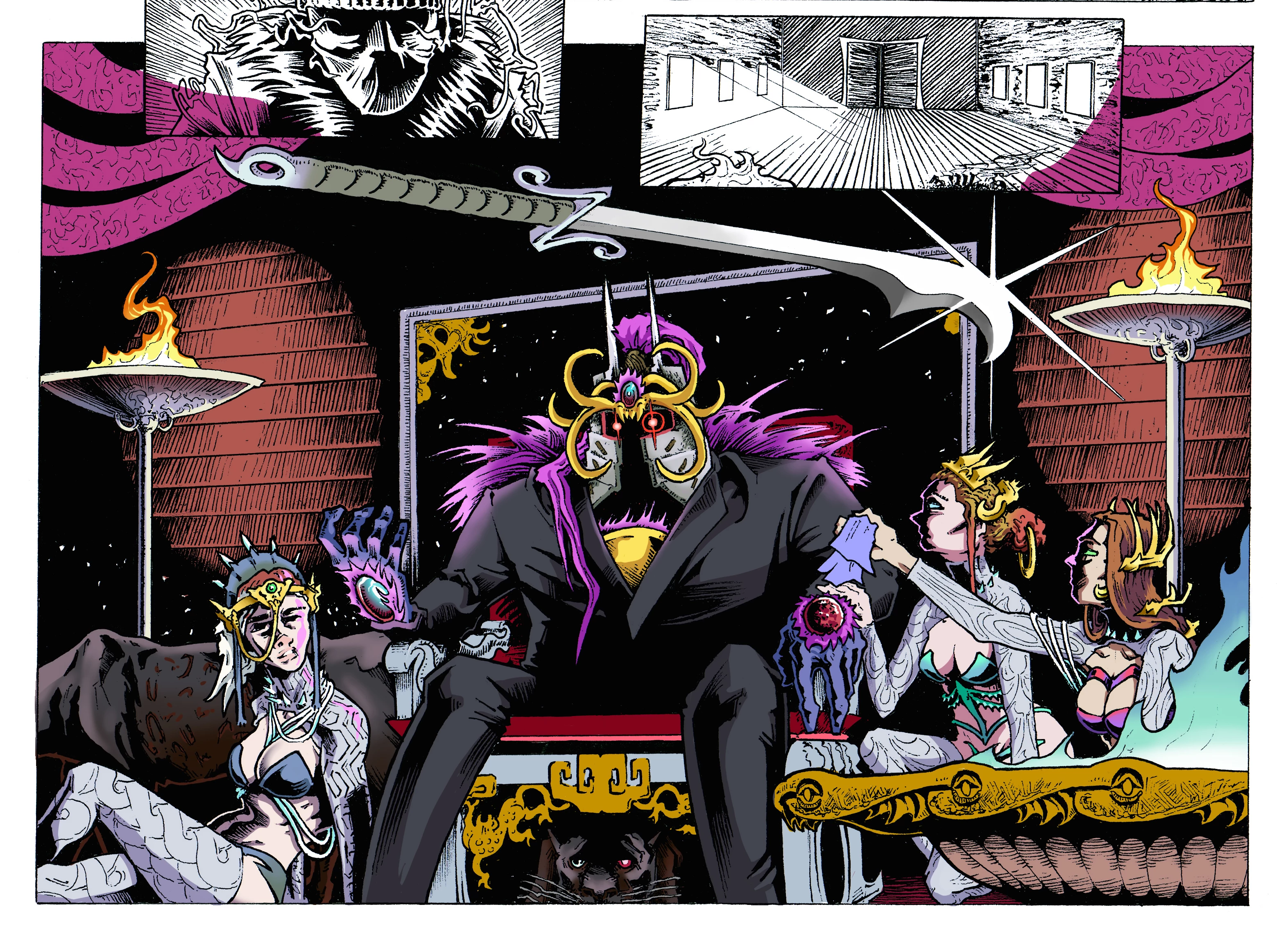
Very nice. Until a week or so will pass. Ill open up the file, and this will meet me....
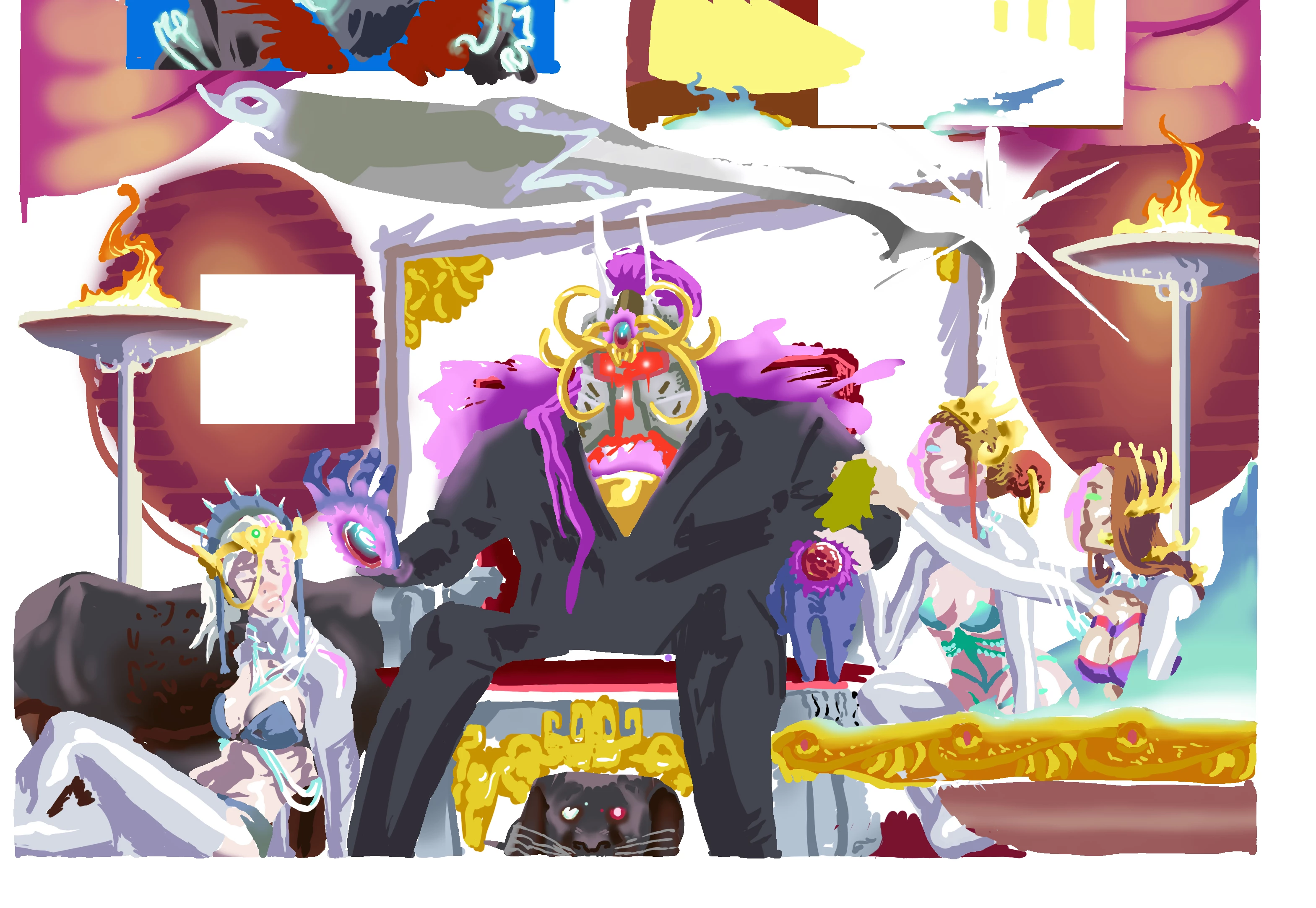
I dont know, and cant remember, any significant action of mine to affect my files like this. The top layer of linework vanishes, even tho the layer remains. (Its just empty now) and squares of colors will disappear. If you try to fill them in with color a glitch distortion will appear.

Please help, This has been happening for some time, and many of my pages have to be recolored after many hours of work. Thank you for any information you can give.

This topic has been closed for replies.

1 reply

Trevor.Dennis
Community Expert
Community Expert
March 31, 2017

The most obvious thing is blend modes, so if you had a layer high up the stack set to Screen for instance.

Turn off the layers one at a time starting from the top and you are bound to find the problem layer.

Nice artwork btw.

augustk94532170
Participant
March 31, 2017

Thank you. Thats not the answer tho. the only mode I use is Multiply, on the top ink layer. That way the Ink stays on top and I can color In the white.

Trevor.Dennis
Community Expert
Community Expert
March 31, 2017

Can you paste a screen shot of your workspace showing the layers panel?

Have you tried turning off layers starting from the top of the stack?

How does the image preview in Bridge?  If it is a GPU glitch, then I'm thinking it would look OK in Bridge, but you could as easily turn off the GPU in Preferences.  I can't remember seeing this sort of issue from the GPU though.  You usually see white squares.

If you think it is a glitch and not a blend mode etc., and you use a Wacom tablet, then try the White Whindow plug-in, but I don't think it fits the criteria.

Menus, shortcuts, Lasso tool, or Photoshop stop working when using a Wacom tablet | Mac OS