
Known Participant
May 4, 2018
Answered

Text Color stays black - Tried everything - plz help

  • May 4, 2018
  • 6 replies
  • 10003 views

Hi guys,

Im trying to change my text color and gradient but It stays black. I have read a bunch of online but still havent found the solution. Could you plz help.

The image settings is RBG and 32 bits.
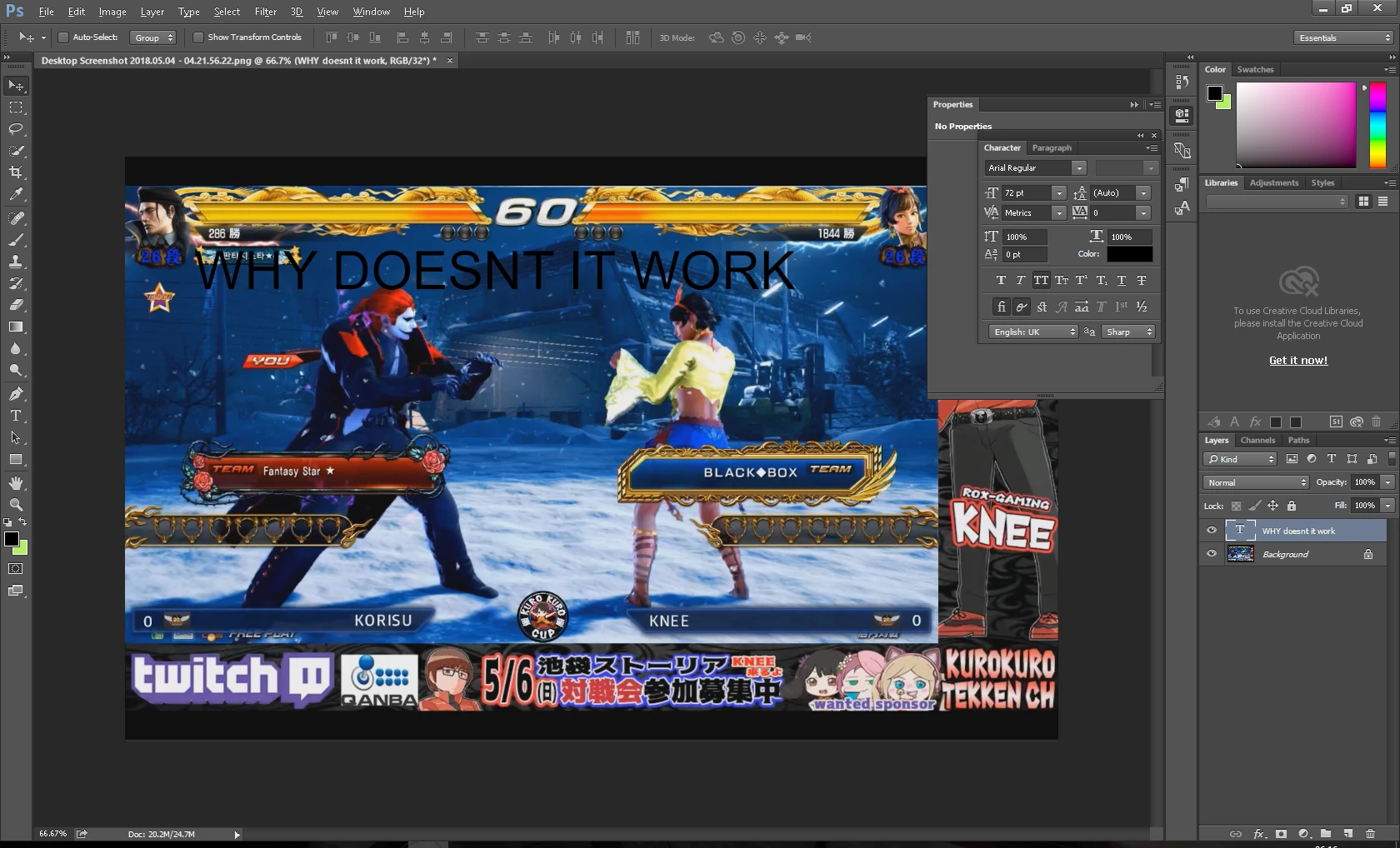
I have attached a picture.


many thanks in advance
Correct answer Nancy OShea

OK i hear you but I dont understand you. So what do I need to do to resolve it?

thank you very much for your quick reaction by the way


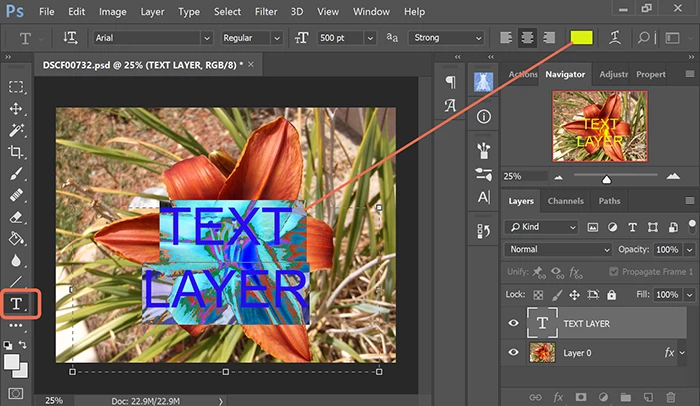
OK.  Use the Type tool to create your text.  Highlight all the letters and then change the color.

6 replies

Bunuka
Participant
April 10, 2025

Hi,

This is an old thread but I was having the same problem and thought I would provide an update with the solution if anyone else comes across this thread.
The whole photoshop file was in Greyscale mode, instead of colour. I believe this happened because of the image I imported as I opened the photoshop file? I had an option to change it on the right panel near where Libraries was located.

Participant
August 24, 2024

Dude. Ditto. I've tried everything wth. New blank project. One line of text. Will NOT change off grayscale. Change text color, gradient overlay, color overylay. Very simple stuff. It only changes shade of greyscale. Seemily on all fonts as well.


Participating Frequently
October 12, 2023

I have the same problem! I have tried everything: restarting the software, change the color mode, etc. I can't change colours on anything, and even color overlay doesn't work. Please help!!


Ged_Traynor
Community Expert
Community Expert
October 12, 2023

@defaultuds2x0x9h6oo can you post a screenshot of the Photoshop interface will all the pertinent panels opened to highlight the issue, have you tried manually resetting your Photoshop preferences, also what exact version of Photoshop do you have
https://helpx.adobe.com/ie/photoshop/using/preferences.html#Manually
Remember to backup your settings before doing the preference reset
https://helpx.adobe.com/ie/photoshop/using/preset-migration.html

Participating Frequently
October 12, 2023

 I have tried 3 different versions of photoshop. It is definitely a file issue.

Participant
September 12, 2020

look at the intensity when you apply color into text. set the value to 0.00 stops for resolve black or white color issue. 

Participant
May 4, 2018

Follow the steps in below image

Learn more about Photoshop on https://goo.gl/cxF9DQ

Known Participant
May 4, 2018

thank you ashish. I will try this.

Quick question, I was selecting the written text by the moving tool and then I tried to change the color. Was it therefore not working?

pixxxelschubser
Community Expert
Community Expert
May 4, 2018

Select the text with the Type Tool (doubleclick your text directly in the image).

Then change the color.

Have fun

Dan Rodney
Community Expert
Community Expert
May 4, 2018

To change the text color, click the black box next to Color in the Character panel.

If you want to make the text a gradient, add a Gradient Overlay effect to the type layer.

— Adobe Certified Expert & Instructor at Noble Desktop | Web Developer, Designer, InDesign Scriptor
Known Participant
May 4, 2018

Dan thank  you for  your fast reply. However, the problem is that  when I click on the box and choose another color, the text doesnt change. Is it possible that I have something enabled which is preventing the text from changing the black color?

Dan Rodney
Community Expert
Community Expert
May 4, 2018

Weird. I don't see anything that would prevent the color from working.

Have you tried adding a Color Overlay effect as a workaround? (Not that you should have to do that.)

— Adobe Certified Expert & Instructor at Noble Desktop | Web Developer, Designer, InDesign Scriptor