

Text Cursor too big, type not lining up like it should
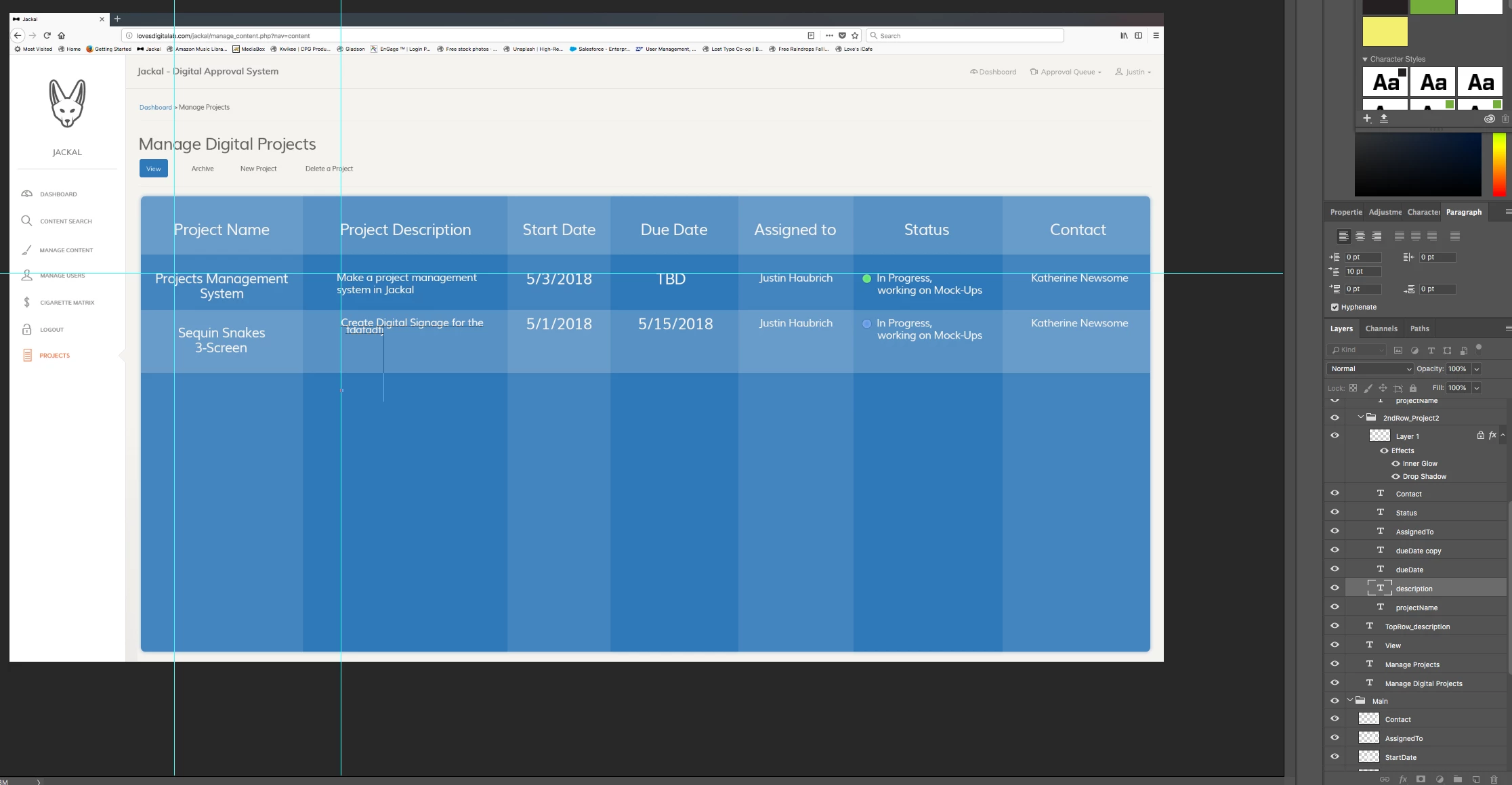
So as you can see in the screenshot where I am typing at, the text cursor (also known as the insertion point) is way too big. The other issue is that the second line of type is not lining up with the first, and I tried messing with the indention settings in the Paragraph panel but that has not fixed the issue. Other people at my work do not have this issue with the Photoshop running on their computers, and we all have the same iMac Towers. My installation of Photoshop has been doing this for over a year now and not even updating the software has resolved the issue. Does anyone know how I can fix this? It is really annoying and slows down my workflow, please help!!!
Edit: I am running on macOS High Sierra Version 10.13.4. Do you think there is some kind of setting in my operating system that is causing this issue? I have tried uninstalling and reinstalling Photoshop but that has not resolved the issue.
 AdChoices