
This topic has been closed for replies.

1 reply

Ussnorway7605025
Legend
December 25, 2018

ioanai2101444  wrote

You can read this tutorial for engraved wood effect http://www.psd-dude.com/tutorials/create-an-engraved-wood-logo-in-photoshop.aspx

Or you can use the free engraved wood mockup [ dead link, disabled by moderator ]
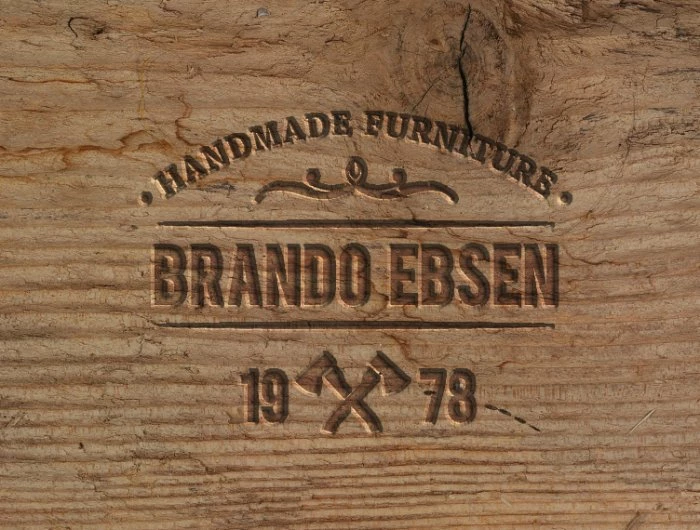
the site this tutorial is on is a mess of spam so users beware, however the wood texture used in the mockup is this one

Wood Texture 3 by violety on DeviantArt

p.s, licence = give a link

Trevor.Dennis
Community Expert
Community Expert
December 25, 2018

Well done Graham.  I love it.

For wood texture I usually download from Google images, or use Eye Candy 7, but you can make a stab at it with Render > Fibres.

Sample the light and dark colours you want to use,  and run a gradient down a new layer

Then Render Fibres

I like to squeeze the fibres together a bit.  Then maybe use Liquify to  add some distortion, and maybe some knots.

I tweaked the contrast a bit with a curves layer

The trick with anything you want to make look depressed is to  set layer Fill Opacity to zero, and use Layer Styles.  This makes the layer contents disappear, but the layer style remain.   This is for Handmade Furniture layer.   Bevel & Emboss direction is set to Down, but this does depend on the shading angles set.

A tiny bit of Inner Shadow adds some more depth

And both together.  Remember this is only the top line of text.

jane-e
Community Expert
Community Expert
December 25, 2018

Brilliant, Trevor.Dennis​!