
Participating Frequently
October 16, 2018
Answered

text layers moves randomly when copied

  • October 16, 2018
  • 6 replies
  • 675 views

Hi

Error in PS CC 2019

My text layers moves when i copy a folder or just a text layer with text layers. But it should be in exactly same place as before, but is not anymore.

First image, this i my setup. First a danish version, then i have to make a german version.
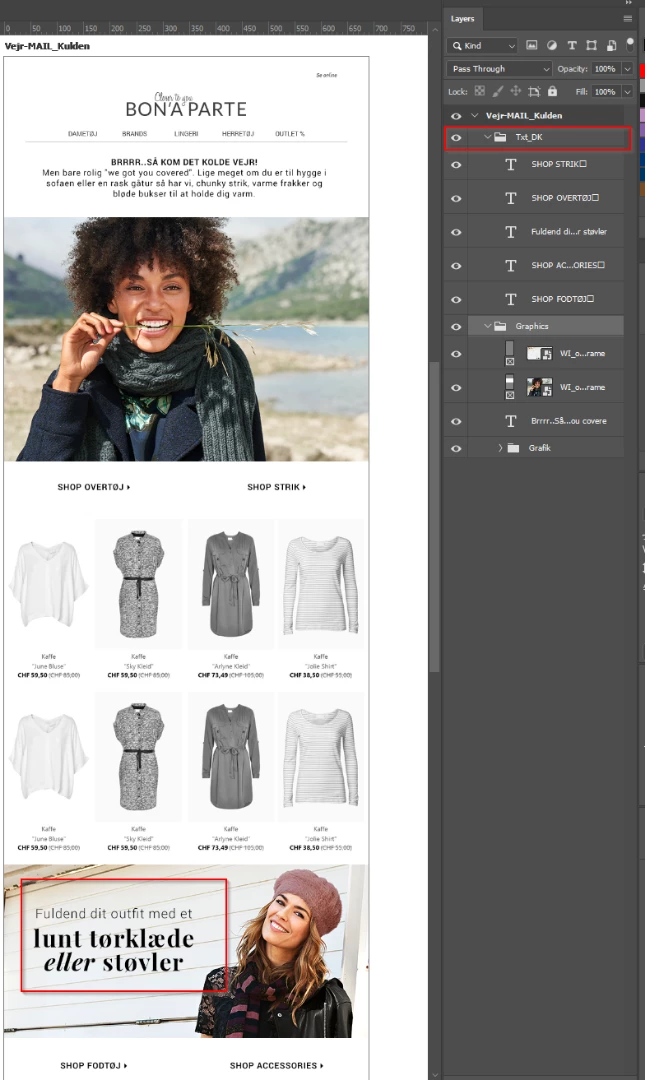
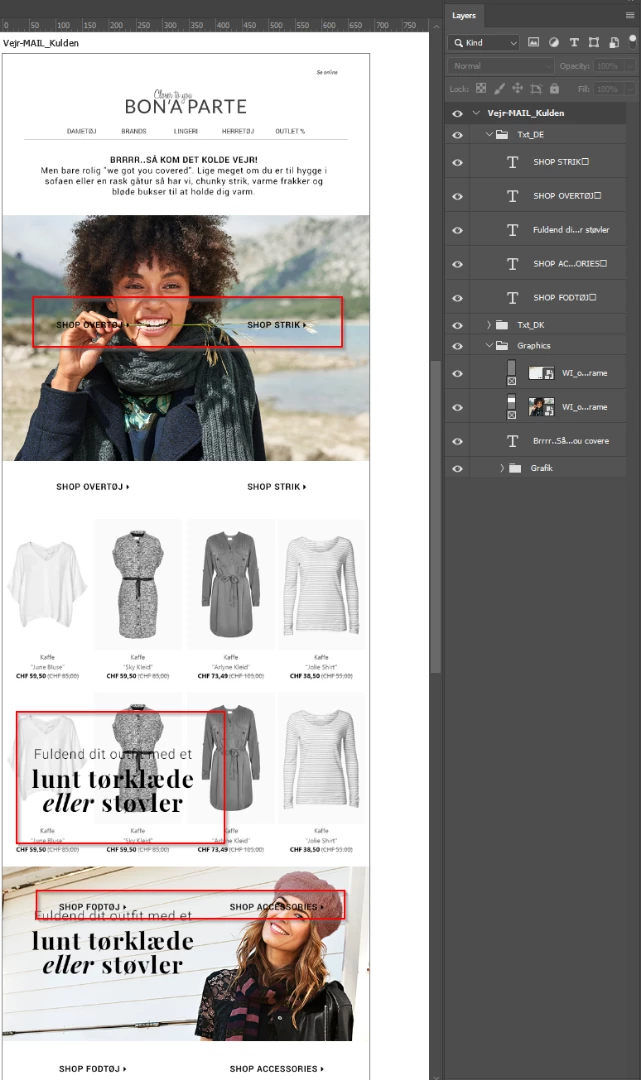
Now i will duplicate my DK text layer folder to make the language transition.

But then the txt layer is placed all wrong.

I have tried this in a new art board and the text just place it self on another random place.

Why is this happening?
This topic has been closed for replies.
Correct answer lambiloon

Hi yes switch to 2018 yet 2019 is under review wait until a full version reveal...Thanks

6 replies

Participating Frequently
October 16, 2018

I have been in contact with Adobe and they have registered this issue as an error, and will hopefully have a fix with next update.

I must personal reinstall earlier version to get my work done.

I will get a email when the problem is resolved.

cepheide
Participant
October 25, 2018

Thanks for the answer. I was facing the same problem, and I too, do not want to place the objects manually.

lambiloon
Community Expert
lambiloonCommunity ExpertCorrect answer
Community Expert
October 16, 2018

Hi yes switch to 2018 yet 2019 is under review wait until a full version reveal...Thanks

Ali Sajjad / Graphic Design Trainer / Freelancer / Adobe Certified Professional
lambiloon
Community Expert
Community Expert
October 16, 2018

ok then use simple method to do your work rest can be checked later...Good Luck

Ali Sajjad / Graphic Design Trainer / Freelancer / Adobe Certified Professional
Participating Frequently
October 16, 2018

This is still not helpfull for me. I make big campaigns using artboards in one photoshop file. I have contacted adobe with this bug.

This i how i use artboards. So this i very important to me to be fixed. This i must go back to old PS version.

Participating Frequently
October 16, 2018

I have discovered that the mistake is when i copy txt layers in my artboards.

If i create a new document without using artboard - the mistakes isn't there.

I drag and drop layers from layers panel to create a new panel. And then the layers is places randomly.

lambiloon
Community Expert
Community Expert
October 16, 2018

then may be close the document and restart your computer and check sometime may be some bug do this...thanks

Ali Sajjad / Graphic Design Trainer / Freelancer / Adobe Certified Professional
lambiloon
Community Expert
Community Expert
October 16, 2018

Hi may be some layers have some different properties just move them to right position no big issue...Thanks

Ali Sajjad / Graphic Design Trainer / Freelancer / Adobe Certified Professional
Participating Frequently
October 16, 2018

That was NOT helpful AT ALL - I design many ps graphics all day, and have to make language translations to 5 different language. And i will absolutely not move them to the right position manually - this MUST be placed correctly from the start, when copied as normal.