
Inspiring
November 15, 2018
Question

Text scale stays 100% while text layer is scaled unproportionally

  • November 15, 2018
  • 3 replies
  • 1303 views

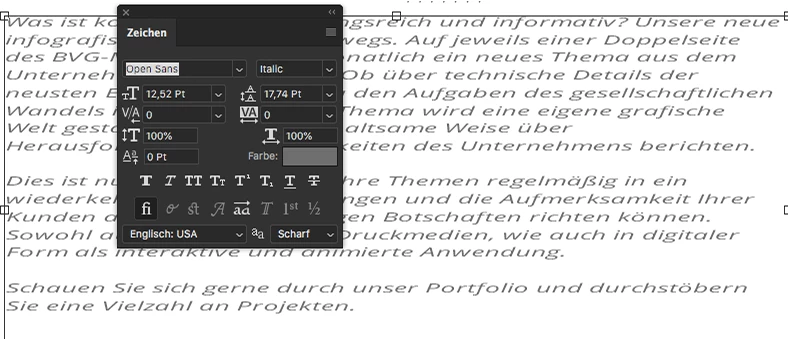
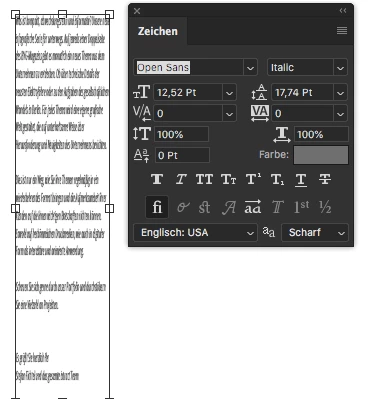
How can I get my text with really 100% dimensions back, after having scaled the text layer unproportionally in Photoshop 20?

Text will always show up as 100% in heigth and width even while it is completely streched?...

What did Adobe do with the last update, so many issues with Photoshop and Illustrator with core functions...
This topic has been closed for replies.

3 replies

Marja de Klerk
Inspiring
November 16, 2018

Photoshop CC 2019 now scales images proportionally by default. The aspect ratio is locked automatically. Holding Shift while dragging a corner handle lets you drag the handles in any direction. It will take some getting used to, but it is an easier workflow I think.

Someone75Author
Inspiring
November 16, 2018

@Marja: It's better to read the question before you answer.

I did not ask for help regarding scaling behavior. As you can see in the pictures I'm able to handle the new scaling!

I stated a bug that scaled type will keep wrong values in width and heigth, as you can see in the pictures. Both text fields do NOT contain text with 100% in both directions as it is stated in the settings.

mollym51135546
Participant
March 17, 2023

I have been looking for a solution to this as well, did you ever get this resolved?

Legend
November 15, 2018

Happens here too. Clearly  a bug.

Peru Bob
Community Expert
Community Expert
November 15, 2018

Hold shift while resizing.

Someone75Author
Inspiring
November 15, 2018

I know how to scale. I do not want to scale it proportionally.

The bug is, that the text is getting compressed and still shows a width of 100%. If type is scaled in heigth and in width it should not keep 100% in both directions. So while the frame was scaled there is no way to get the text back to 100% in width and height within the scaled frame!

Peru Bob
Community Expert
Community Expert
November 15, 2018

Try a different font.