Matt McCarter
Participant
November 10, 2020
Question

Text Stretching

  • November 10, 2020
  • 2 replies
  • 711 views

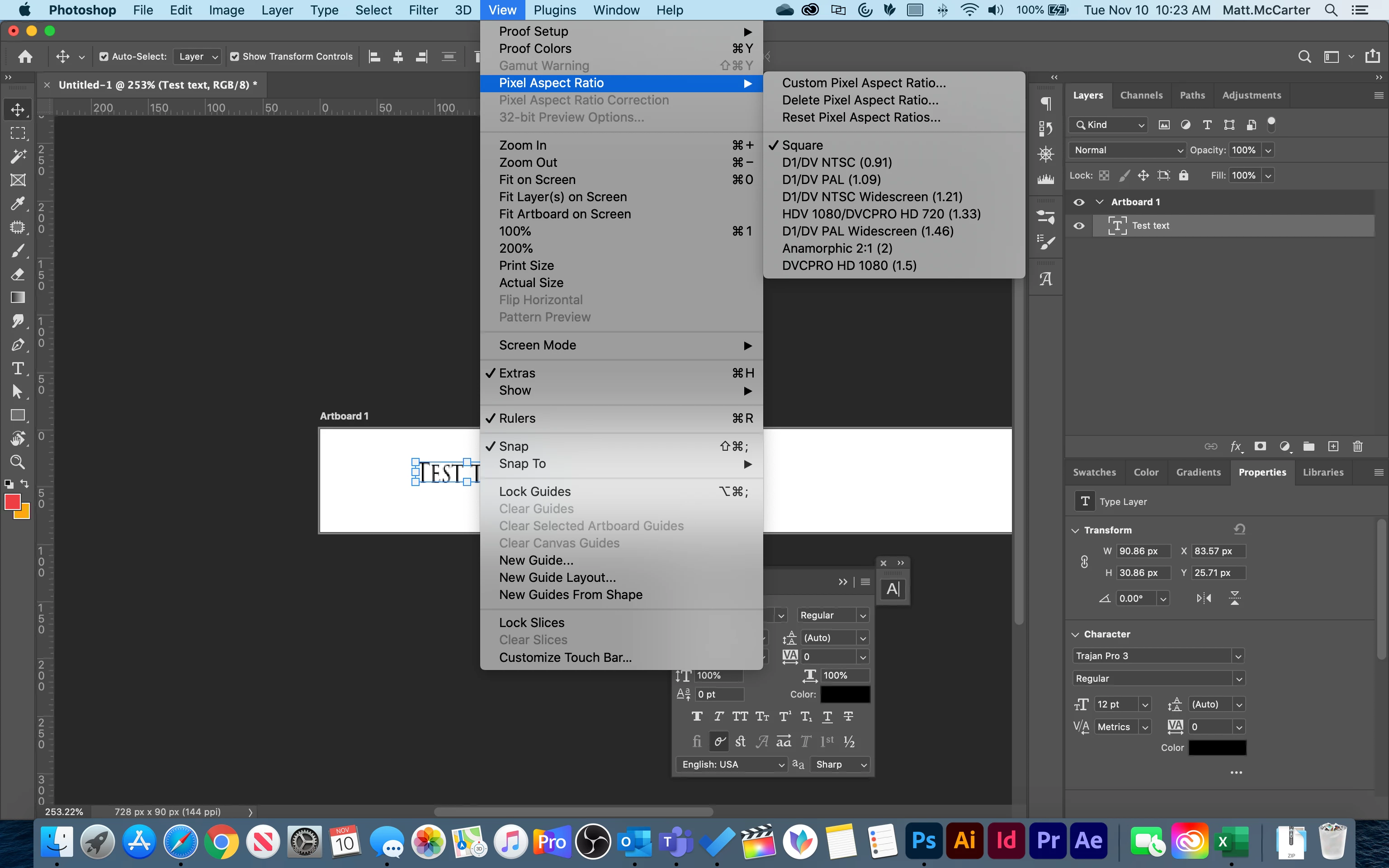
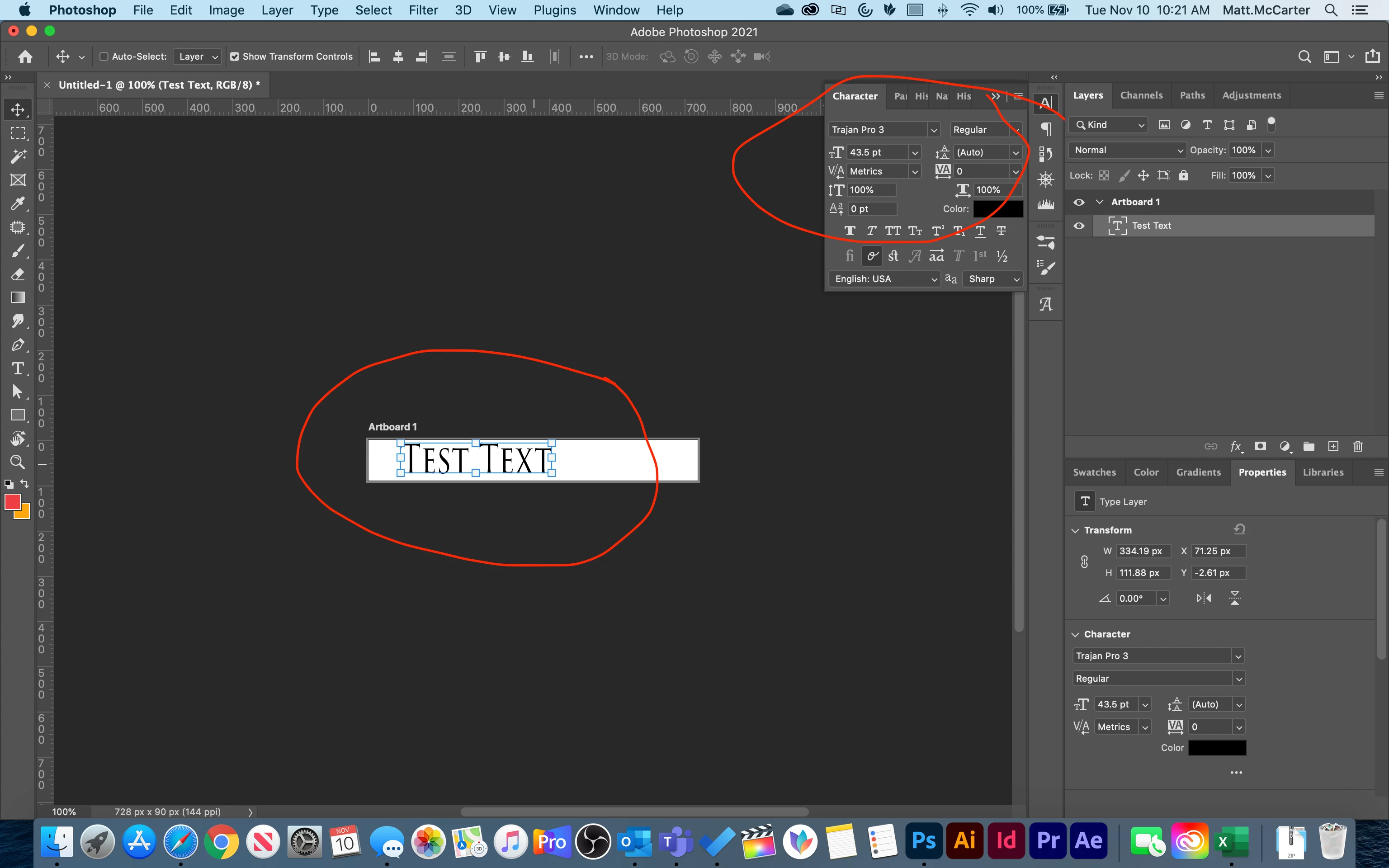
Hello, I have never had this problem before. My text is stretched when at 100 normal height and width.

The pixel aspect ratio is square. I am using Photoshop 2021, the latest version.
 

This topic has been closed for replies.

2 replies

Participating Frequently
March 25, 2022

Did you ever find a solution? I have this issue too, text seems to be 120% the height it should be but all settings look OK. 

Matt McCarter
Participant
March 25, 2022
The only thing I found was starting a new document. I never experienced the problem again after several updates
jane-e
Community Expert
Community Expert
March 25, 2022

Thanks for the reply!!

I tried new docs, 2 machines, fresh installs. My hack is to paste my text (as text) from Illustrator and then it looks fine. But if I try typing directly in Photohop it is stretched. Weird. 


@Twall55 


In the screen shot posted on November 2020, the OP has the text selected with the Selection tool. Can you select your text with the Type tool and post a screen shot that includes the Character panel (Window menu). Most likely the vertical or horizontal scale is not 100%. If so, select the text then change it to 100%.


A second thing you can do is to reset your Type tool. Right-click the Type tool in the options bar (not Tools panel) and Reset tool. You might have to do these a couple of times.


Options for tools are sticky in PS, meaning they stick across documents unless they are changed by the user or Reset to their defaults.


Jane


Known Participant
January 20, 2022

I also have this problem ... all new text elements are stretched ... character panel is 100% scaling.