

Doc_Pit
Inspiring
February 16, 2018
Answered

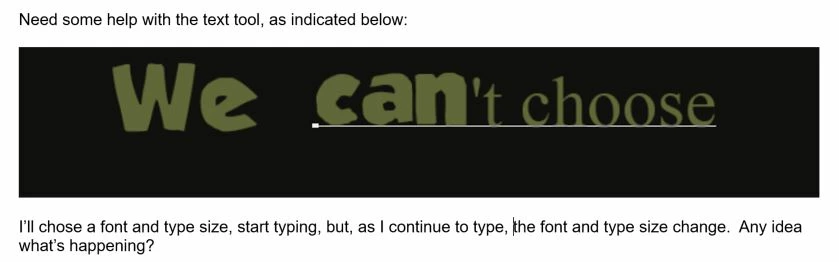
Text tool changes size and font
  • February 16, 2018
  • 1 reply
  • 475 views

    This topic has been closed for replies.
    Correct answer JJMack

    Does it happen with all fonts or just the font you show which I don't know recognize.

    1 reply

    JJMack
    Adobe Expert
    February 16, 2018

    Check the the font size in the tool option bar is the same as when you started to enter the characters the size can be changed between characters

    JJMack
    Doc_Pit
    Doc_PitAuthor
    Inspiring
    February 16, 2018

    JJ, thanks for te response.  The type size does not change in the option bar.  I can select the changed type, go to the options bar, and change it back again; however, I get this weird "AE" symbol which I then have to delete.

    So, it is a fixable problem, but I'd like to avoid it if I can.

    JJMack
    JJMackCorrect answer
    Adobe Expert
    February 16, 2018

    Does it happen with all fonts or just the font you show which I don't know recognize.

    JJMack
