Inspiring
February 21, 2019
Answered

texture on transparent text

  • February 21, 2019
  • 2 replies
  • 972 views

I have been able to add a 3D button style to a transparent copyright in Photoshop Elements using the Effects Panel.

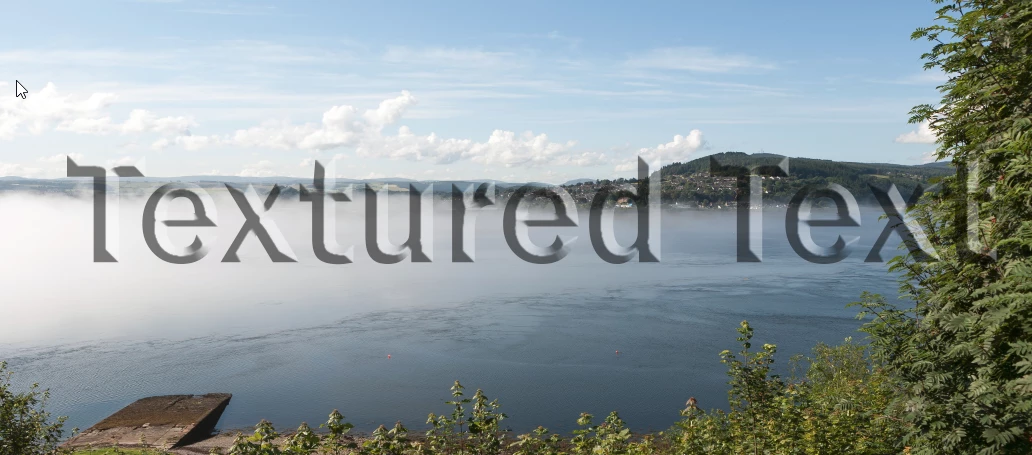
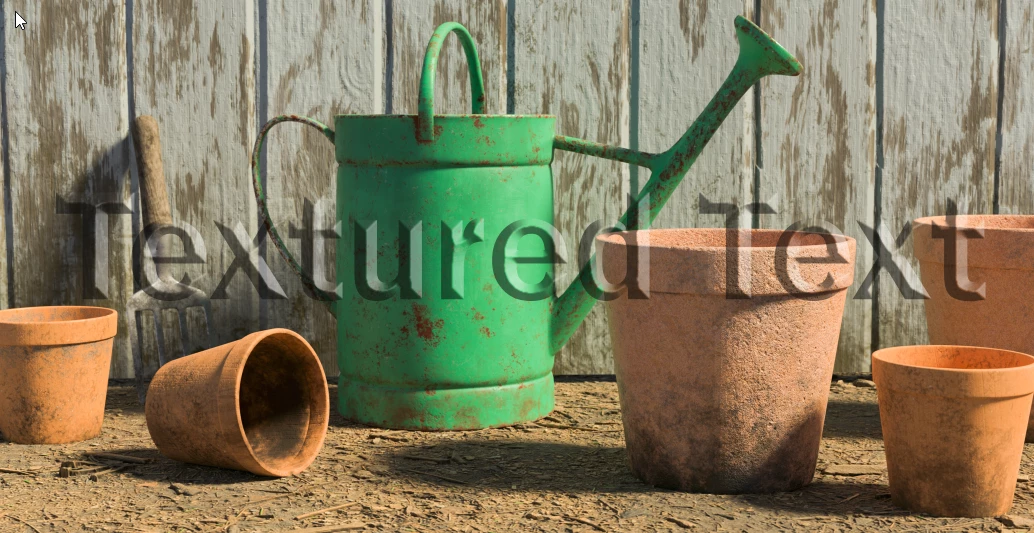
I can't find a way to apply such a style to a transparent copyright created in Photoshop CC.  The beveled style in Elements makes the copyright text visible on an image even though it is transparent.  Without that button style the text disappears when transparent on an image.

Where do I turn in Photoshop CC to get such a 3-D style on transparent text?

Mary Lou
This topic has been closed for replies.
Correct answer davescm

Hi

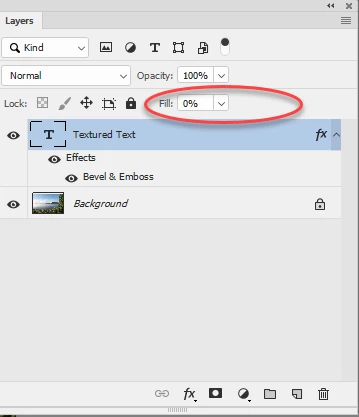
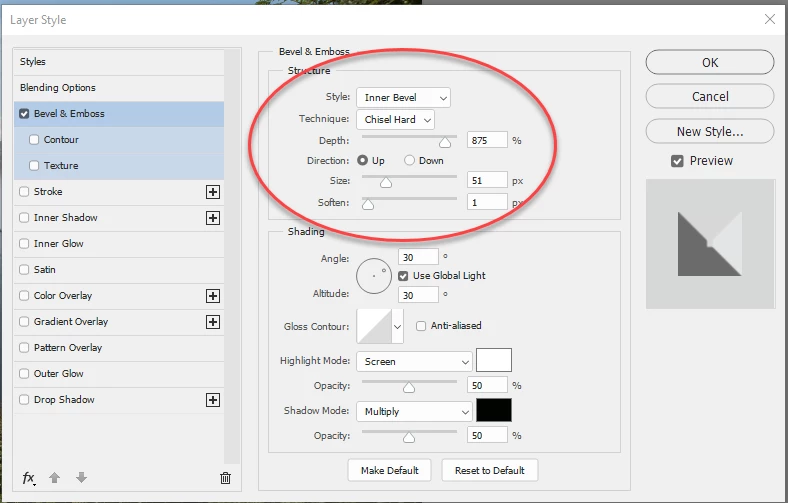
Try using a Bevel and emboss layer style with Chisel Hard as the technique and Screen and Multiply used for the shading. Then turn the Fill on the layer down to 0%

Dave

2 replies

Bojan Živković11378569
Community Expert
Community Expert
February 21, 2019

I believe you need to set Fill to 0% to achieve effect that you are looking for. Fill is slider in the top right corner of the Layers panel.

Inspiring
February 22, 2019

I would like more 3-D effect like the example I've posted.

Thanks for your help.

Mary Lou

Bojan Živković11378569
Community Expert
Community Expert
February 22, 2019

Here is layer style which should be used with 72 pt and larger font size in document with 72 ppi mary lou bevel.asl - Google Drive

You can use style with any resolution (Image > Image Size > Resolution) but you must modified it to work with 300 res.

Mohammad.Harb
Community Expert
Community Expert
February 21, 2019

Please post a screenshot for the one you’ve created in PS elements.

Inspiring
February 22, 2019