Participating Frequently
October 2, 2017
Beantwortet

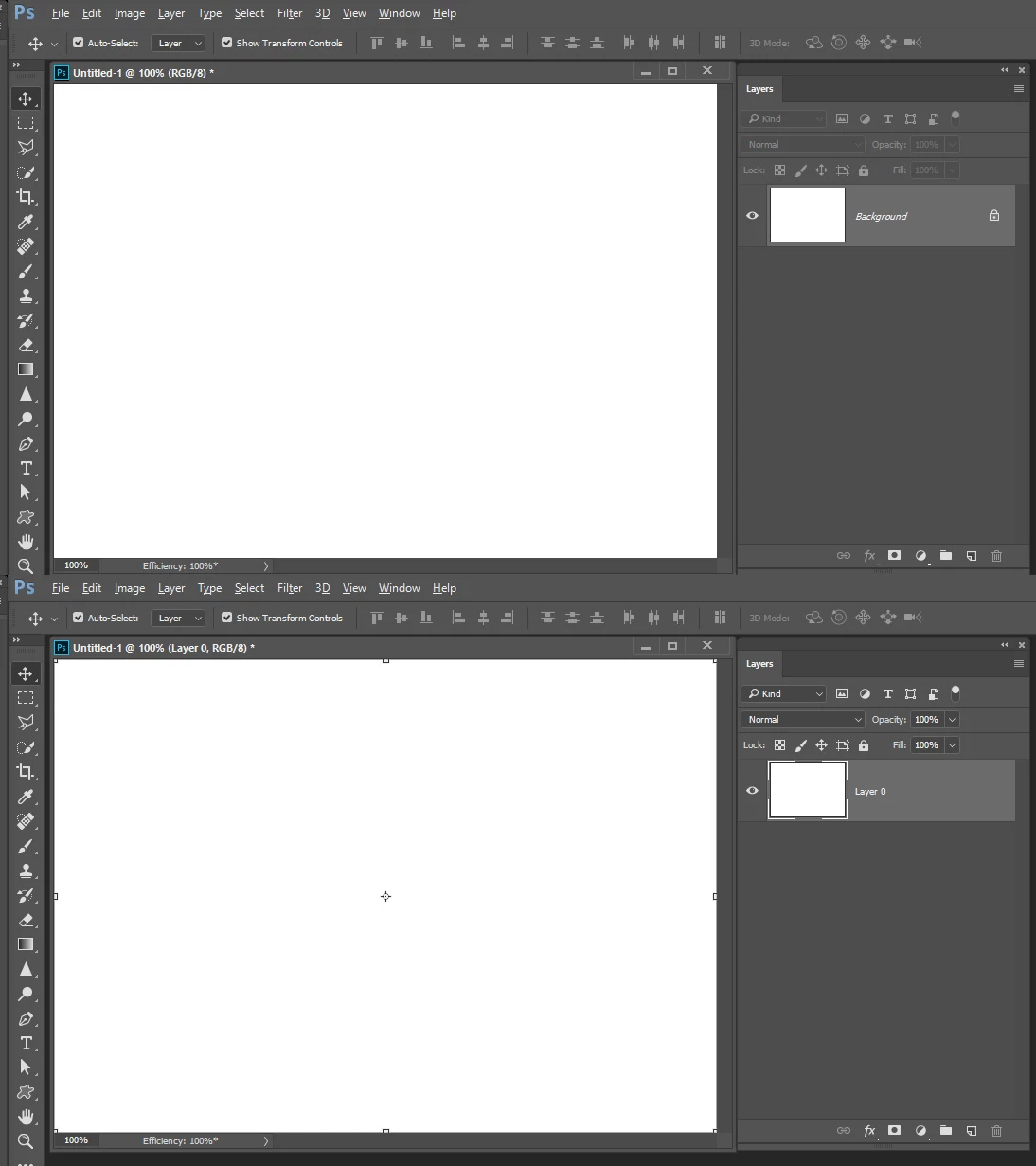
The bounding box has disappeared even though the check box is checked....

  • October 2, 2017
  • 1 Antwort
  • 265 Ansichten

I'm writing this question from Japan and facing the problem that doesn't allow me to use the bounding box

even though the checkbox is checked as the above picture shows.

To solve this problem, I restarted my laptop and PS CC2017 but they didn't work.

When I made new file, this problem didn't happen, which means I can use the bounding box as usual.

I need your advice to solve this problem.

    Dieses Thema wurde für Antworten geschlossen.
    Beste Antwort von JJMack

    If what you are showing is the move tool option.  If all you have is a background layer like and open jpeg there will be no bounding box till you add a layer.  The background layer does not support transparency therefore the move tool is not available for use one it.  You can not move a background layer.

    1 Antwort

    JJMack
    Community Expert
    JJMackCommunity ExpertAntwort
    Community Expert
    October 2, 2017

    If what you are showing is the move tool option.  If all you have is a background layer like and open jpeg there will be no bounding box till you add a layer.  The background layer does not support transparency therefore the move tool is not available for use one it.  You can not move a background layer.

    JJMack
    Participating Frequently
    October 3, 2017

    Mr. JJMack

    Thank you very much for your advice and I was able to solve this problem by adding new layer and make default background undisplayed !