dragantomas
Inspiring
February 24, 2024
Answered

The Geometry Panel in Camera Raw Not Visible

  • February 24, 2024
  • 2 replies
  • 2588 views

Hi all,

(M1 Max MBP / Camera Raw version 16.2.0.1763)


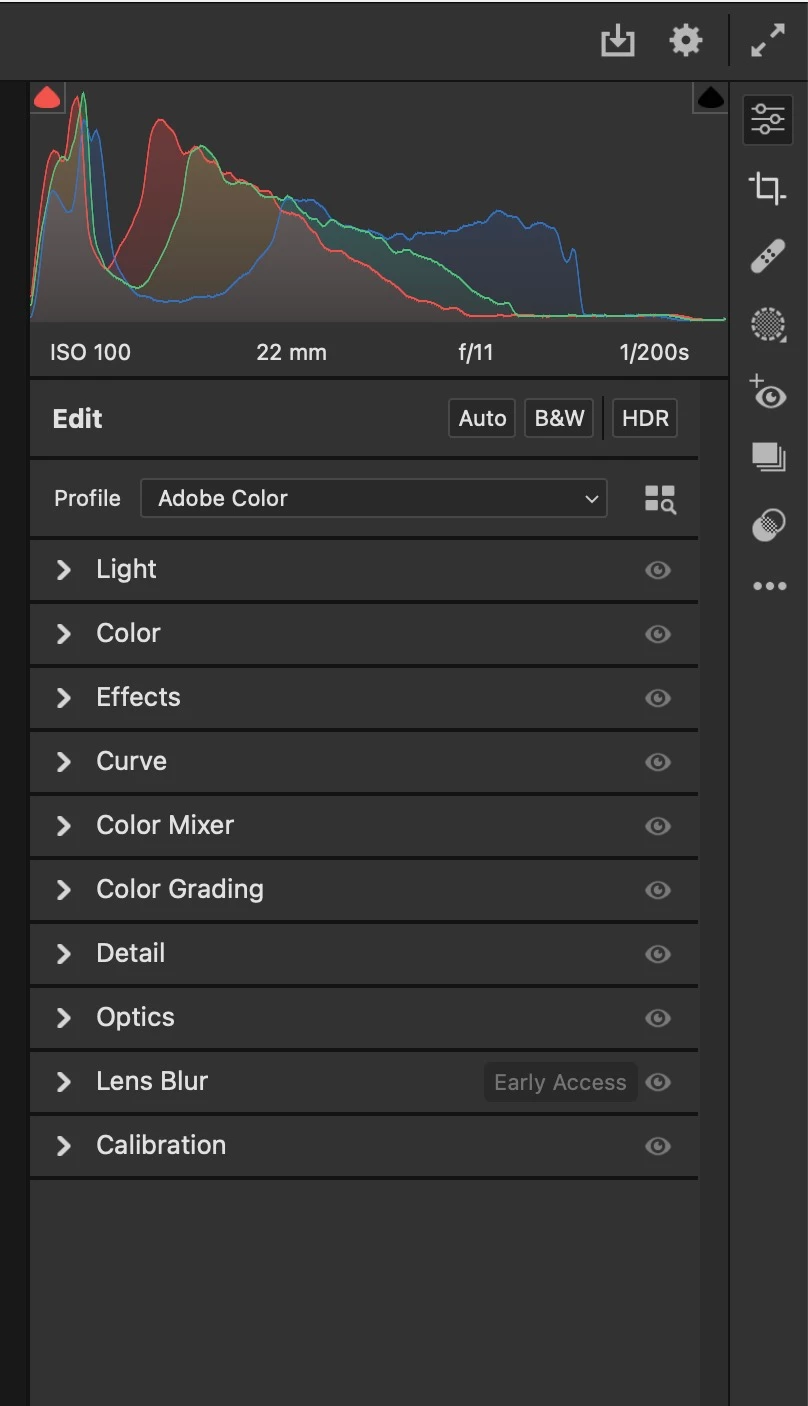
Sinc few days ago, The Geometry panel suddenly completely vanished from the Camera Raw menu  (see screenshot)

What happened here, Im trying to find a way to bring it back but to no avail. How can I bring it back does someone knows?

Thanks
 

This topic has been closed for replies.
Correct answer Jeff Arola

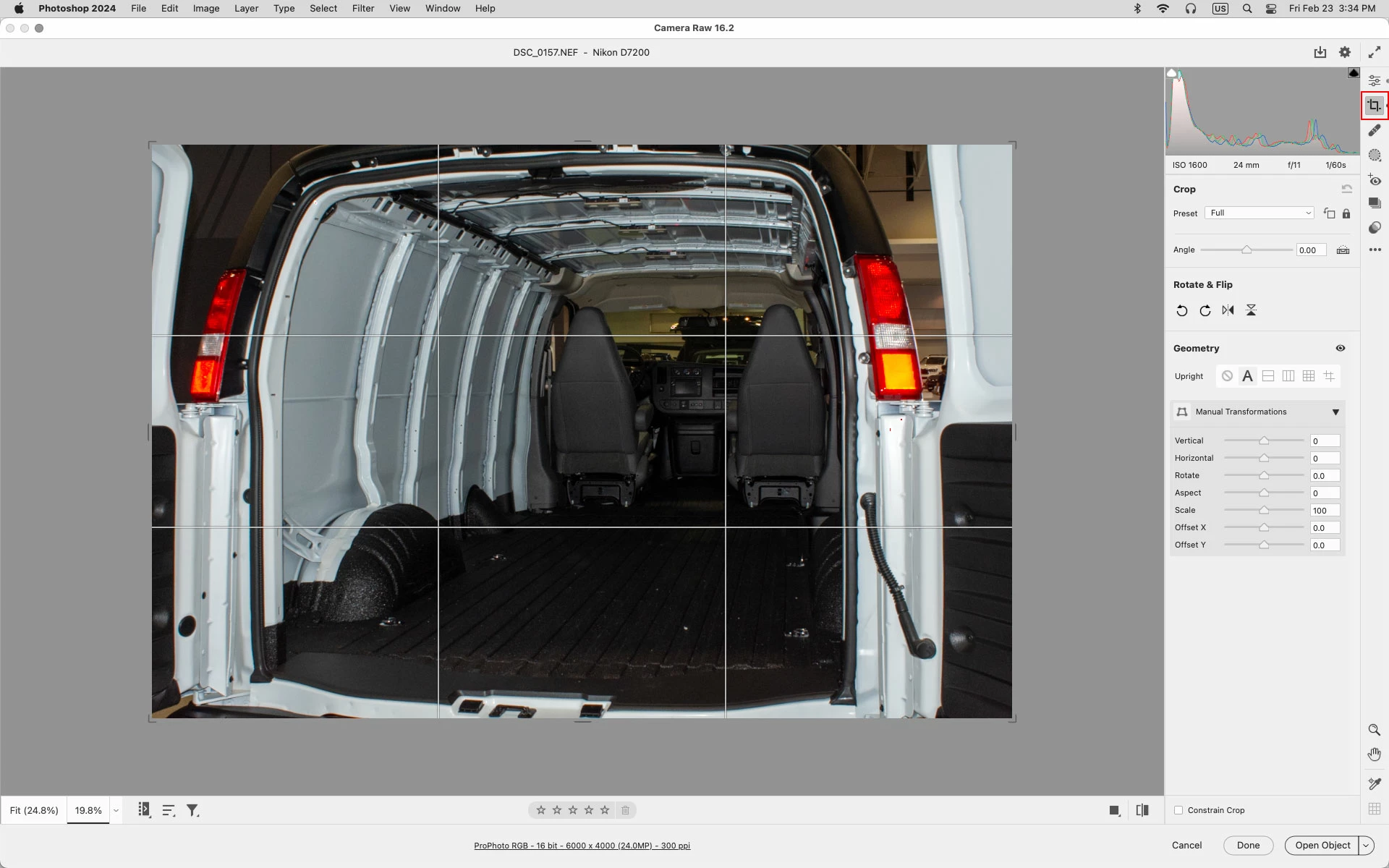
In Camera Raw 16.2 Adobe moved the Geometry panel so it's now nested with the Crop tool.


2 replies

jaycee949
Participating Frequently
March 13, 2024

What a mess!  PLEASE put the Geometry Panel back where it was. That's extra clicking we don't need. Or at least give us a shortcut key for the Geometry Panel inside Adobe Camera Raw. I looked for 1 solid hour to try to find the panel after this new update.

Jeff Arola
Community Expert
Jeff ArolaCommunity ExpertCorrect answer
Community Expert
February 24, 2024

In Camera Raw 16.2 Adobe moved the Geometry panel so it's now nested with the Crop tool.


dragantomas
Inspiring
February 24, 2024

Thanks a million!! But also, cant find Vignette pannel, would you know where that is as well?

Participant
February 24, 2024

thank you very much for helping me out to rediscover the Geometry tool. Is there a way to have it back with the rest of the tools ?