
Participant
May 8, 2021
Question

The problem with the path control handle, a Bug?
  • May 8, 2021
  • 1 reply
  • 1036 views


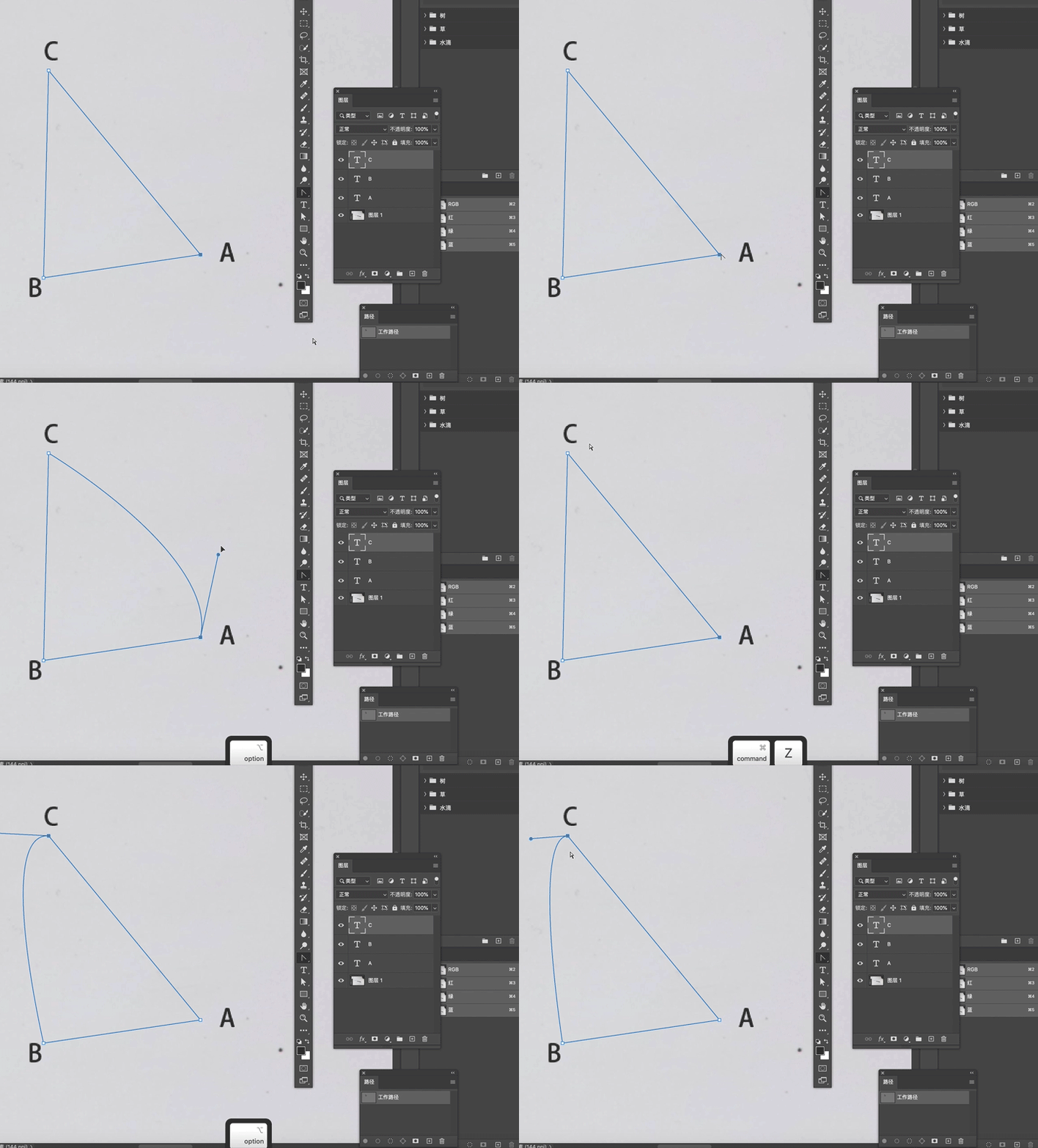
Hey, guys, I have a troublesome issue, when I draw anchors and use ALT to call out the control handles to control the path to which the anchor point belongs, I can only call out the right side handle of this anchor and meanwhile control the right side path of this anchor, the left side is unavailable, I can only control both the right and left side of the path if the path is curved, the straight path is unable to call out both two sides of the handle, how to able to control the left side of this anchor even it is a straight path and call out the left handle is a pending problem still bothering me.
This topic has been closed for replies.

1 reply

JJMack
Community Expert
Community Expert
May 8, 2021

Try resetting photoshop Tools. If that does not fix your issue try resetting your Photoshop preferences. On my Windows 10 system Photoshop 2021 version 22.3.1 seen to do that OK. Alt changes Pen tool  to convert point tool though at first the Pen cursor changes  to the Pen  Delete Anchor Point cursor when you alt click and drag its the Convert Point Tool operation.  If when you move the Pen cursor over the point and the cursor turns to the Pen Delete Point cursor you press Alt move the cursor off the point then back onto the point you may see the cursor change to the Convert Anchor Point cursor.

JJMack
mysysctrlm74982608
Known Participant
May 9, 2021

You don't understand what I mean, try a square path rather than an irregular and you will find you can only control the left side path by its anchor while the right side is unavailable if holding down the ALT after dragging the handle out of the anchor.