

Answered
The Properties tool not displaying correctly or my bad?
Hi all,
Previously.. please sorry for my poor English. I use Photoshop CS6 with OS Windows 7 64-bit.
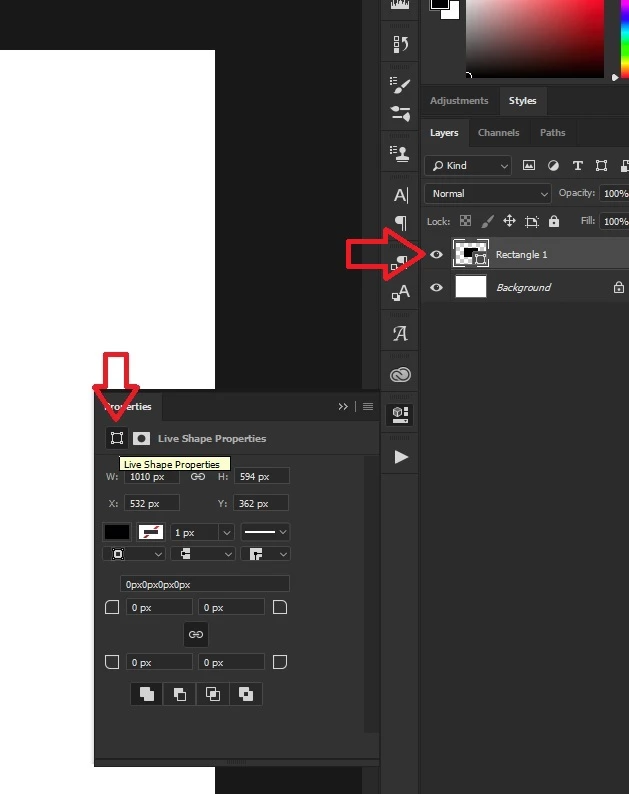
I have a question about the problem why my Properties tool is different from the others?
I follow some tutorials from youtube that show the Property tools look all the same, but really different than mine.
There is not so clear and confused me, or am I doing wrong..?
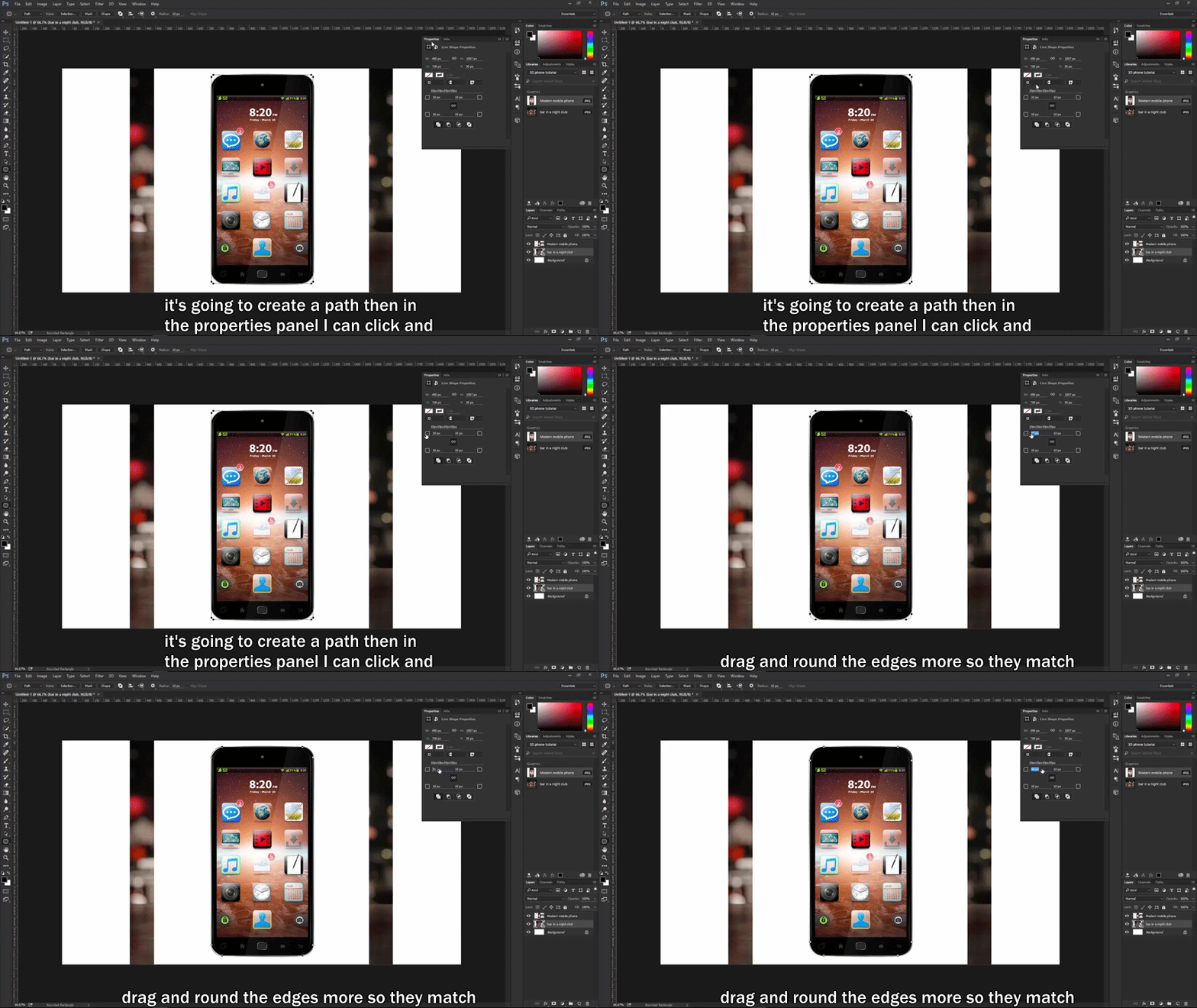
Here is the following Footage tutor I recorded, let's see:
Then, I try with 2 trials as follows:
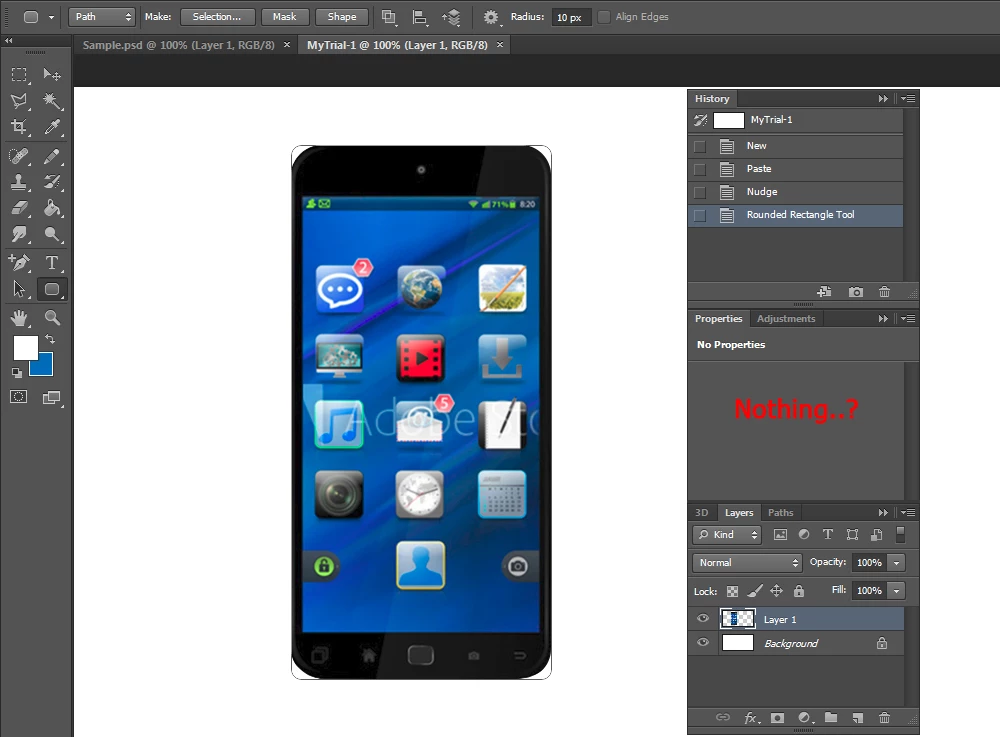
MyTrial-1 => tried exactly as the guidance was given, but unlucky.
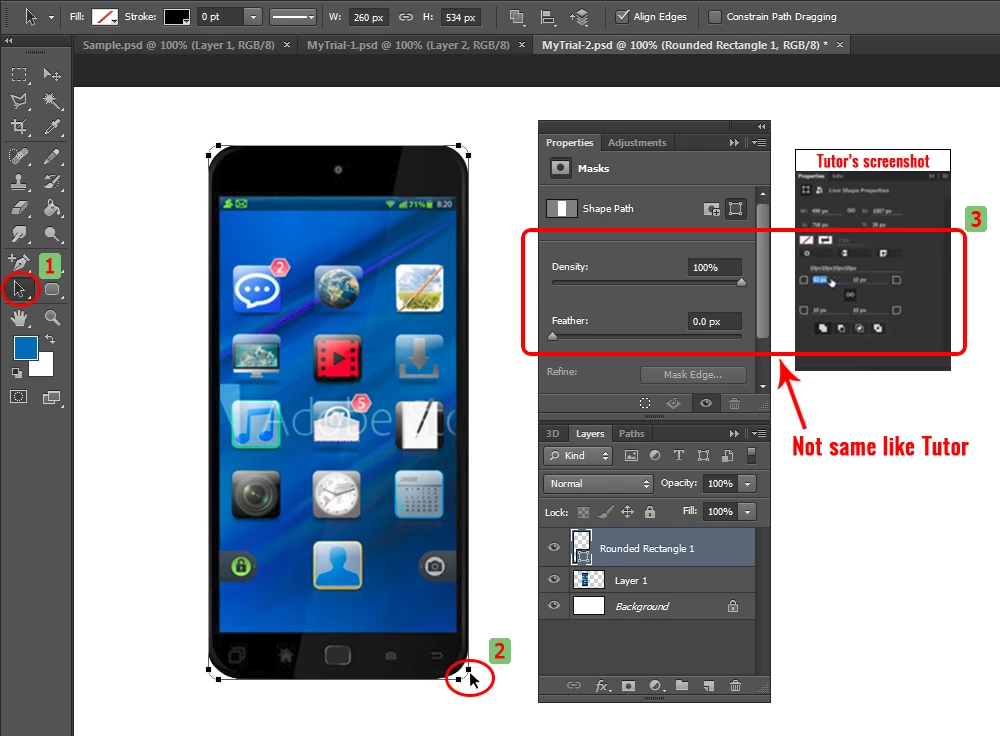
MyTrial-2 => I try another way, click Rounded Rectangle Tool + Shape mode > Path Selection Tool to click Round edges > but it's still not the same like tutor.. unhappy.
Well, can anyone help this, a thousand thanks before.
 AdChoices