
the stylus is buggy while using Huion Kamvas Pro20, the cursor will randomly teleport
Hello, firstly, if this problem has already been addressed and answered please direct me to the right thread; I have searched the threads but perhaps i missed it.
When creating brushstrokes, the cursor will sporadically jump to some random spot, leaving a straight line inbetween the location of the jumps, then continue to draw a line in the direction of my actual stroke.
This happens with the lasso tool as well, (which leads me to believe it will happen with any tool in which I drag the stylus across the screen.)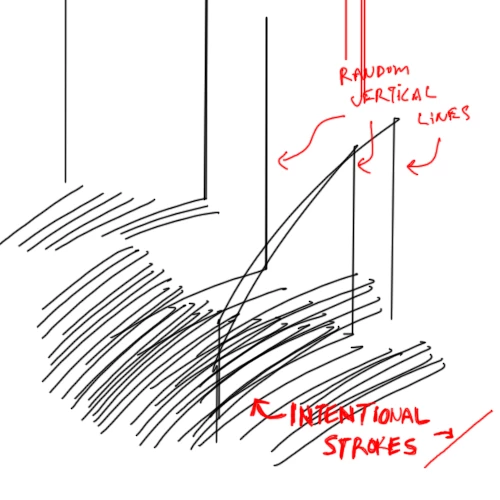
The lines in the photos happen to be vertical, but sometimes they are horizontal, or diagonal. In any case they are always in the same direction within any specific session.
The link below is a video capture of it in real time.
https://www.youtube.com/watch?v=-wwKhBi6U-8
it is not so much of a problem when lassoing, because i can easily undo it. However, if I am drawing many quick strokes with a brush on low opacity while zoomed in, the glitch may go unnoticed until later when I zoom out, at which point it's too late to undo because I have made too many steps.
I have reninstalled the Huion numerous times, as well as reinstalled photoshop.
I have also tried turning off Windows Ink, via the Huion tablet setup interface.
I am using Windows 10, and Photoshop cs6
Does anyone know of a solution?
 AdChoices