
Inspiring
July 3, 2020
Question

Thickness of guides

  • July 3, 2020
  • 1 reply
  • 388 views

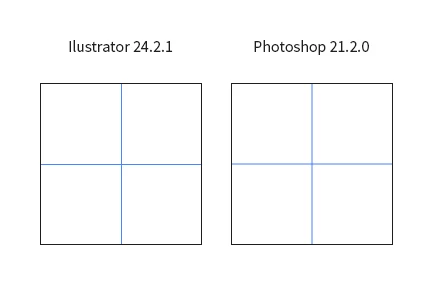
Since the last update the thickness of  the guides has doubled and I can't find any settings or option to change that.

As you can see in the attached file there's a difference between guides in Photoshop and Illustrator.

Any idea to fix that?
This topic has been closed for replies.

1 reply

Mylenium
Legend
July 3, 2020

The thicker lineas are antialaiased, meaning that something with the hardware acceleration functions has changed. You may need to update your graphics driver or at least turn off the "application controls setting XYZ" in your AMD/ NVidia panel. Could have other side effects, though.


Mylenium

Inspiring
July 6, 2020

The windows install is fresh new, all drivers are updated.

I don't think the problem is there otherwise I would have the same problem with Illustrator.


Another thing, my coworker has the same problem. Different hardware but same Photohop version.

The problem looks to be a software one.