
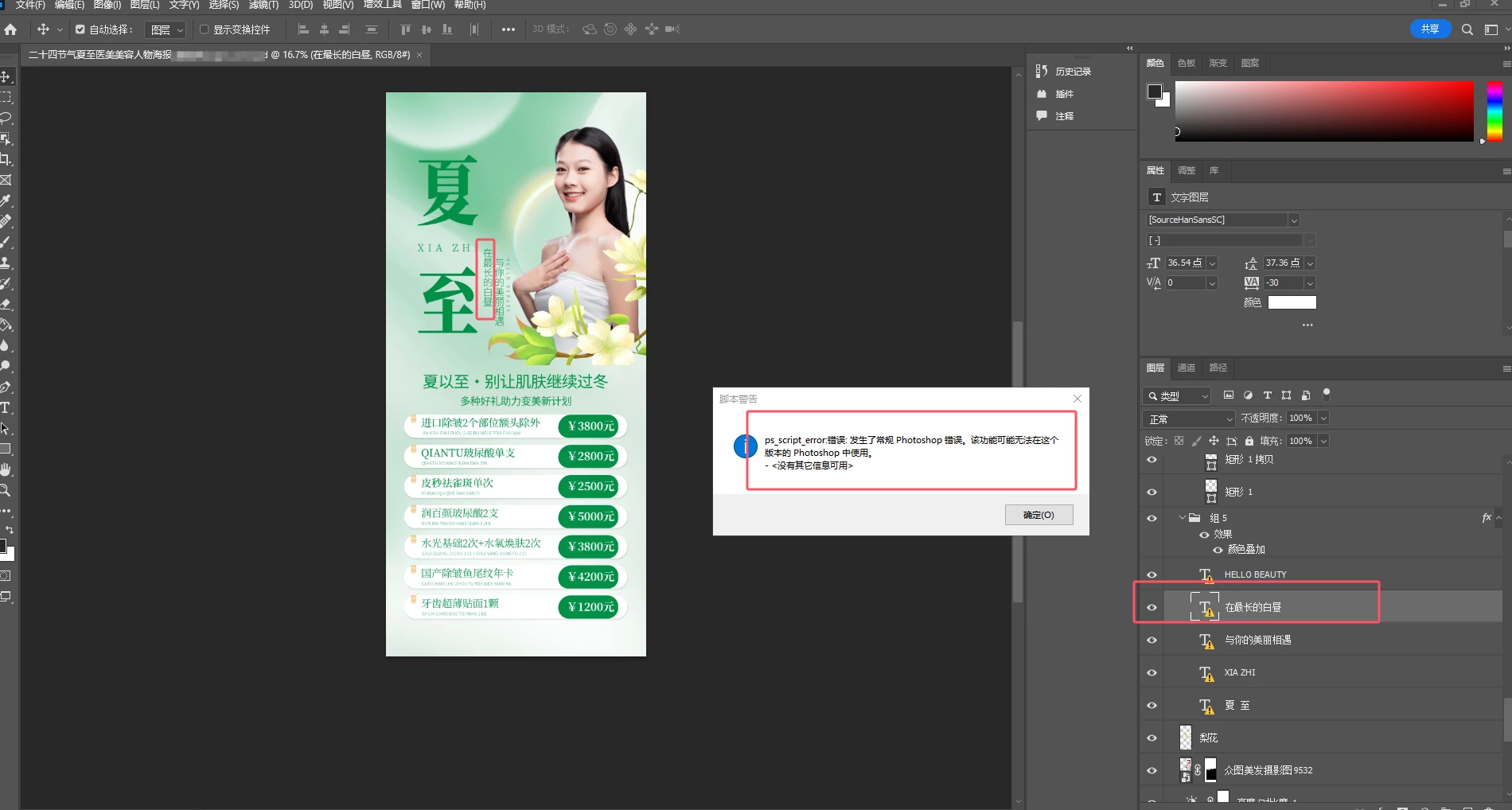
This functionality may not be available in this version of Photoshop Error. no additional informatio
When I use a script to get text layer information, this line of code colorDesc.getDouble(stringIDToTypeID('red')) throws an error:
This functionality may not be available in this version of Photoshop Error. no additional information available
function get_layer_text_info() {
var ref = new ActionReference();
ref.putEnumerated(charIDToTypeID("Lyr "), charIDToTypeID("Ordn"), charIDToTypeID("Trgt"));
var layerDesc = executeActionGet(ref);
var textDesc = layerDesc.getObjectValue(stringIDToTypeID('textKey'));
var layerStyles = textDesc.getList(stringIDToTypeID('textStyleRange'));
var textContents = textDesc.getString(stringIDToTypeID('textKey'));
var textInfoList = [];
alert("layerStyles.count:" + layerStyles.count)
for (var i = 0; i < layerStyles.count; i++) {
var textStyleRange = layerStyles.getObjectValue(i);
var from = textStyleRange.getInteger(stringIDToTypeID('from'));
var to = textStyleRange.getInteger(stringIDToTypeID('to'));
var textStyle = textStyleRange.getObjectValue(stringIDToTypeID('textStyle'));
var color;
if (textStyle.hasKey(stringIDToTypeID("color"))) {
var colorDesc = textStyle.getObjectValue(stringIDToTypeID('color'));
alert("test" )
var red = colorDesc.getDouble(stringIDToTypeID('red'));
var green = colorDesc.getDouble(stringIDToTypeID('green'));
var blue = colorDesc.getDouble(stringIDToTypeID('blue'));
color = red + "," + green + "," + blue;
} else {
color = null;
}
}
 AdChoices