

Quentin R.
Participant
December 29, 2020
Question

this is a resolution problem ?

  • December 29, 2020
  • 2 replies
  • 228 views

I have a probleme, but don't understand where that can be from !

the workspace become grey but some part are still visible.


This is appen when I use layers, someone have this problem too ? 😫👽
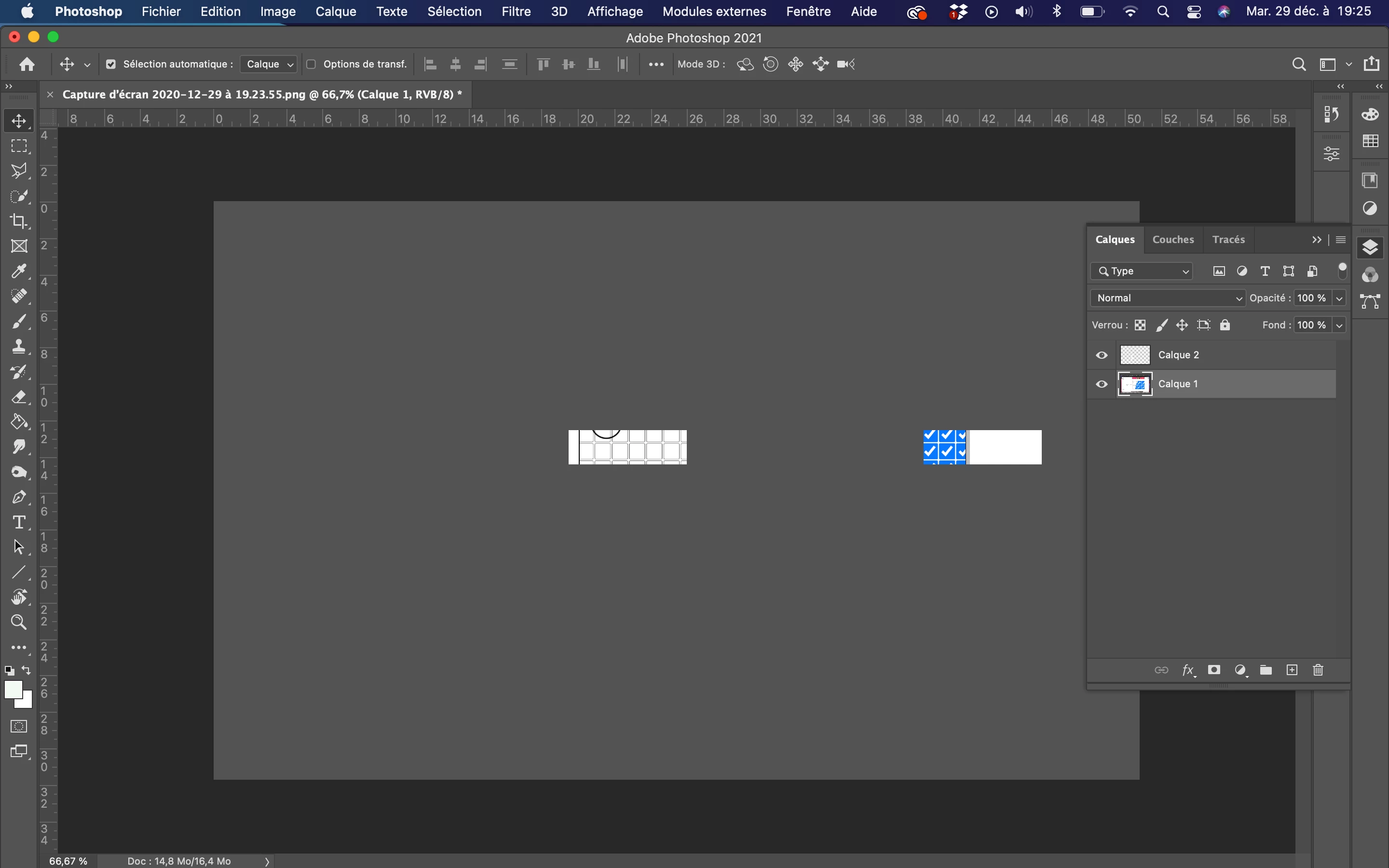


I have a mac air 2019 
I have 2021 photoshop CC 

This topic has been closed for replies.

2 replies

mglush
Community Expert
Community Expert
December 29, 2020

H Quentin,


Have you checked to see if your system meets the minimun requirements with the new version of Photoshop? Here is more information: https://helpx.adobe.com/photoshop/system-requirements.html


Also, this could be a Graphics Processor Card issue. Try turning off the Graphics card--Preferences>Performance and uncheck Use Graphics Processor. Then restart. If the problem persists then we know it's not the issue and you can turn it back on. Here is more info: https://helpx.adobe.com/photoshop/kb/photoshop-cc-gpu-card-faq.html

Let us know if that works or if you still need help.

Michelle


Quentin R.
Participant
December 29, 2020

thanks a lot for your answers, I will try it all of this tomorrow. 

but a minimum requirements system or processor probleme with a new mac (one year) even thourg it's a air it's a shame for people with less requirements 😕😕 

Quentin R.
Participant
December 29, 2020

another screen , few secondes after the first one :