
hearmeshimmer
Participant
December 14, 2022
Answered

Threshold for Photocopy/Pop Art Effect Won't Apply

  • December 14, 2022
  • 2 replies
  • 1394 views

Hello,


I frequently use Threshold to create photocopy/pop art type effects. Occasionally I will run into images or situations where I can't get the effect to save/apply when saving file, or "printing" file to a new layer via Shift+Option+Command+E. I am an intermediate user, so I may be missing something obvious. 

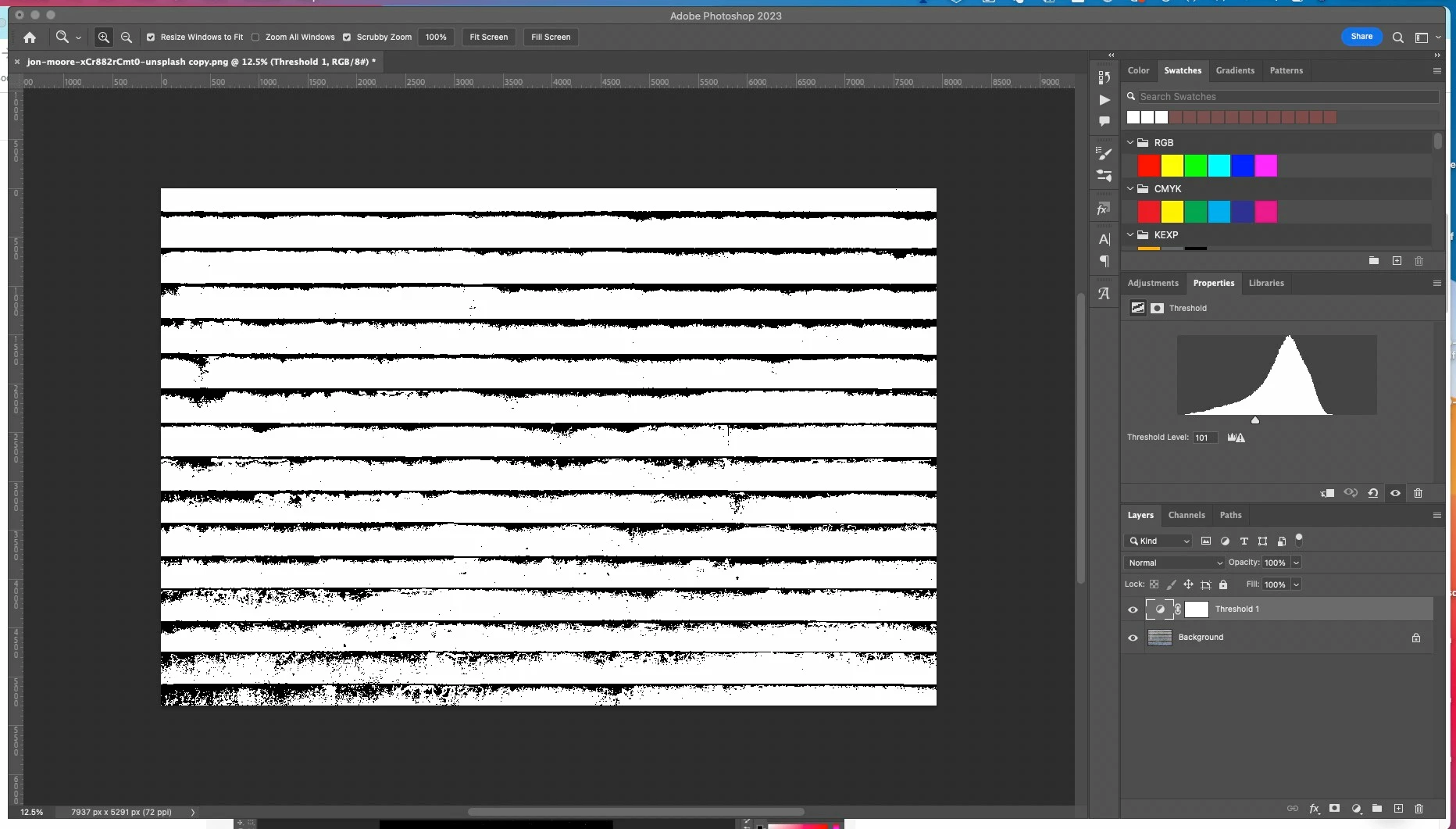
Here's the look I want to achieve, before applying it to a new layer:


Then, after I hit Shift+Option+Command, here's what I get on the new layer:
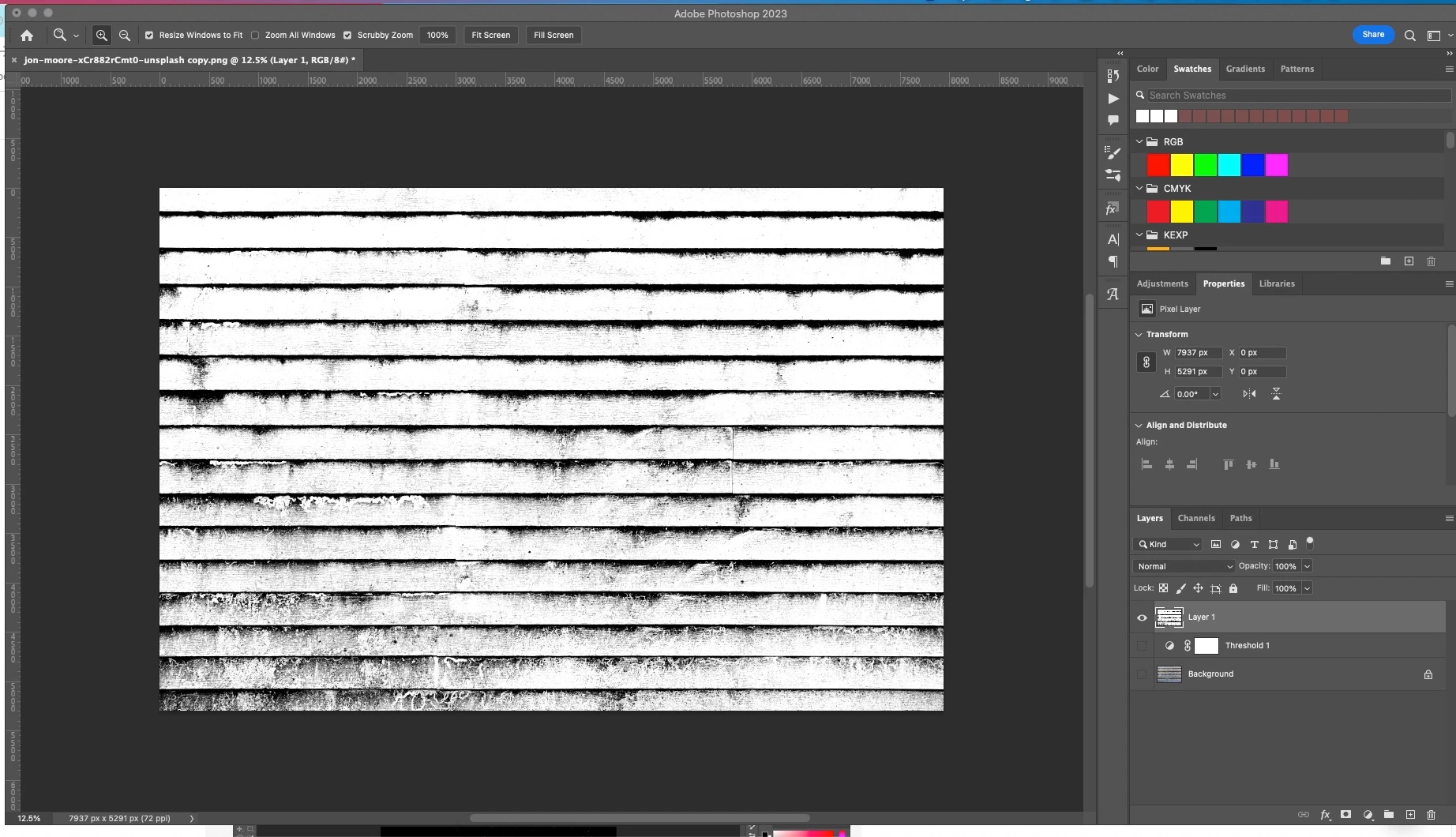
There are more mid-tones and black showing.
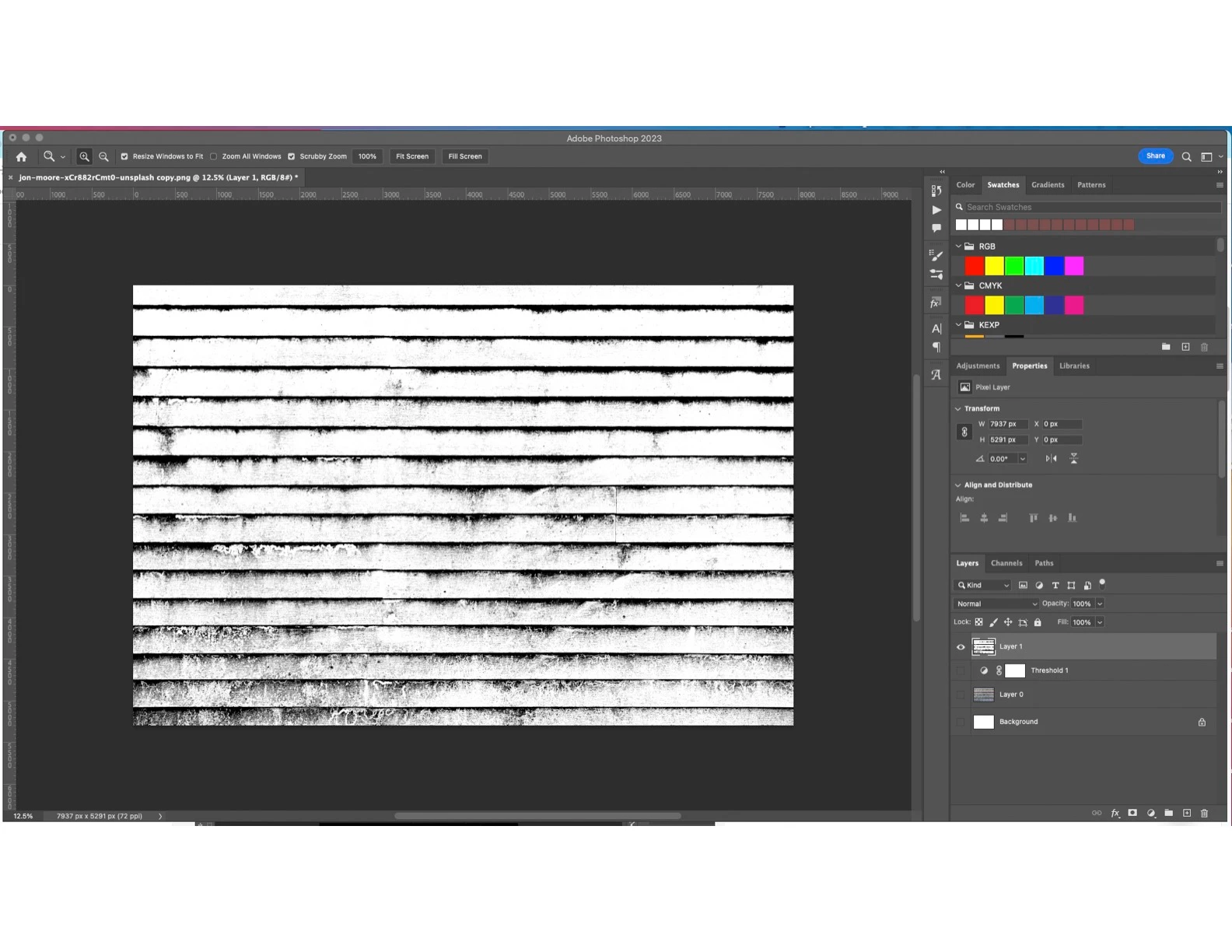
I've tried placing a Solid White Background as the first layer instead, but result is the same.
Thanks for the help!

Photoshop 24.01.1 on M1 Mac OSX

Correct answer PECourtejoie

Hello, @hearmeshimmer @does it work as expected at 100% magnification ?

2 replies

PECourtejoie
Community Expert
PECourtejoieCommunity ExpertCorrect answer
Community Expert
December 16, 2022

Hello, @hearmeshimmer @does it work as expected at 100% magnification ?

hearmeshimmer
Participant
December 16, 2022

@Earth Oliver @PECourtejoie @c.pfaffenbichler Thank you very much for your responses. You were all completely correct. Quite strange, but this is more more manageable than it being a file type issue, which is where my head was going. Thanks for helping a novice.

PECourtejoie
Community Expert
Community Expert
December 16, 2022

Super!
Please mark the answers that helped you, so that others can see them directly.

c.pfaffenbichler
Community Expert
Community Expert
December 15, 2022

Could you please post screenshots taken at View > 100% with the pertinent Panels (Toolbar, Layers, Options Bar, …) visible from before and after merging? 

PECourtejoie
Community Expert
Community Expert
December 15, 2022

Yes, I think that @hearmeshimmer is seeing an approximative image pyramid at 12.5%. For WYSIWYG, switch to 100% view. (you could go to Window>Arrange>New window for [document name] and set it to 100% to have a "preview" at 100% view while you work on the fit to view on the other window.)

c.pfaffenbichler
Community Expert
Community Expert
December 15, 2022

Yes, I think that @hearmeshimmer is seeing an approximative image pyramid at 12.5%. 

I wonder how many threads have been started because of a version of this issue …