Participant
June 27, 2021
Question

Tilt Shift Blur not applying

  • June 27, 2021
  • 1 reply
  • 1361 views

Hi I am using Tilt Shift Blur for the first time and when I have everything how I like it, and hit "OK" to commit to blur, it's not applying it.

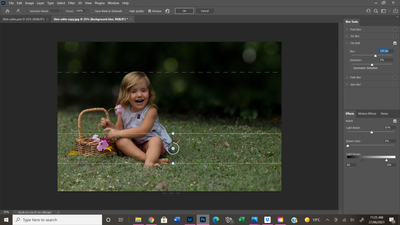
Selected Blur Settings-
 

After hitting ok-
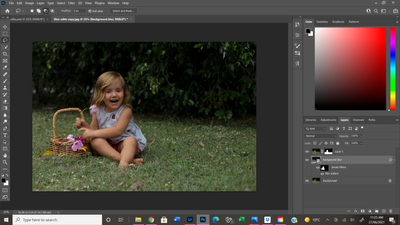


Any help would be appreciated. I am following a tutorial by PiXimperfect (Complete Photoshop Guide: Blurring the Background and Adding Bokeh) and when he hits 'ok' the blur is applied.

This topic has been closed for replies.

1 reply

JJMack
Community Expert
Community Expert
June 27, 2021

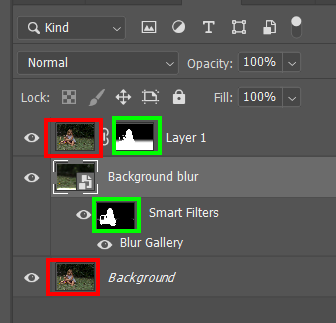
See how you image look when you turn off the visibility of layer 1 layer mask and the smart blur filter filter mask looks like the show the layer Pixels in the same area.  Layer 1 Pixels will hide or blend into the blurred lower layer. Both Layer 1 and Background Blur layer  look like a copy of the document Background layer. If Layer 1 blending mode is normal It will hide the lower blurred pixels

JJMack
RC1990Author
Participant
June 27, 2021

Thank you. It turns out that before blurring the background I hadn't deselected the mask around the subject. I was going to remove the post but don't know how haha


JJMack
Community Expert
Community Expert
June 27, 2021

You can not remove the post its history....

JJMack