
Timelapse cannot export 4K movie from Timeline
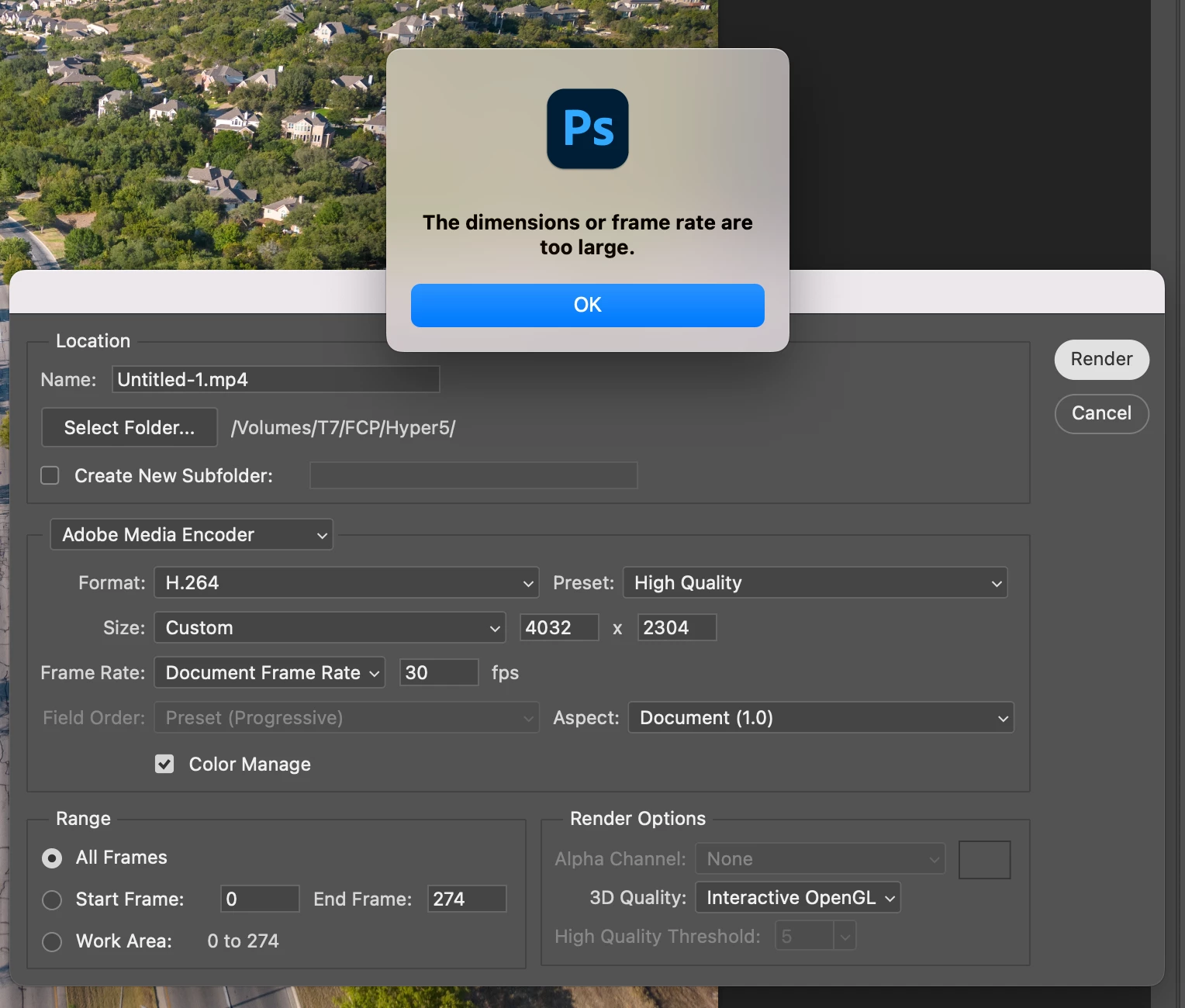
I'm using Photoshop's built-in image sequencer to create a timelapse movie from a series of hi-rez photos. This works great except for one problem: there's no way to export the rendered timelapse in 4K, at least not efficiently. The problem is that Photoshop doesn't provide enough movie format options. There is the H.264 option, but trying to use that just results in an error message saying the resolution is too high. Then there are a few Quicktime formats, but none are particularly useful. There's an Uncompressed option which results in a humongous file - not desireable, and some animation format options which are equally undesireable. There's simply no way to export it as a compressed 4K movie. Photoshop really should support all of the built-in Quicktime options including ProRez and H.265 and everything else so that this feature will support movies with modern resolutions.
 AdChoices