Participant
June 14, 2021
Question

Timeline

  • June 14, 2021
  • 1 reply
  • 500 views


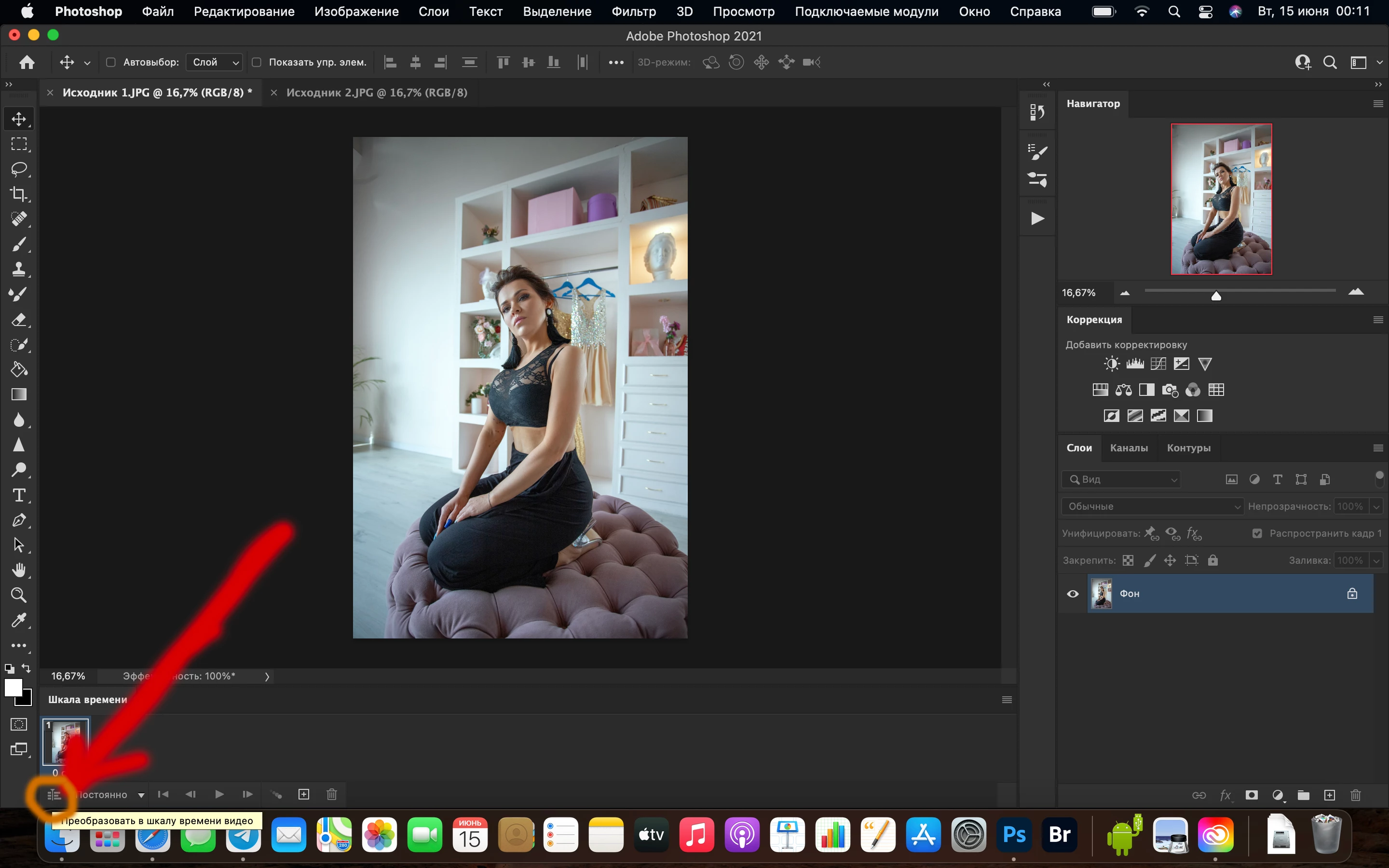
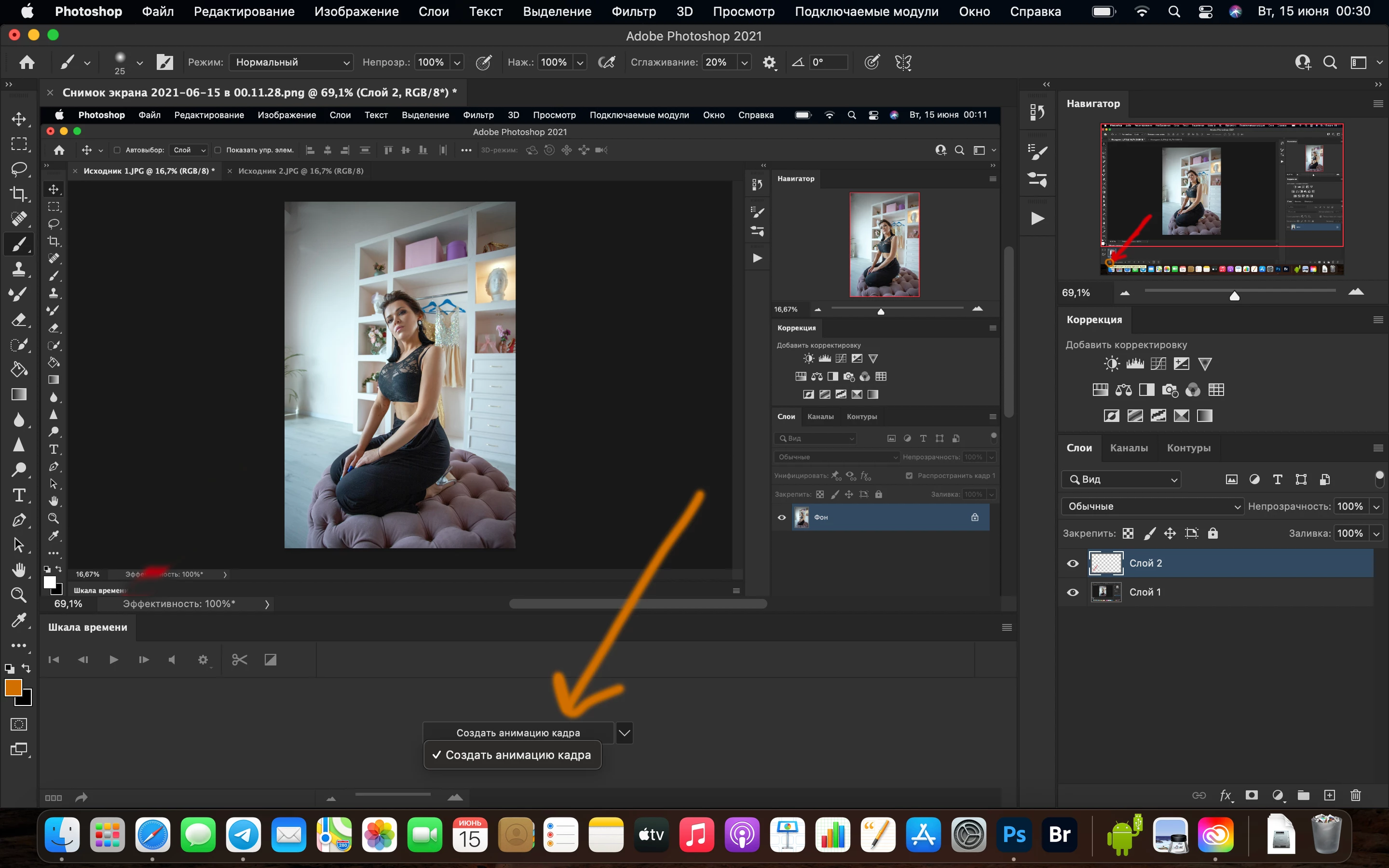
Hello! I want to make a Before / After video on the processed photo. But in the Timeline drop-down list, there is no "Create Timeline for Video". Please help))!

 

This topic has been closed for replies.

1 reply

JJMack
Community Expert
Community Expert
June 14, 2021

You may have a Mac issue or Photoshop may not  be supporting your Mac's GPI therefore may not make Create Video Time line available. Try resetting your Photoshop preferences there should be two options 

JJMack
benjaminr64611980
Participant
December 23, 2021

Im having the same issue too, its only alowing me to create a Frame animation.  

Conrad_C
Community Expert
Community Expert
December 24, 2021

If either of the problems in this thread is happening on a Mac with an Apple Silicon processor, the problem is probably because video format support is one of the things that is not yet supported by the Apple Silicon version of Photoshop.


If so, for now, the workaround is to restart Photoshop into the Apple Rosetta translator. That will run the Intel version of Photoshop on your M1 Mac, which might be slower, but video support will be available.