
Participant
December 28, 2017
Answered

To create an animated gif ???

  • December 28, 2017
  • 2 replies
  • 789 views

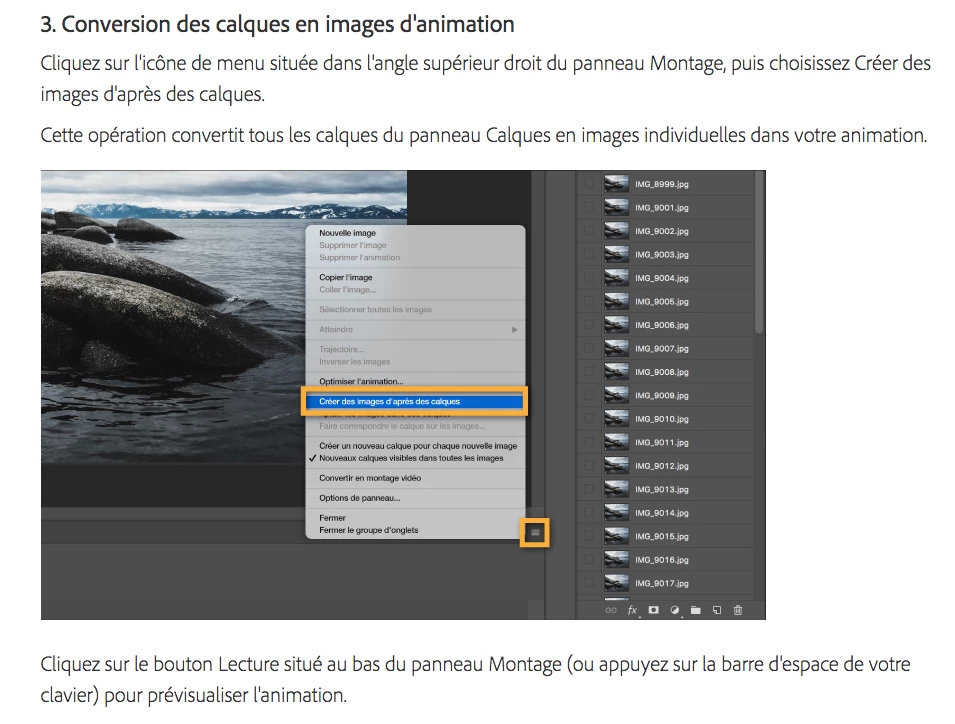
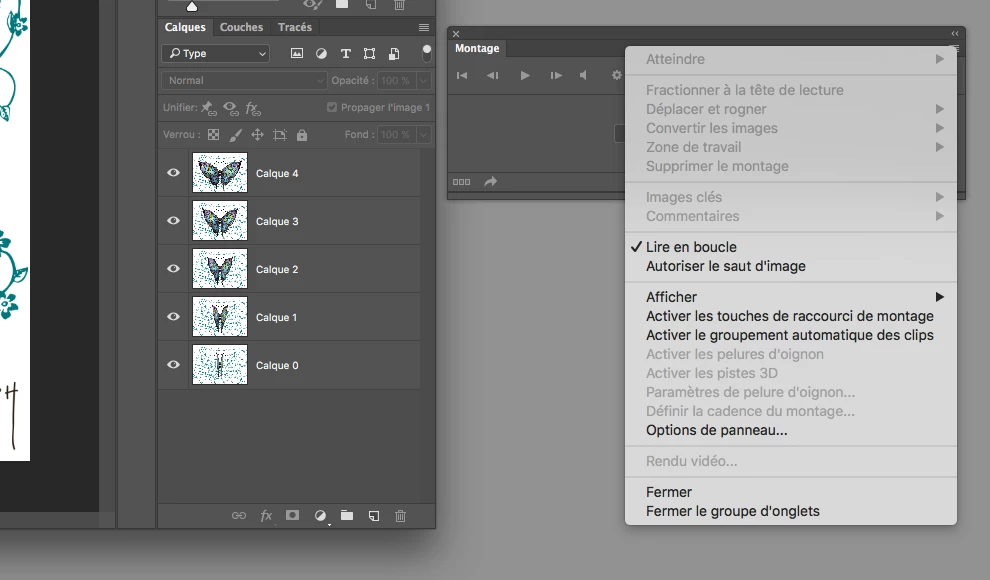
Why is my editing window (to create an animated gif) not the same as yours (on the tutorial)?

I did not "create the images according to the layers", why?

I did the last CC, update, uploaded a few days ago on my Adobe Creative Cloud.

On the tutorial :
On my editing window :
Thank you for your answer.

Christophe

This topic has been closed for replies.
Correct answer davescm

Christophe - your second screenshot shows a video timeline not a frame animation timeline.

What happens when you click here :

Dave

2 replies

Participating Frequently
January 25, 2018

I am having the same issue... My timeline doesn't have the options that photoshop provides in their tutorial... My timeline IS on create frame animation and I have tried what davescm suggested (resetting my preferences and quitting PS)... Can anyone help? Thank you!!!

davescm
Community Expert
Community Expert
December 28, 2017

There are two types of timeline

1. Frame animation - as shown in the instructions you attached

2. Video timeline - as shown in your screenshot

When you open the timeline use the down arrow and choose Create Frame Animation

then click

Dave

kristochAuthor
Participant
December 29, 2017

Thank you very much Dave, but I have already seen "Create frame animation" in the time line (as you can see on the two visuals that I posted with my question). But ... that does not change anything: my window "montage animation" remains with all the icons inactive.

Do you have another suggestion ?

Thank you.

Christophe

davescm
Community Expert
davescmCommunity ExpertCorrect answer
Community Expert
December 29, 2017

Christophe - your second screenshot shows a video timeline not a frame animation timeline.

What happens when you click here :

Dave