
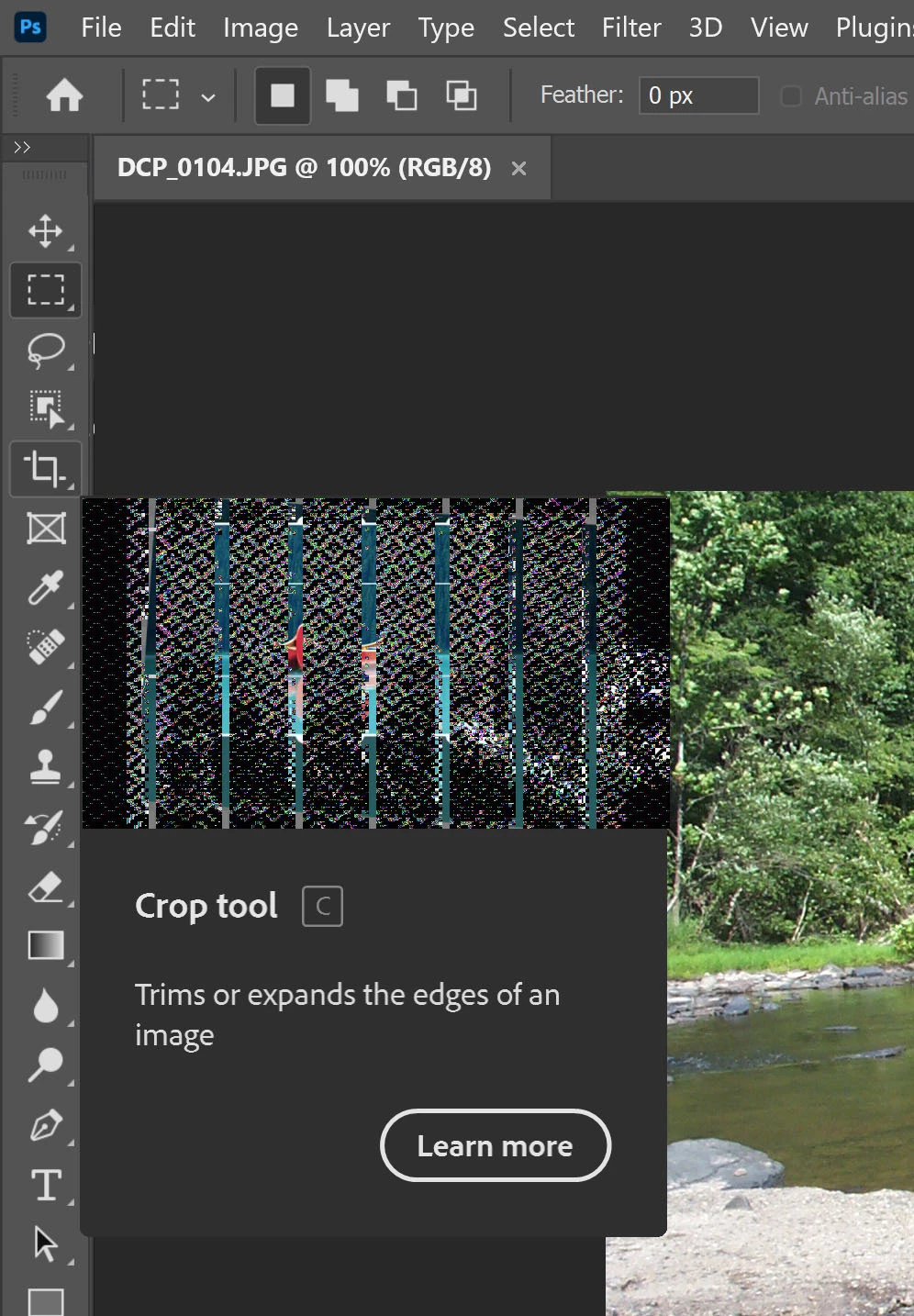
Just upgraded to the most recent version of Photoshop. The update intro and Rich Tooltip video displays are all "scrambled". I'm using the latest Windows 10 Update on a 6 month old i7 laptop. Still have the problem after resetting "preferences". Can you help?
Right off the bat, when responding to old threads it's a good idea to quote the user you are hoping to get a response from. Depending on how they have forum notifications set, that person will get an email informing them they have been mentioned with a link to the thread.
Out of interest, can you try accessing the videos from Discover? (That's the magnifier glass icon in the top right corner) I'm assuming they are same videos you'd get from Rich Tool Tips
Yes, I suppose I should have been more explicit. I didn't even realize it was an old thread at first; hence the edits...
Yes, I get the same diagonal white mesh and zappy static on all embedded videos, including the top right corner Discover, and also the What's New panel when the app opens onto the New File workspace.
Thanks for the response, Trevor.
Allen
--
[weblink removed by moderator as per forum guidelines]
I've branched your post to a new thread, as it's not the same issue in the other thread. It looks to me like the problem is the video card. I renamed the subject so the experts in video cards and drivers will catch it. In the interim, you can turn off Rich Tooltips in Preferences > Tools.
Tried the GPU thing too in an earlier attempt (along with other stuff). As for streaming, I'm using a gigabit connection with no other useres and usually don't have issues with streaming. I've uninstalled and reinstalled CC and shut down all other programs (not running in the background) too.
The only other thing that I can think of to try is the Adobe Cleaner tool
Edit: you could also report the issue on the Adobe Feedback Forum which is monitored by Adobe engineers and post a link to this thread to see if they can throw any light on the issue.