
Participating Frequently
July 12, 2021
Question

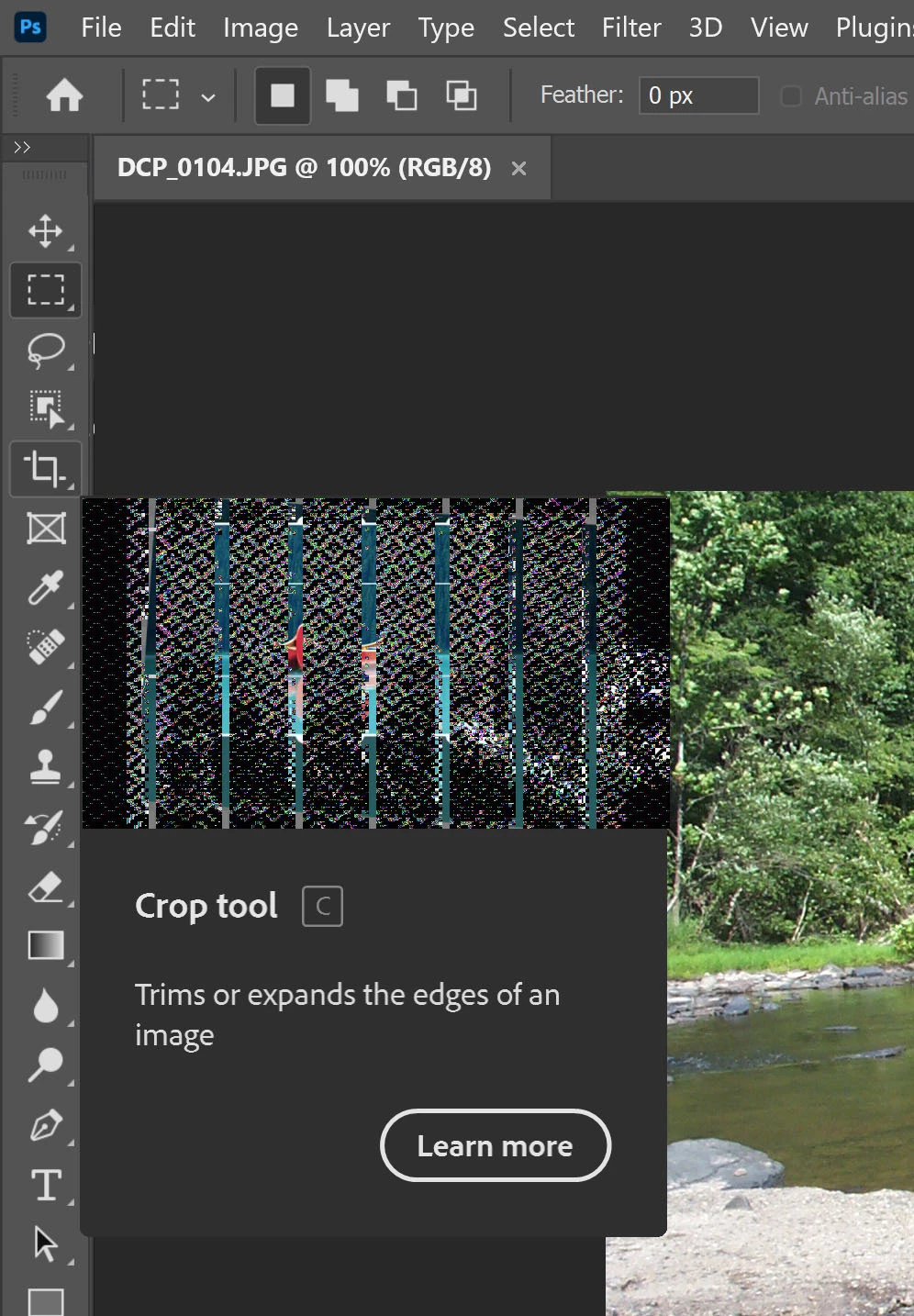
Tooltips/Rich tooltips [video scrambled]

  • July 12, 2021
  • 2 replies
  • 2532 views

Just upgraded to the most recent version of Photoshop.  The update intro and Rich Tooltip video displays are all "scrambled". I'm using the latest Windows 10 Update on a 6 month old i7 laptop.  Still have the problem after resetting "preferences".  Can you help?


This topic has been closed for replies.

2 replies

Inspiring
March 27, 2022

Larry, did you ever get anywhere with this? I have exactly the same problem.


Trevor.Dennis
Community Expert
Community Expert
March 27, 2022
quote

Larry, did you ever get anywhere with this? I have exactly the same problem.


By @Allen Cobb


@Larry Nuesch 


Right off the bat, when responding to old threads it's a good idea to quote the user you are hoping to get a response from.  Depending on how they have forum notifications set, that person will get an email informing them they have been mentioned with a link to the thread.


Out of interest, can you try accessing the videos from Discover?  (That's the magnifier glass icon in the top right corner)  I'm assuming they are same videos you'd get from Rich Tool Tips


Inspiring
March 27, 2022

Yes, I suppose I should have been more explicit. I didn't even realize it was an old thread at first; hence the edits...

Yes, I get the same diagonal white mesh and zappy static on all embedded videos, including the top right corner Discover, and also the What's New panel when the app opens onto the New File workspace.

Thanks for the response, Trevor.

Allen

--

[weblink removed by moderator as per forum guidelines]


jane-e
Community Expert
Community Expert
July 12, 2021

Hi

I've branched your post to a new thread, as it's not the same issue in the other thread. It looks to me like the problem is the video card. I renamed the subject so the experts in video cards and drivers will catch it. In the interim, you can turn off Rich Tooltips in Preferences > Tools.

~ Jane

Participating Frequently
July 13, 2021

Thank you for your help.  I located the instructions and turned off Tooltips for now.  My computer is a Dell Inspiron 7506 2in1 laptop, which I purchased in December 2020 for use with Photoshop.  It is fully updated with Windows 10 but to hold off on adding anther variable, I held back from installing Windows 11 for now.  Cloud worked great initially when I first loaded it, but began to develop problems when I downloaded one of the updates early this year.  At one point it would not run with one of those updates so I uninstalled and rolled back to an earlier version.  When I decided to do a full update to the most recent version the other day, most if the previous issues were gone, but the video issue appeared.  I haven't fully teseted it yet to see if everthing else works, though.

Inspiring
March 27, 2022

I bought the same computer in January 2022, with Win11 preinstalled on a Dell Inspiron 7506 2in1. I have exactly the same problem. Seems like a very long time without any resolution.