

Answered
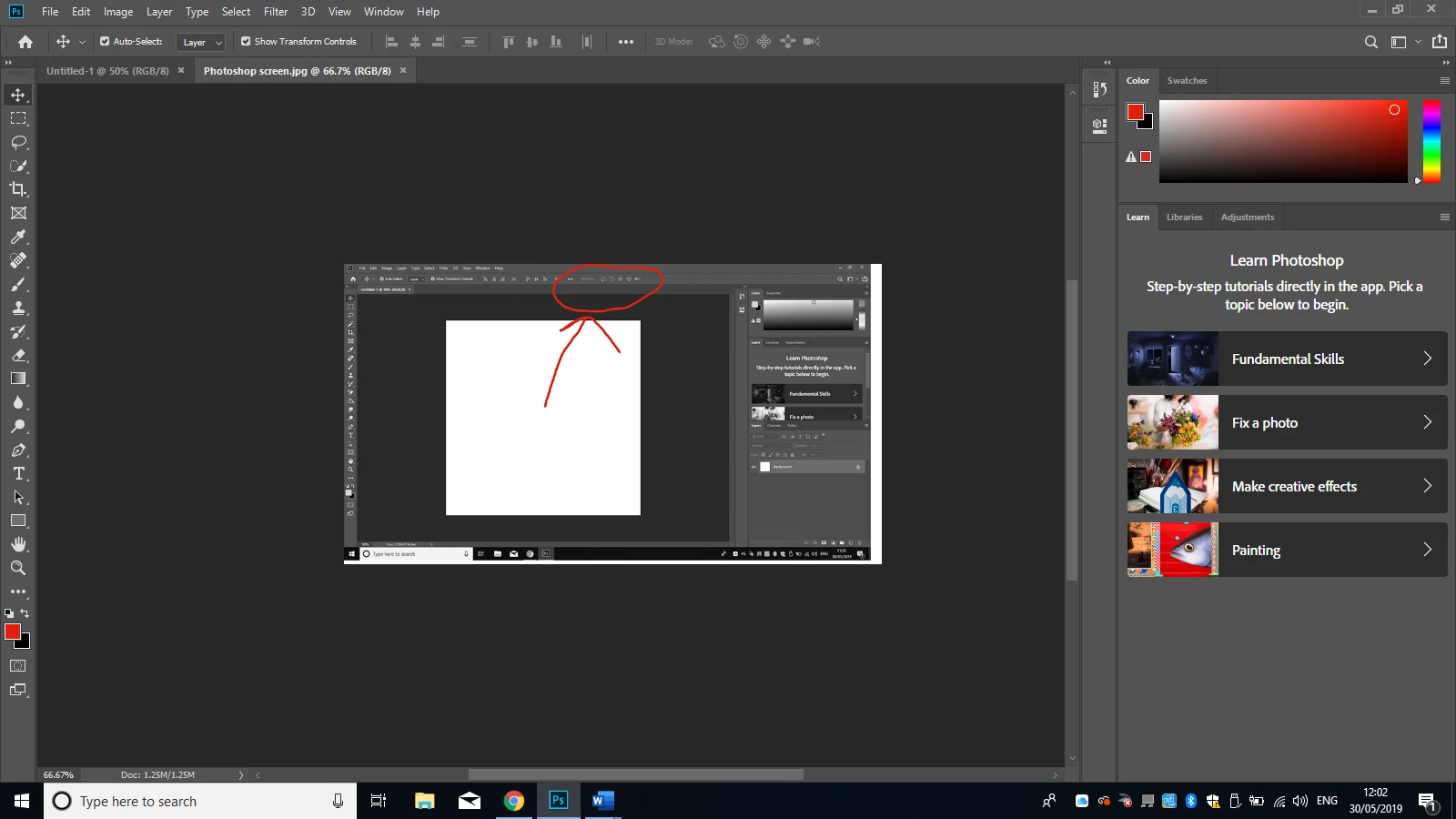
Top bar in Photoshop will not reset - is showing 3D workspace info - greyed out
Hi,
I've been creating 3D numbers and have done a number of them (going between Essentials and 3D workspaces), however this morning when I went back to the Essentials workspace the top bar is no longer 'normal' - it now says "3D mode:" and to the right are 5 greyed out icons. I've tried resetting the Workspace, restored Tool presets, rebooted Photoshop .... but nothing's working.
Please help!! 🙂

 AdChoices