Inspiring
March 15, 2023
Answered

Tracking between characters is different since Photoshop 23.2

  • March 15, 2023
  • 5 replies
  • 730 views

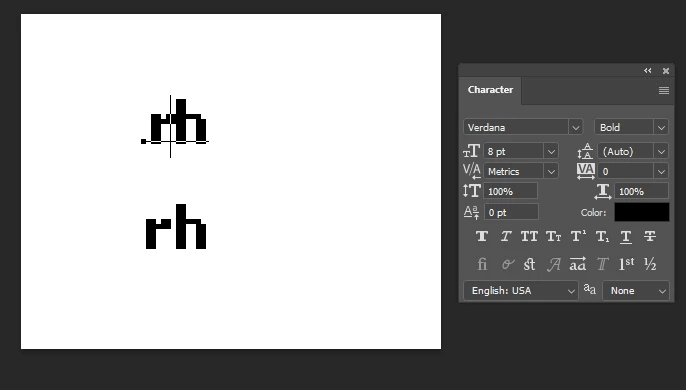
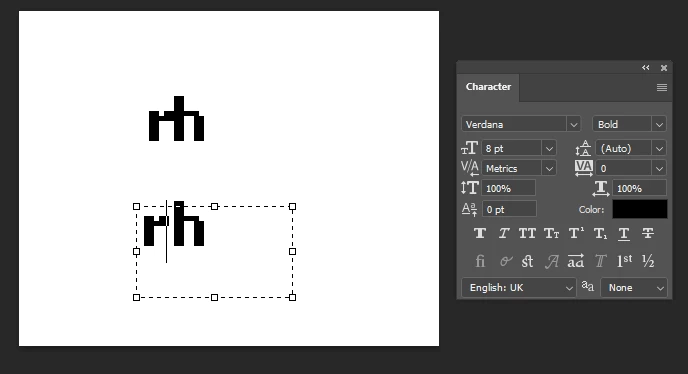
I am trying to set a text in Photoshop using Verdana Bold, 8 pt, without anti-aliasing. In the past, the default tracking left at least one pixel of space between characters. Since several Photoshop versions now, there is no space between some of the characters at the default setting which makes the text hard to read.


In the screenshots below, the upper text layer is a newly created one. The lower one I copied over from a old PSD file created in 2018. The only difference is the English USA/UK setting as you can see, but changing this doesn't make a difference.


The test-file is 84 x 67 pixels at 96 dpi.


I think I first noticed this problem around 2 or maybe 3 years ago, starting with a new Photoshop version at that time.


I already tried resetting the type tool and the Photoshop preferences, but no success so far. It looks like there could be a (hidden) property of old text layers that has changed with one of the recent Photoshop versions.


Edit: by trying out all my old files, I was able to determine that the problem starts to appear in March 2022 onward. This means that the bug was most likely introduced with Photoshop 23.2.
 

This topic has been closed for replies.
Correct answer Jeff Arola

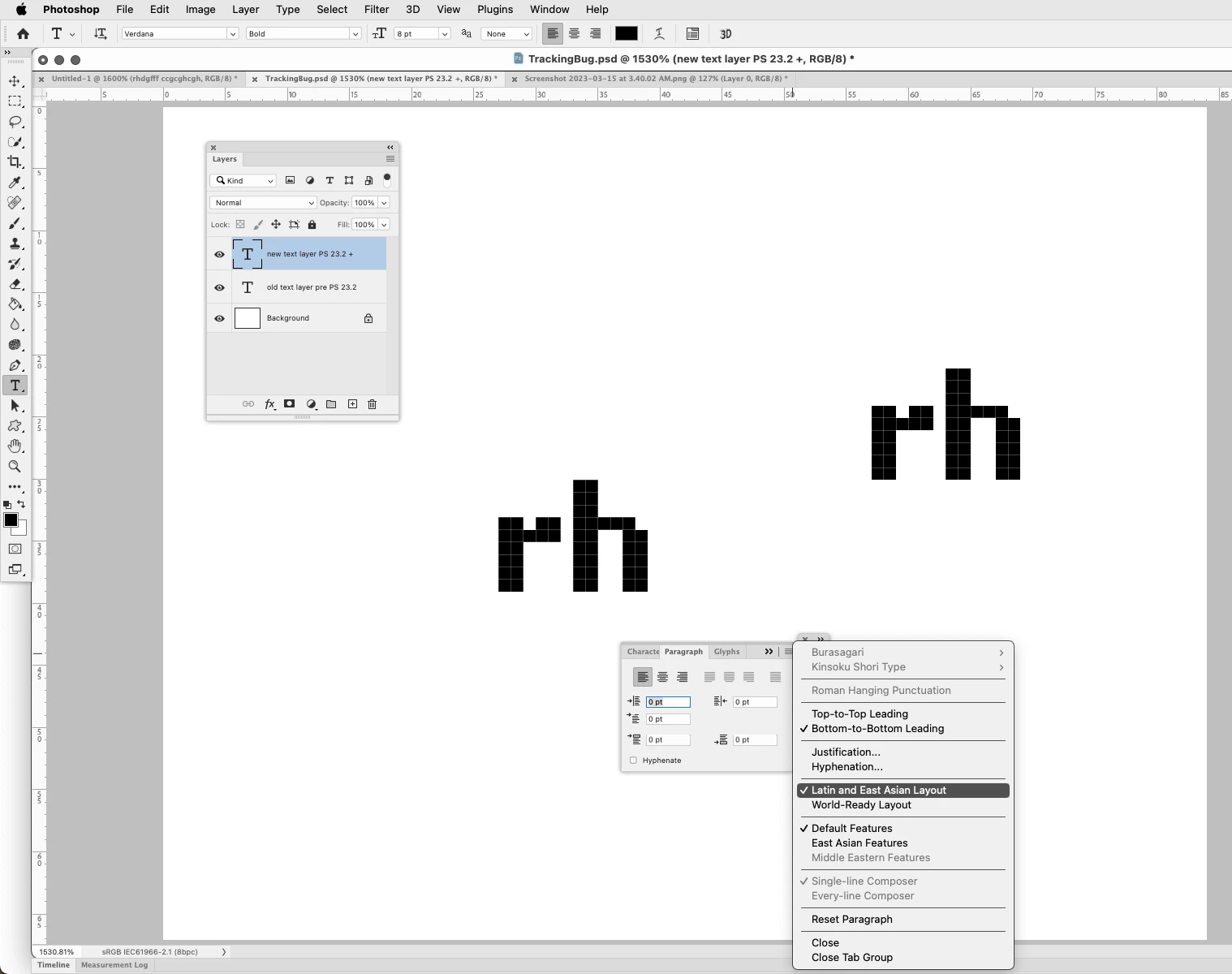
I did notice something that i hadn't before. In photoshop 2023 the tracking seems right if the text is centered aligned, however, changing to left or right aligned puts the letters touching each other.


If you go to the Paragraph panel and select Latin and East Asian Layout, then the tracking seems correct no matter the alignment.


5 replies

Inspiring
March 16, 2023

That's a good suggestion, however it still doesn't replicate the behaviour of previous versions. If you try to type "fr" for example, you will see that there's still no spacing between the characters even when switching to Latin and East Asian layout, while this works fine in the old text layer.

Edit: Oh never mind, I tried it with a file that has a different dpi setting. It does work in the original file I provided!

Jeff Arola
Community Expert
Jeff ArolaCommunity ExpertCorrect answer
Community Expert
March 15, 2023

I did notice something that i hadn't before. In photoshop 2023 the tracking seems right if the text is centered aligned, however, changing to left or right aligned puts the letters touching each other.


If you go to the Paragraph panel and select Latin and East Asian Layout, then the tracking seems correct no matter the alignment.


Inspiring
March 15, 2023

 I just uploaded a PSD file with both text layers for experimenting: https://e.pcloud.link/publink/show?code=XZ9LdhZmNBuR9hAIFpHGql3MJVWXSAo8aOV

Inspiring
March 15, 2023

Fractional Widths is selected for both text layers.

Jeff Arola
Community Expert
Community Expert
March 15, 2023

Is Fractional Widths or System Layout selected?


macOS Ventura 13.2.1 with photoshop 2023 (ps ver 24.2)