
Answered
Transform controls are larger than selection
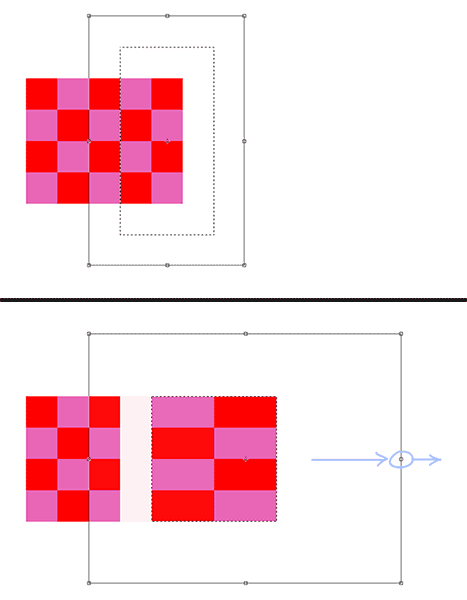
I make a selection, then I free transform. The transform border is slightly larger than the selection. When I stretch out the transform controls, it creates a gap in the graphic. This proves to be a nuisance when working with layers that have effects applied.
How do I make the transform controls be the exact size of the selection?
In this example: each color square is a pixel. I've made a selection that encompasses the two right columns. Then I add the free transform controls. When I grab the middle-right transform dot and pull it to the right, a gap appears, due to the controls being larger than my selection.
Photoshop CC 19.1.6
 AdChoices