Participant
November 8, 2018
Answered

Transform Controls/Text Editing STILL disappearing

  • November 8, 2018
  • 2 replies
  • 572 views

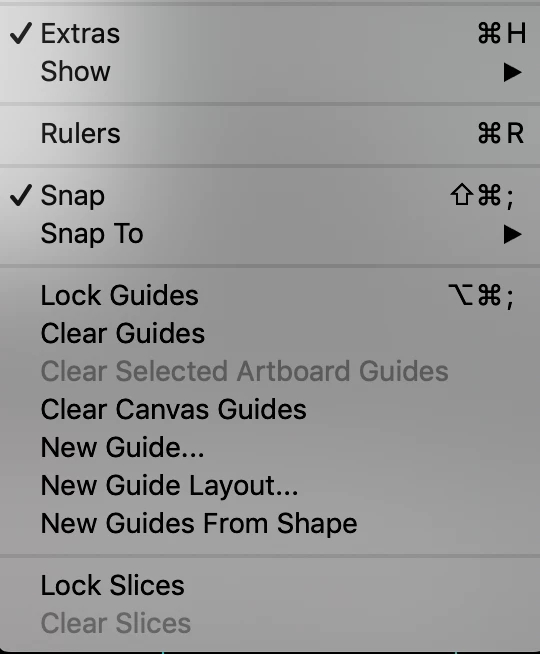
My transform controls keep disappearing. The "Show Transform Controls" box is checked. Also when I go to edit text, I am unable to see the base text line or highlight text to see what is being selected. I have followed the other directions in the forum from a post from 2015, but nothing is fixing the problem. I have tried going into freeze mode, changing the View>Extras selection - it is also checked.  I also have the latest version of Adobe Photoshop CC installed. So frustrating!

Can anyone help?
    This topic has been closed for replies.
    Correct answer

    Hi

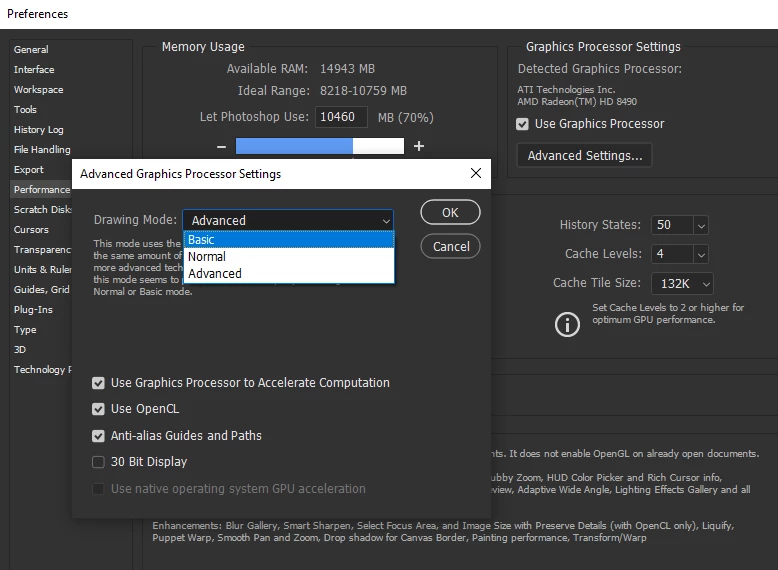
    Try setting the drawing mode to basic in advanced settings and restarting Photoshop

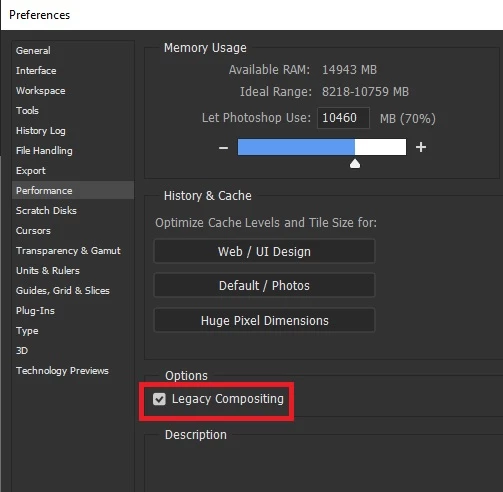
    If that doesn't help try enabling this option again restart PS

    2 replies

    Correct answer
    November 8, 2018

    Hi

    Try setting the drawing mode to basic in advanced settings and restarting Photoshop

    If that doesn't help try enabling this option again restart PS

    Participant
    November 8, 2018

    This seems to have worked - I had to select both options and restart.

    Thank you very much!

    I appreciate it!

    November 8, 2018

    You're welcome

    kglad
    Community Expert
    Community Expert
    November 8, 2018