
Participating Frequently
July 25, 2024
Answered

Transform dimension graphic won't go away
  • July 25, 2024
  • 4 replies
  • 1373 views

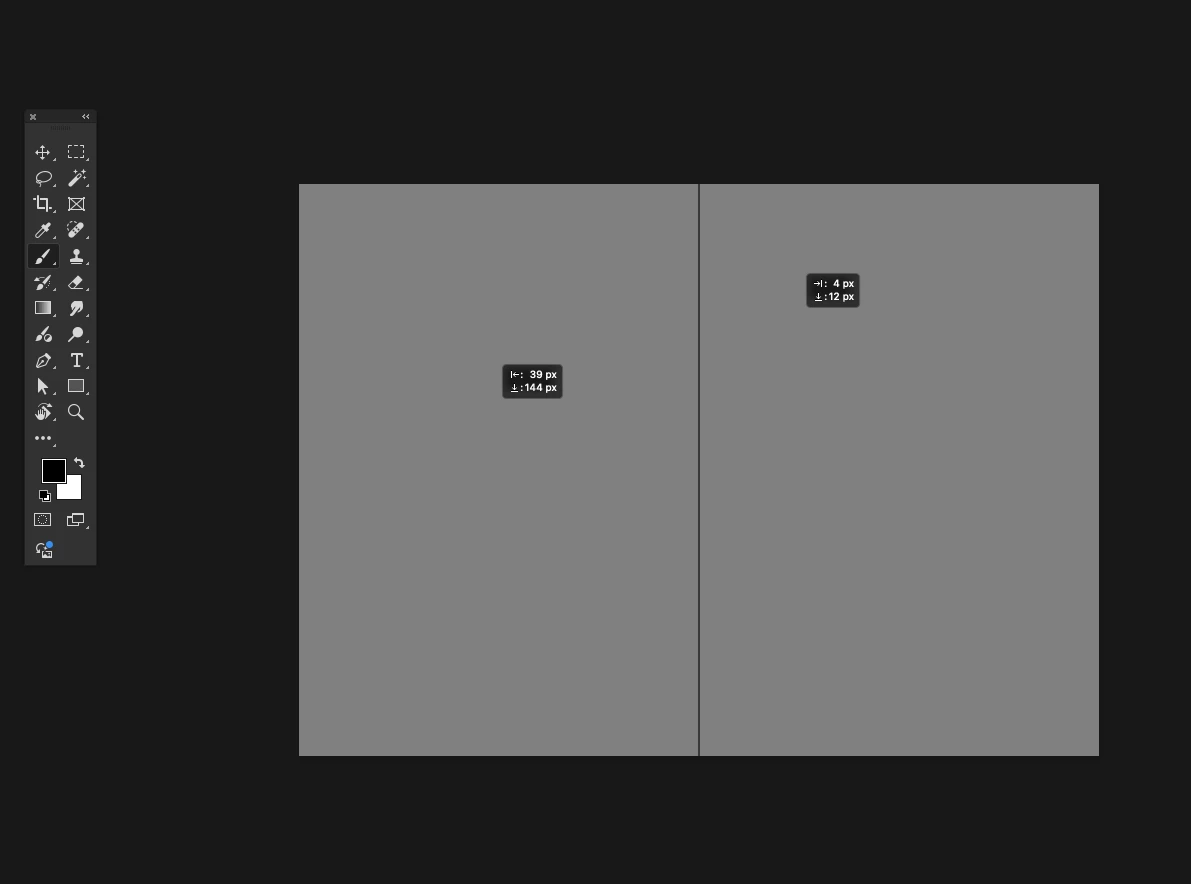
When I use the transform tool in the latest version of Photoshop, the dimension/position graphic sometimes doesn't disappear. It actually stays there even AFTER closing the document, just floating over the top of the photoshop start screen. So i guess some kind of weird display error? Is there anything i can do in preferences to diagnose and fix this?


Adobe Photoshop Version: 25.11.0 20240716.r.706 b326a7d x64

Operating System: Mac OS 12.7.0


This topic has been closed for replies.
Correct answer Ged_Traynor
I ended up just going back a couple versions.

It's a confirmed bug with Photoshop version 25.11

https://community.adobe.com/t5/photoshop-ecosystem-bugs/p-win-macos-ps-25-11-coordinates-box-stuck-w...

4 replies

Convergnt
Inspiring
October 16, 2024

Does anyone know if this has been corrected in PS vr 26.0? 


What shocks me about this is how it persists over all other OSX layers. Like, PS: i ackowledge you're buggy but stay in your lane. 

jane-e
Community Expert
Community Expert
October 16, 2024
quote

What shocks me about this is how it persists over all other OSX layers.

By @Convergnt


If you are still using OSX, you might consider upgrading, as there have been five updates since then. The current version is macOS Sequoia 15.0.1

Participant
September 21, 2024

I've had this too, it stays over everything on Mac OS even when the app is minimised it's on the finder window and on other apps.

Participant
September 2, 2024

I have this issue as well.

Ged_Traynor
Community Expert
Community Expert
September 3, 2024

@Annie Mater you can disable the transform values from showing until Adobe address the issue

Trevor.Dennis
Community Expert
Community Expert
July 25, 2024

I've been seeing this recently as well.  You can't escape then away as they are display glitches rather than a Photoshop bug per se, but if shift focus to another screen and back, that might lose them.  It probably has to be a screen that no longer shows any of the Photoshop UI.  I usually use the beta version, so I'm guessing the glitch is with that.  I am also using Windows 11, so it does not appear to be platform specific.


There was an update today.  I wonder if that fixed it?

SHP Photography
Participating Frequently
August 12, 2024

Still on my screen with latest version

JpammentAuthor
Participating Frequently
August 12, 2024
I ended up just going back a couple versions.