
Inspiring
January 8, 2021
Question

Transform tool malfunction in recent version with more than 1 shape layers selected

  • January 8, 2021
  • 3 replies
  • 531 views

Adobe Photoshop Version: 22.1.0 20201125.r.94 2020/11/25: 4b16c876033 x64


Whenever i select multiple layers, very often one or more of layers are not being transformed with ctrl+t transform tool. Example to reproduce:


When i select 2 shape layers and 2 text layers then use ctrl+t to scale them together, only shapes got scaled, text layers remained unchanged.


Here is gif documenting the issue:
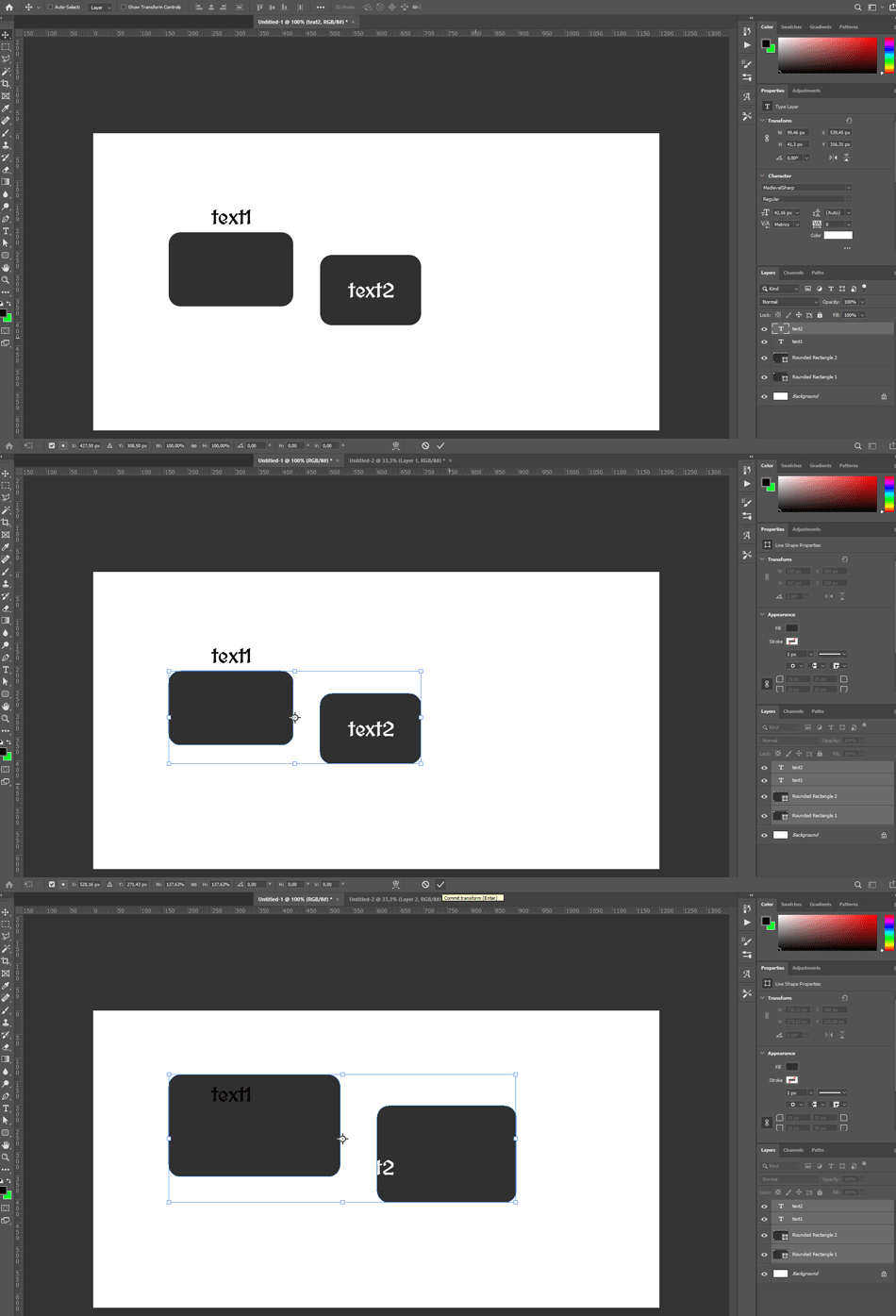
 

Furthermore, i believe its related to problem with "show target path". WHen i disable it from view -> show -> target path it transforms properly again, however i cant see the paths even with direct seleciton tool then. And after more playing around with layers and path selection tool it defaults back to show target path again and to the problem with transforms aswell.


So in sum: I believe it could be fixed if going away from path/direct selection would disable the target path view automatically as it did before. THen it would transform properly. ANd enable target path visibility automatically when going into path or direct selection tools. In recent update somehow it must have been bugged - the toggle of that target path view and its the source of the whole problem.

This topic has been closed for replies.

3 replies

Participant
January 13, 2021

Even though you have all layers selected, it looks like the transform is happening only to the live paths based on the bounding box. Here are a few thoughts on troubleshooting.


  • You might have the the path selection tool selected when transforming, which would cause the issue you are having. After selecting the layers, press "v" to ensure the move tool is selected, then perform the transform.
  • You may try putting all of the layers into a folder, selecting the folder, then trying the transform.
January 9, 2021

I was able to reproduce the issue, but for me it seems intermittent, now I can't seem to reporduce it again 🤔 🤔

c.pfaffenbichler
Community Expert
Community Expert
January 9, 2021

I wondered if Paragraph Text and Type Text might behave differently but so far I cannot get the issue. 

January 9, 2021

Try as I might I can't get it to happen again, when it happened it was exactly as the OP showed

c.pfaffenbichler
Community Expert
Community Expert
January 9, 2021

I cannot reproduce the issue (Adobe Photoshop 22.1.0, Mac OS 10.15.4); maybe you should post a report over on 

Photoshop Family