
Participating Frequently
May 15, 2020
Resuelto

Transform tool not scaling in relation to anchor point?

  • May 15, 2020
  • 1 respuesta
  • 1839 visualizaciones

I'm having some trouble with my transform tool and I'm not quite sure why. I'm working on some homework for a basic perspective class, and we're learning how to use the transform tool to scale a character forwards or backward in space. Our instructor showed us this by moving the transform tool's anchor point over to the vanishing point in a scene and scaling the character up or down in relation to the anchor point. 


I move my anchor point over to the vanishing point like we were shown, but the image won't scale in relation to it and seems to instead scale independently. I've attached an image below for reference as well.  
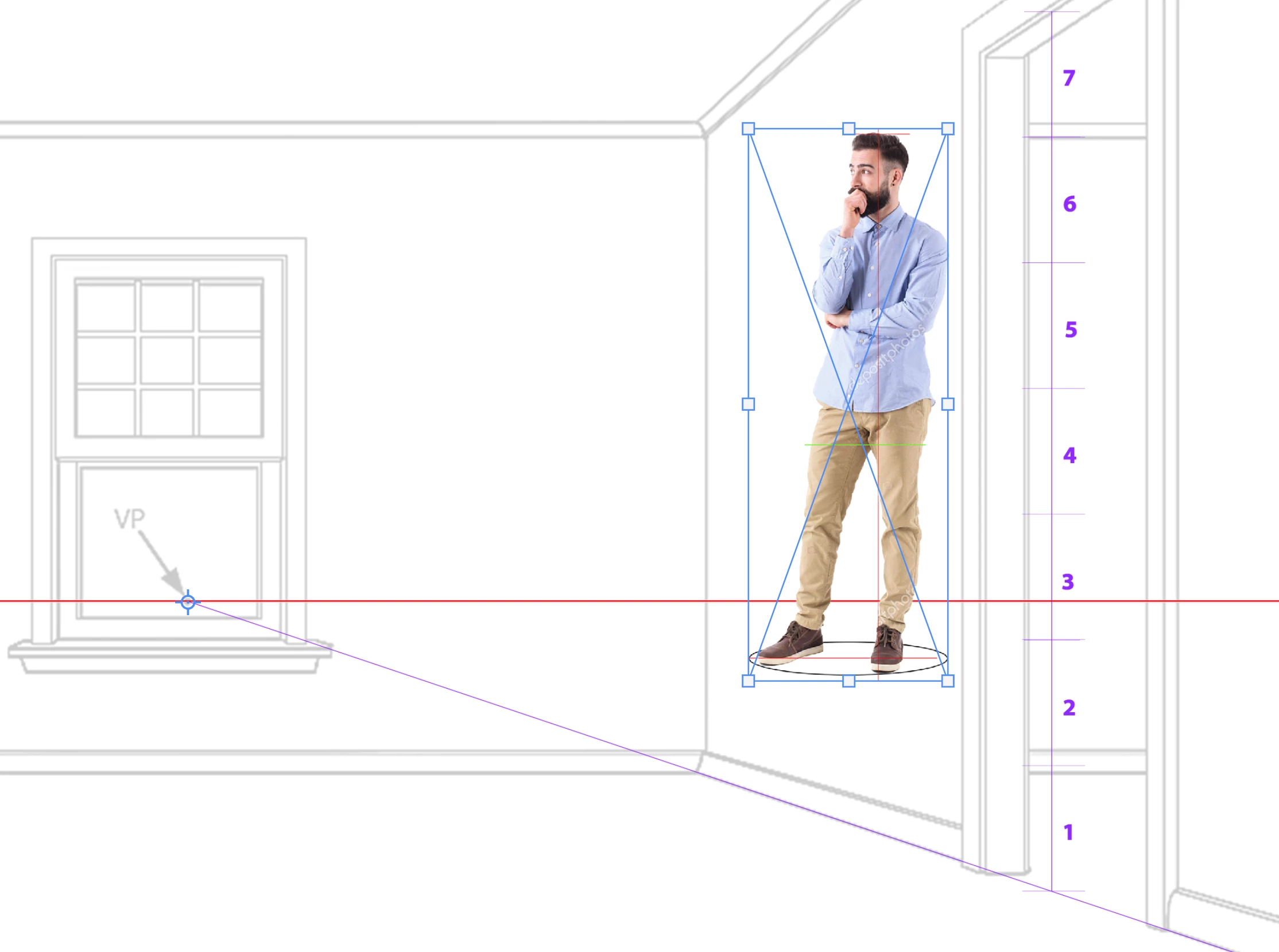
 

Any help or advice is greatly appreciated!

Este tema ha sido cerrado para respuestas.
Mejor respuesta de c.pfaffenbichler

Are you alt-dragging the corner point? 

1 respuesta

c.pfaffenbichler
Community Expert
Community Expert
May 15, 2020

Is that your screenshot or an instructional image? 

mvs94Autor
Participating Frequently
May 15, 2020

This is my screenshot. I tried to attach an instructional image for comparison but the site said it contained 'invalid html'. I'll try and post an image below here: 


This is what the homework is supposed to look like. Our instructor was able to scale characters back in space using the transform tool and I was having trouble replicating that. 


c.pfaffenbichler
Community Expert
Community Expert
August 9, 2020

Where is my anchor center point in Photoshop 2020? I dont see it like in older versions