
Participating Frequently
November 24, 2019
Answered

Transforming a selection blurs object - plz help!!

  • November 24, 2019
  • 1 reply
  • 888 views

I am having this issue where when I make a selection and use the transform tool, it blurs the object i am transforming. I have tried unchecking "anti-alias" in the selection Tool option bar, changing the interpoleration method to Nearest Neighbor, and changing dpi to 1000. None of that worked.

It used to work on Photoshop CC 2016 but i just bought the latest ver of photoshop and it doesnt work anymore!! whyy?
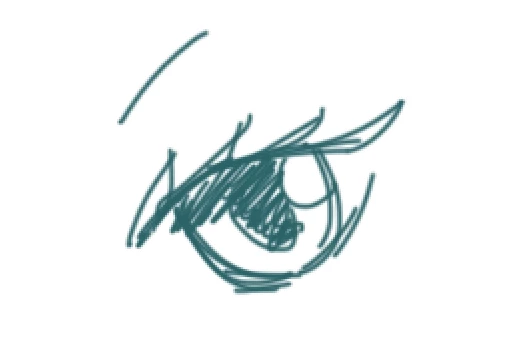
 

Before transform - nice and crisp
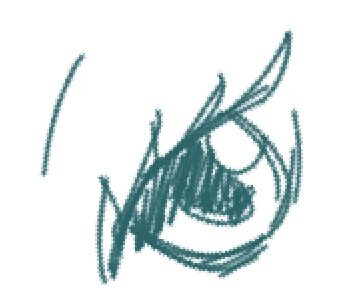
After Transform - Rotated... Look at all the messed up edges! it used to stay all nice and crisp like in the first photo after rotation!! why is this happening 😞

This topic has been closed for replies.
Correct answer PECourtejoie

What should I change it to if not "Nearest Neighbor"? Thanks again for your reply! 😄


Hello, the default is bicubic.

1 reply

JJMack
Community Expert
Community Expert
November 24, 2019

What is the resolution of your document and what is your default interpolation method?

JJMack
Participating Frequently
November 24, 2019

Hi JJMack,

thanks for your reply!


Resolution: 300 dpi

Default interpolation method has been changed to Nearest neighbor a few days/ a week ago and so I don't remember what the default is....

Participating Frequently
November 27, 2019

Hello, the default is bicubic.


Thank you so much!!