Transforming Smart Objects - Warp/Transform/Disort grayed out (Settings/Graphics Card Question)
My Warp/Transform/Disort are grayed out when editing smart objects (works for rasterized) I have very limited knowledge when it comes to hardware so I need some help. I have been reading this post
https://community.adobe.com/t5/photoshop-ecosystem-discussions/perspective-warp-option-greyed-out/m-p/5798075
and tried to follow the adive given there but the option "Use Graphics Processor to Accelerate Computation" doesn't even show up for me to select.
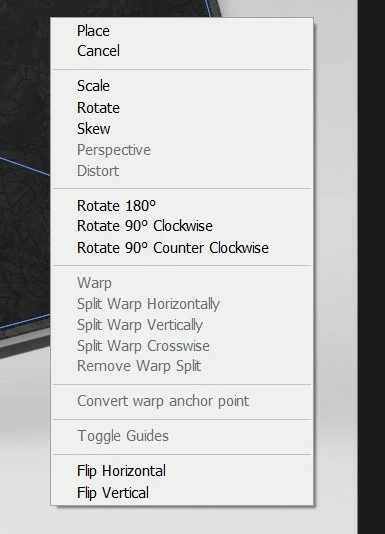
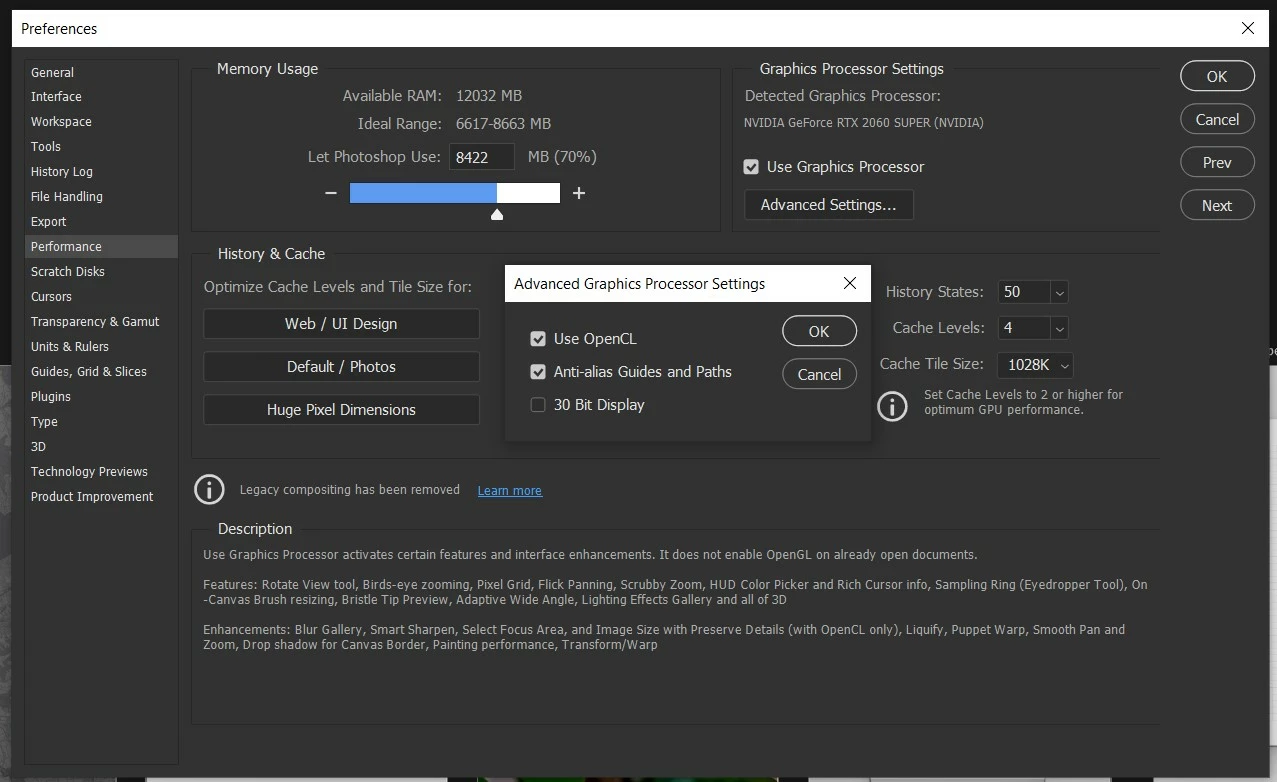
- My graphics card: Nvidia geforce rtx 2060 super (Windows)
- I went into device manager to check that my Graphics card was up to date and it is
- changed Artboard to 8bit from 16 bit (no change)
- checked settings Performance - "Use graphics processor" and Use OpenCL" was checked when I opend it (but as mentioned the setting "Use Graphics Processor to Accelerate Computation" doesn't show up for me.
Can anybody tell me what else I can do or what I did wrong? See screenshots.
The "solution" in the linked post was to rasterize the layer but that is not an option for me for different reaons, I need it be remain a smart object.
Thank you in advance, if I forgot to mention something please let me know.
 AdChoices