
Geppetto Luis
Legend
July 20, 2017
Answered

Transforms guides into lines [2017]

  • July 20, 2017
  • 10 replies
  • 30300 views

good morning

I'm new to this place


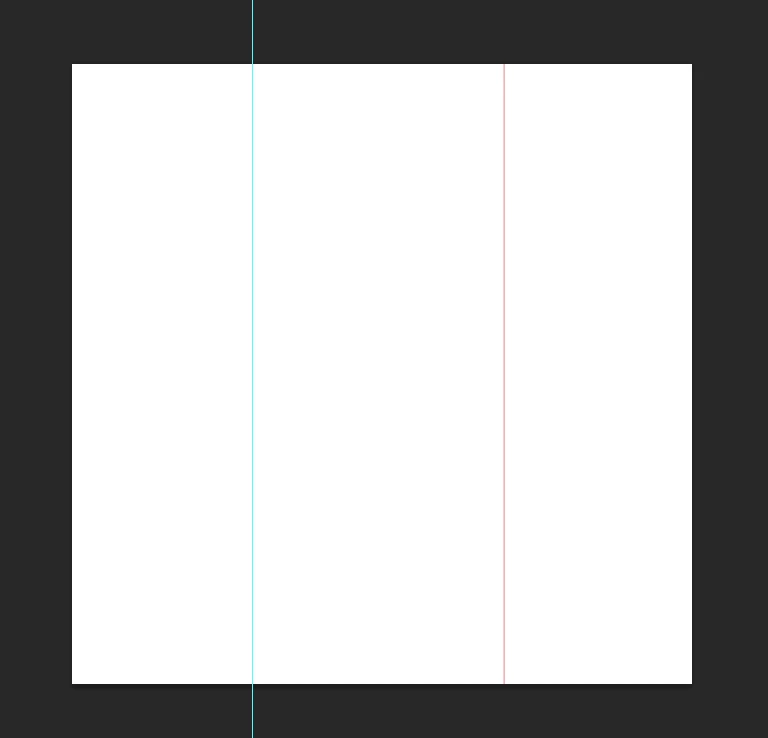
I would like to know if there is a way to transform the guides into lines


As in the case


thank you
 

Correct answer SuperMerlin

SuperMerlin exceptional

Just what I was looking for

I wanted to ask if they could make 2 changes.

The first change is the color of the guides I would choose

Using the foreground color in the blade tools,

The second change is the size of the line

That I would choose from time to time

So too small.

Thanks again.


//Requires Photoshop CS5 or newer

#target photoshop;

if(documents.length) app.activeDocument.suspendHistory('Stroke Guides', 'main()');

function main(){

activeDocument.artLayers.add();

activeDocument.activeLayer.name="Stroked Guides";

app.showColorPicker();

var newColour = app.foregroundColor;

var guideSize = Window.prompt("Please enter Stroke Size!","1");

var guides = app.activeDocument.guides;

var guideArray = [];

for( var g = 0; g < guides.length; g++ ){

    singleLine(guides.direction.toString(), Number(guides.coordinate.value).toFixed(0) );

    if(Number(guideSize) > 1)

   activeDocument.selection.stroke (newColour, Number(guideSize), StrokeLocation.OUTSIDE, ColorBlendMode.NORMAL, 100, false);

   activeDocument.selection.stroke (newColour, Number(guideSize), StrokeLocation.INSIDE, ColorBlendMode.NORMAL, 100, false);

}

activeDocument.selection.deselect();

};

function singleLine(pos,pixelPos) {

var desc5 = new ActionDescriptor();

var ref4 = new ActionReference();

ref4.putProperty( charIDToTypeID('Chnl'), charIDToTypeID('fsel') );

desc5.putReference( charIDToTypeID('null'), ref4 );

var desc6 = new ActionDescriptor();

if(pos == "Direction.VERTICAL"){

desc6.putUnitDouble( charIDToTypeID('Left'), charIDToTypeID('#Pxl'), Number(pixelPos) );

desc5.putObject( charIDToTypeID('T   '), charIDToTypeID('Sngc'), desc6 );

}else{

desc6.putUnitDouble( charIDToTypeID('Top '), charIDToTypeID('#Pxl'), Number(pixelPos) );

desc5.putObject( charIDToTypeID('T   '), charIDToTypeID('Sngr'), desc6 );

}

executeAction( charIDToTypeID('setd'), desc5, DialogModes.NO );

};

10 replies

selondon
Community Expert
Community Expert
January 11, 2024

Thanks for you help. It seems to be solved now, with the script unchanged.


I redownloaded the one I send to my colleague, deleted the one in the folder, re-added it again and it's working.


Cheers

selondon
Community Expert
Community Expert
January 11, 2024

Yep.... couldn't attach a .jsx or .zip so just changed extenstion

c.pfaffenbichler
Community Expert
Community Expert
January 11, 2024

Please try removing the useless first line. 

selondon
Community Expert
Community Expert
January 11, 2024

Hi,


Thanks for looking at this


Here's the screenshot:


I have attached the .jsx as a .txt file (seems to work on a colleagues Mac)


I am running PS 25.3.1 on Ventura 13.6.1


c.pfaffenbichler
Community Expert
Community Expert
January 11, 2024

jsx, not txt! 

selondon
Community Expert
Community Expert
January 11, 2024

I just get a Syntax Error:


c.pfaffenbichler
Community Expert
Community Expert
January 11, 2024

Could you please post screenshots taken at View > 100% with the pertinent Panels (Toolbar, Layers, Options Bar, …) visible? 


I cannot reproduce the problem on Photoshop 25.3.1 on Mac OS 14.1.2.

The first line being 

if (documents.length) app.activeDocument.suspendHistory('Stroke Guides', 'main()');

the alert you get seems strange. 

selondon
Community Expert
Community Expert
January 11, 2024

@c.pfaffenbichler 


This one here.....


#target photoshop;

if (documents.length) app.activeDocument.suspendHistory('Stroke Guides', 'main()');

function singleLine(pos, pixelPos) {

    var desc5 = new ActionDescriptor();

    var ref4 = new ActionReference();

    ref4.putProperty(charIDToTypeID('Chnl'), charIDToTypeID('fsel'));

    desc5.putReference(charIDToTypeID('null'), ref4);

    var desc6 = new ActionDescriptor();

    if (pos == "Direction.VERTICAL") {

        desc6.putUnitDouble(charIDToTypeID('Left'), charIDToTypeID('#Pxl'), Number(pixelPos));

        desc5.putObject(charIDToTypeID('T   '), charIDToTypeID('Sngc'), desc6);

    } else {

        desc6.putUnitDouble(charIDToTypeID('Top '), charIDToTypeID('#Pxl'), Number(pixelPos));

        desc5.putObject(charIDToTypeID('T   '), charIDToTypeID('Sngr'), desc6);

    }

    executeAction(charIDToTypeID('setd'), desc5, DialogModes.NO);

};

function main() {
	
	app.preferences.rulerUnits = Units.PIXELS;

    activeDocument.artLayers.add();

    activeDocument.activeLayer.name = "Stroked Guides";

    app.showColorPicker();

    var newColour = app.foregroundColor;

    var guideSize = Window.prompt("Please enter Stroke Size!", "1");

    var guides = app.activeDocument.guides;

    var guideArray = [];

    for (var g = 0; g < guides.length; g++) {

        singleLine(guides[g].direction.toString(), Number(guides[g].coordinate.value).toFixed(0));

        if (Number(guideSize) > 1)

            activeDocument.selection.stroke(newColour, Number(guideSize), StrokeLocation.OUTSIDE, ColorBlendMode.NORMAL, 100, false);

        activeDocument.selection.stroke(newColour, Number(guideSize), StrokeLocation.INSIDE, ColorBlendMode.NORMAL, 100, false);

    }

    activeDocument.selection.deselect();

};
selondon
Community Expert
Community Expert
January 11, 2024

I can't seem to get this to work on an M1 Mac, whilst my colleague can on an Intel one.


Does it need to be updated for this?


(I have no idea about scripting!)

c.pfaffenbichler
Community Expert
Community Expert
January 11, 2024

Several Scripts appear in this thread, which one are you talking about? 

Inspiring
August 22, 2018

@r-bin,

worked perfectly

Thanks.

Kukurykus
Legend
August 22, 2018

So that was your first post over here

Inspiring
August 22, 2018

it seems this is not compatible with the latest CC 2018.

I created a new 800 x 800 document, then dragged 2 guides in (1 horizontally centered and 1 vertically centered). Basically 2 guides marking the center point.

I then run the script and all I get is a 1 pixel horizontal sroke across tacross the top (a few pixels down), and a 1 pixel vertical stroke on the left hand side (a few pixes across)?

Can anyone assist?

Thank you all in advance.

Legend
August 22, 2018

app.preferences.rulerUnits = Units.PIXELS;

c.pfaffenbichler
Community Expert
Community Expert
July 20, 2017

One can assess the guides’ information and create Paths based on that which in turn could be used as the basis of a Shape Layer with Stroke (and merged with some other Layer if necessary) for example.

Geppetto Luis
Legend
July 20, 2017

I would like to create guides in a document

And then turn them into lines

I would not know how to do it.

Geppetto Luis
Legend
July 21, 2017

try this.

//Requires Photoshop CS5 or newer

#target photoshop;

if(documents.length) app.activeDocument.suspendHistory('Stroke Guides', 'main()');

function main(){

activeDocument.artLayers.add();

activeDocument.activeLayer.name="Stroked Guides";

var newColour = new SolidColor();

newColour.rgb.hexValue="000000";

var guides = app.activeDocument.guides;

var guideArray = [];

for( var g = 0; g < guides.length; g++ ){

    singleLine(guides.direction.toString(), Number(guides.coordinate.value).toFixed(0) );

   activeDocument.selection.stroke (newColour, 1, StrokeLocation.INSIDE, ColorBlendMode.NORMAL, 100, false);

}

activeDocument.selection.deselect();

};

function singleLine(pos,pixelPos) {

var desc5 = new ActionDescriptor();

var ref4 = new ActionReference();

ref4.putProperty( charIDToTypeID('Chnl'), charIDToTypeID('fsel') );

desc5.putReference( charIDToTypeID('null'), ref4 );

var desc6 = new ActionDescriptor();

if(pos == "Direction.VERTICAL"){

desc6.putUnitDouble( charIDToTypeID('Left'), charIDToTypeID('#Pxl'), Number(pixelPos) );

desc5.putObject( charIDToTypeID('T   '), charIDToTypeID('Sngc'), desc6 );

}else{

desc6.putUnitDouble( charIDToTypeID('Top '), charIDToTypeID('#Pxl'), Number(pixelPos) );

desc5.putObject( charIDToTypeID('T   '), charIDToTypeID('Sngr'), desc6 );

}

executeAction( charIDToTypeID('setd'), desc5, DialogModes.NO );

};


SuperMerlin exceptional

Just what I was looking for

I wanted to ask if they could make 2 changes.

The first change is the color of the guides I would choose

Using the foreground color in the blade tools,

The second change is the size of the line

That I would choose from time to time

So too small.

Thanks again.
