
kvan_24
Inspiring
November 30, 2017
Answered

Transparency grid not showing with artboards

  • November 30, 2017
  • 2 replies
  • 6026 views

Suddenly today the transparency grid won't show for me. I know the background is transparent, but it's frustrating having that black show through images I'm trying to edit. Even the swatch for transparent background shows as the black.

I've restarted my computer and updated to the most recent version since the issue occurred but it didn't help.

Any help would be appreciated.
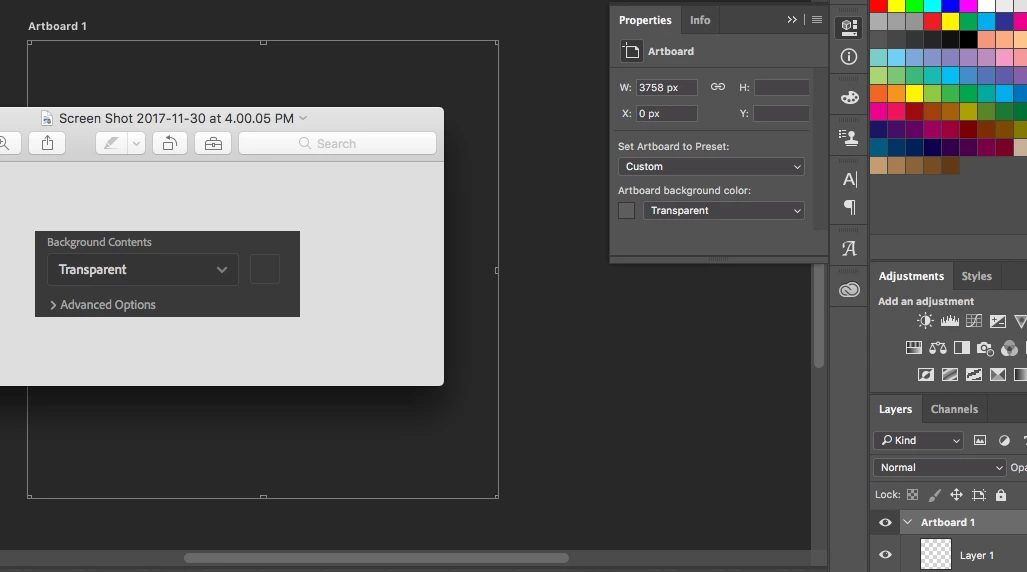
Thanks

Krista

    This topic has been closed for replies.
    Correct answer kvan_24

    I figured it out. "Use graphics processor" wasn't checked.

    2 replies

    Participant
    November 30, 2021

    Didn't work for me! I have "Use graphics processor" checked in preferences and still the transparency grid doesn't show on artboards.. very frustrating

    PECourtejoie
    Community Expert
    Community Expert
    November 30, 2021

    Anna, could you post the contents of help/system info...

    Participant
    November 30, 2021

    Yes, thank you, I resolved it by updating to the latest version of Photoshop - 23.0.2

    The bug was on version 21..

    kvan_24
    kvan_24AuthorCorrect answer
    Inspiring
    December 1, 2017

    I figured it out. "Use graphics processor" wasn't checked.