January 23, 2017
Answered

Transparent editable text effect

  • January 23, 2017
  • 3 replies
  • 793 views

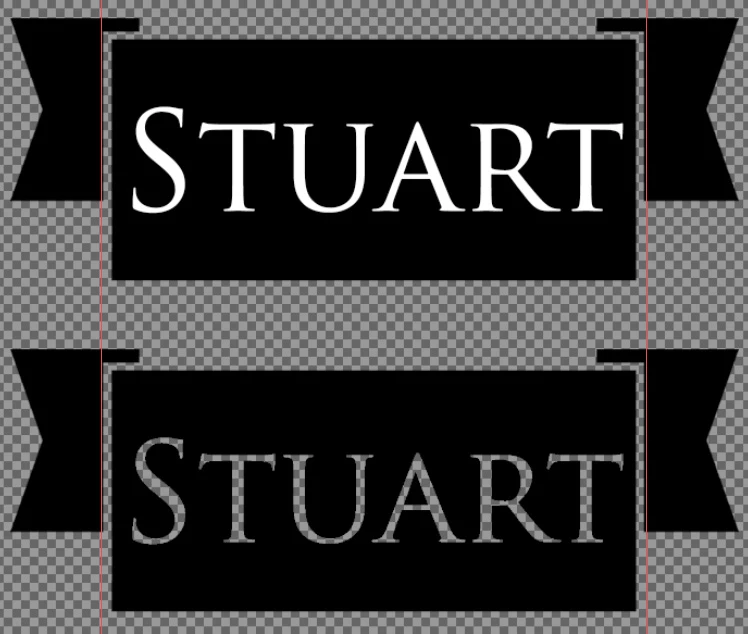
I often drag a PSD file into a different PSD file, where an effect will be placed over it. But if I have white text, which needs to remain editable, then the effect layer will count it the same as the black layer, and make it invisible. Is it possible to be able to have editable text that shows the background like the second image below? What I have done there is magic wand the text and delete it from the black banner. But is there a way of having it so I can just type and see the checkered background behind it, without having deleted anything?

I think this is a long shot, but it'd save me a lot of time if it was possible.

Many thanks in advance!
This topic has been closed for replies.
Correct answer davescm

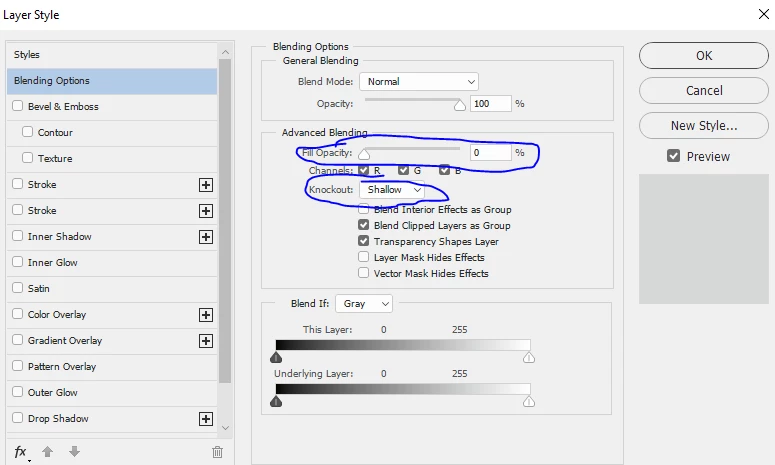
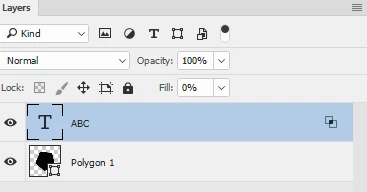
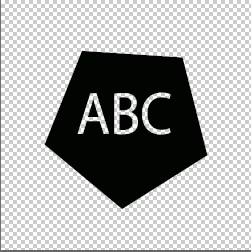
Change the Fill value of your text layer to 0% and in Blending options set knockout to Shallow or Deep depending how far you want it to go down

Dave

3 replies

Terri Stevens
Legend
January 23, 2017

Absolutely othing wrong with Dave's method, but if you'd like a different way

1) Create your text

2) Add your background

3) Now select the text by ctrl or cmd clicking the text layer, followed by alt or option clicking the layer mask icon. To create an inverted layer mask

4)Now click the layer mask and holding alt or option drag down to the layer below, which duplicates the mask

5) And that's it. Above you can see an outline as I used anti-aliased text but that disappears with the second mask as far as I can see, otherwise don't use smoothing

davescm
Community Expert
davescmCommunity ExpertCorrect answer
Community Expert
January 23, 2017

Change the Fill value of your text layer to 0% and in Blending options set knockout to Shallow or Deep depending how far you want it to go down

Dave

January 25, 2017

Absolute legend, thank you!

davescm
Community Expert
Community Expert
January 25, 2017

You're welcome

Dave

c.pfaffenbichler
Community Expert
Community Expert
January 23, 2017

What I have done there is magic wand the text and delete it from the black banner.

You should have loaded the transparency directly instead of involving the Magic Wand Tool.

Check out knockouts:

Create a knockout in Photoshop