
armoose
Participant
February 17, 2019
Answered

Transparent Translucent shapes

  • February 17, 2019
  • 3 replies
  • 618 views

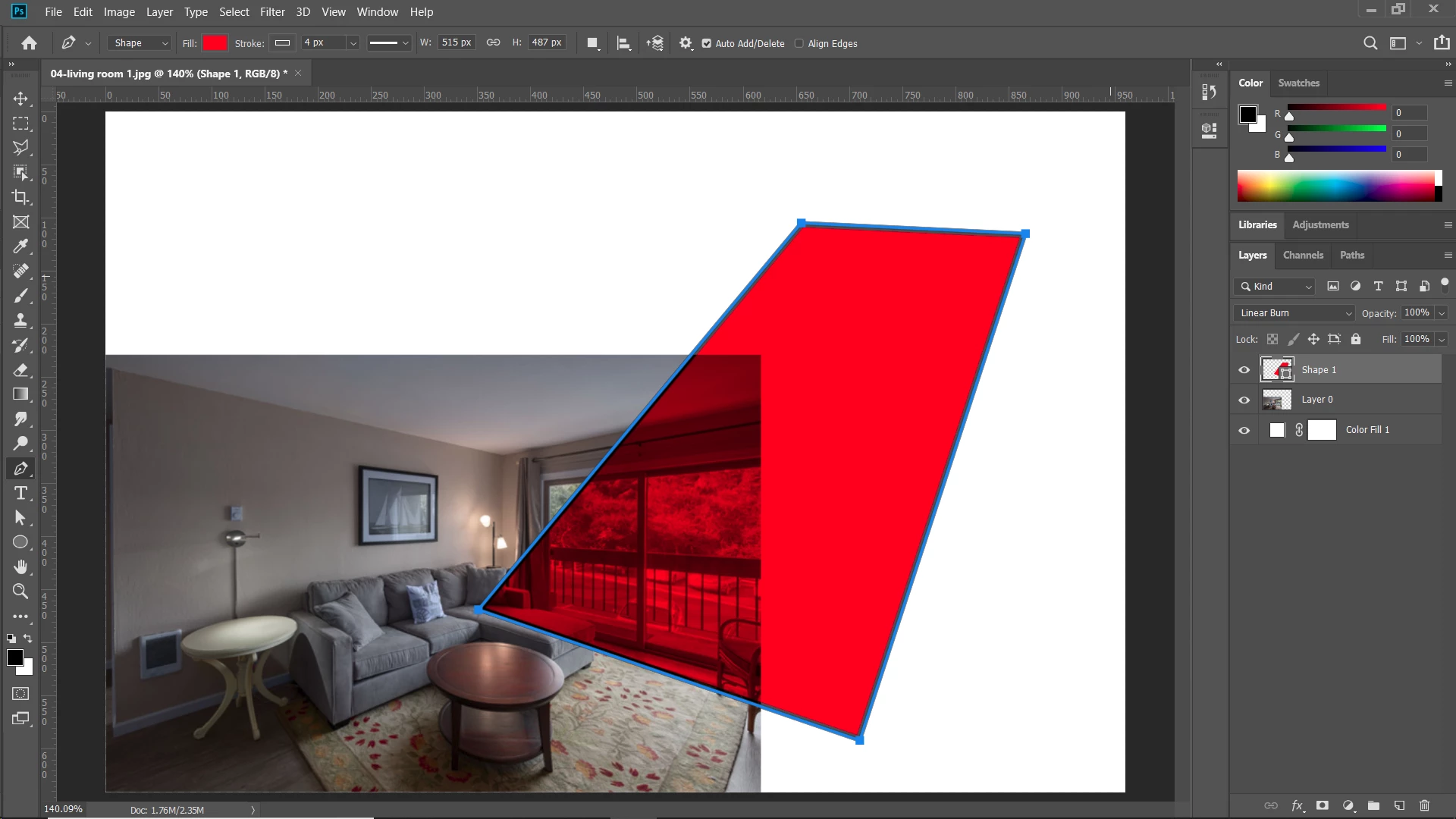
Hi I am trying to make a shape similar to the image attached (the red square). Im having trouble achieving this and i couldnt find any tutorials on it. I though it would be as easy as changing the opacity but not so. How would anyone on here do it.

Thank you and I would appreciate any help.

This topic has been closed for replies.
Correct answer Chuck Uebele

Try creating the red shape then use Linear Burn as the blend mode.

3 replies

Chuck Uebele
Community Expert
Community Expert
February 17, 2019

I used full red FF0000 or 255,0,0.

barbara_a7746676
Community Expert
Community Expert
February 17, 2019

Put the red shape on a separate layer above the image. Then change the layer blend mode from Normal to either Darken, Multiply, or Color Burn. You can experiment with the blend modes in the Layers panel to see which you like best.

Chuck Uebele
Community Expert
Chuck UebeleCommunity ExpertCorrect answer
Community Expert
February 17, 2019

Try creating the red shape then use Linear Burn as the blend mode.

armoose
armooseAuthor
Participant
February 17, 2019

Do you have the ff# for the color you used. You nailed it perfectly. My red isnt as saturated as yours. But merely changing the saturation doesnt do it for me.

Trevor.Dennis
Community Expert
Community Expert
February 17, 2019

Don't forget you can always copy an image from browser to Photoshop to measure its value

There are also browser extensions that do the same thing

Chrome Web Store