
natalias70415108
Participant
June 15, 2018
Answered

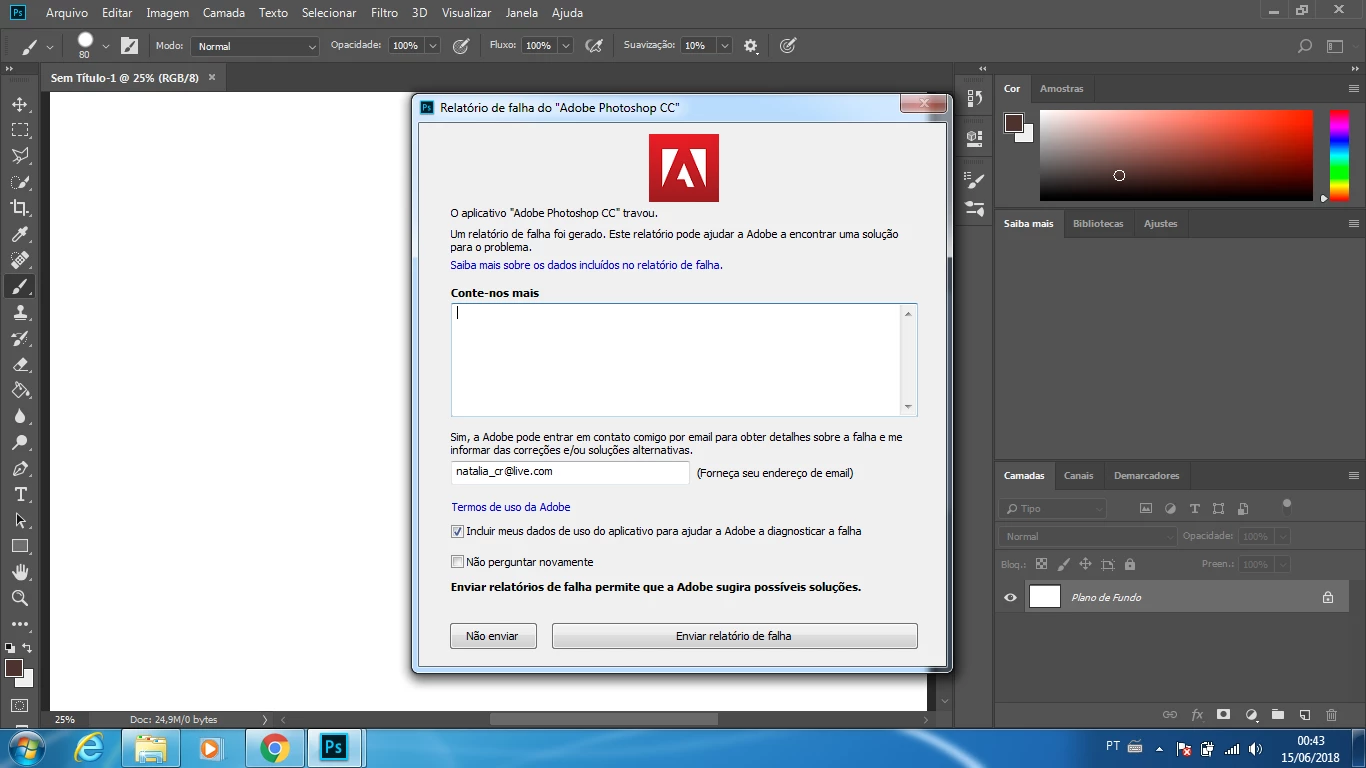
Trava e fecha ao tentar abrir imagem
  • June 15, 2018
  • 1 reply
  • 2163 views

Toda vez em que vou abrir um arquivo.jpg aparece esta mensagem e o Photoshop trava. Já enviei vários relatórios e nada é resolvido. Tenho que abrir cada imagem que irei trabalhar no paint para salvar em png e utilizar no Photoshop. Isso me faz perder muito tempo.

This topic has been closed for replies.
Correct answer c.pfaffenbichler

Could it be related to this?

Error while accessing performance preferences - 'An integer between 96 and 8 is required.'

Otherwise please read this (in particular the section titled "Supply pertinent information for quicker answers"):

https://forums.adobe.com/docs/DOC-7044

What have you done for trouble-shooting so far?

Restoring Preferences after making sure all customized presets like Actions, Patterns, Brushes etc. have been saved might be a good starting point:

https://helpx.adobe.com/photoshop/kb/basic-trouble-shooting-steps.html

1 reply

c.pfaffenbichler
Community Expert
c.pfaffenbichlerCommunity ExpertCorrect answer
Community Expert
June 15, 2018

Could it be related to this?

Error while accessing performance preferences - 'An integer between 96 and 8 is required.'

Otherwise please read this (in particular the section titled "Supply pertinent information for quicker answers"):

https://forums.adobe.com/docs/DOC-7044

What have you done for trouble-shooting so far?

Restoring Preferences after making sure all customized presets like Actions, Patterns, Brushes etc. have been saved might be a good starting point:

https://helpx.adobe.com/photoshop/kb/basic-trouble-shooting-steps.html

Participant
September 1, 2018

O meu Photoshop também está com o mesmo erro, o que devo fazer?

c.pfaffenbichler
Community Expert
Community Expert
September 3, 2018

What have you done for trouble-shooting so far?