Participant
February 28, 2019
Answered

Trouble Creating Basic 3D Spinning Logo

  • February 28, 2019
  • 1 reply
  • 1327 views

I'm sure this is a very elementary error but it's really frustrating me at the moment. 

I've created a 3D wreath and I want to make it spin 360 degrees on the spot.  I want to be able to use it as an overlay in another video. 

1. Firstly I'm sure that PS isn't the best tool to do this in but as I did the 3D element in PS I thought I'd stick with it.

2. When I try and animate the rotation, the whole scene spins 360 degrees rather than just the wreath spinning on the spot which means the wreath disappears from view during the rotation.  I'm pressuming this is because it isn't the centre of the rotation point but I can't figure how to change this.

I've put a link to the file so you can see my dilemma...

https://umbrashading-my.sharepoint.com/:i:/g/personal/hd_umbrashading_co_uk/ETKnhw8rdRVAvBMK9bukN-0BLXFvXl6E_i_lxi_mvL43Pw?e=i6czah

Any help is appreciated.  If I can do this in PS then that's great but if it would be easier in AE for example please can someone guide me through it as I'm not too familar with AE. 

Thanks
This topic has been closed for replies.
Correct answer davescm

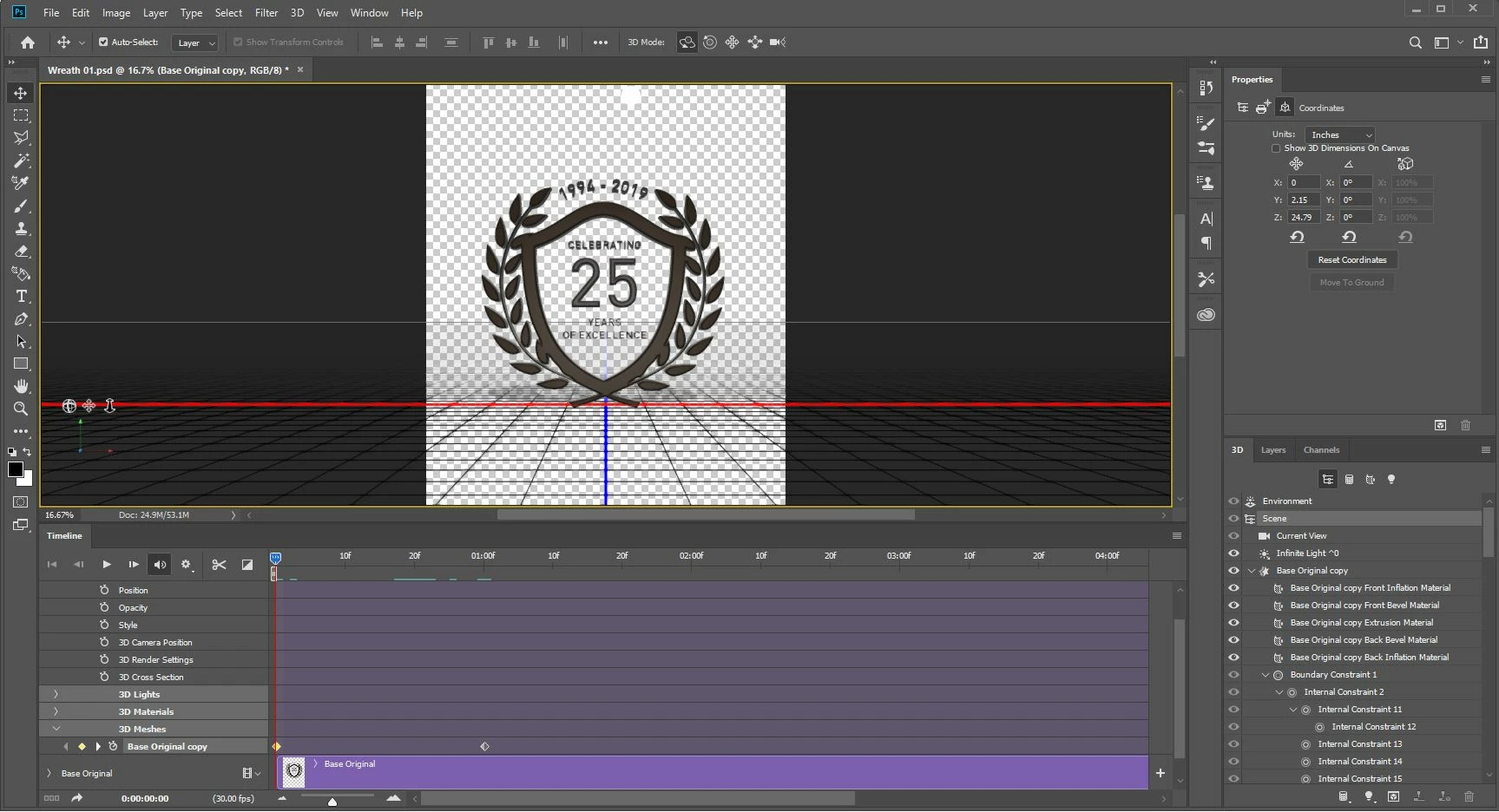
Thanks Dave - that helps as I wan't selecting that one.  Could you confirm which part I need selected to change the rotation - is it 'Scene'?  See below screen shot


Hi

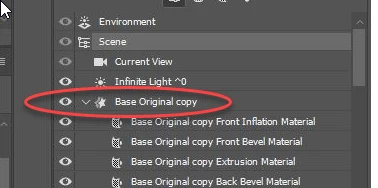
In the 3D panel select the mesh (named "Base Original copy" in your example)

With the move tool selected,  you should be able to rotate the model and add keyframes into the timeline as you are now showing.

Dave

1 reply

davescm
Community Expert
Community Expert
February 28, 2019

Hi

Make sure you are keyframing the rotation of the 3D object mesh and not the 3D camera.

I will be in the office later this morning and will add a screenshot.

Dave

davescm
Community Expert
Community Expert
February 28, 2019

As promised - a screenshot.
Add your keyframes to the object by clicking on the arrow next to  "3D meshes" and then selecting your object from the list

Dave

Harry1718Author
Participant
February 28, 2019

Thanks Dave - that helps as I wan't selecting that one.  Could you confirm which part I need selected to change the rotation - is it 'Scene'?  See below screen shot