
Participant
July 28, 2021
Question

Trying to create a Colour Overlay which excludes lighter colours.

  • July 28, 2021
  • 3 replies
  • 730 views

Hi guys,

I am trying to replicate work done by another designer on an unknown phone app and figured it would be a straight colour overlay.

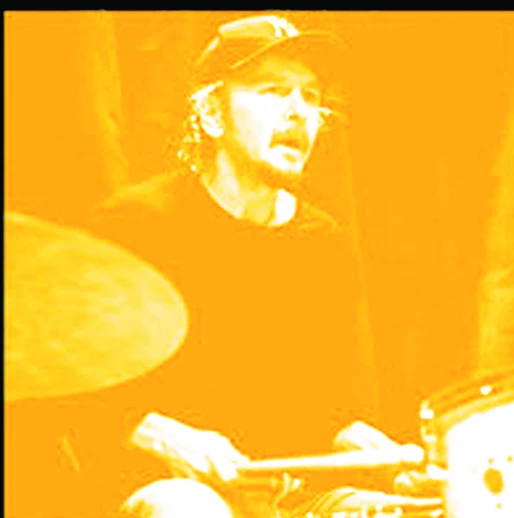
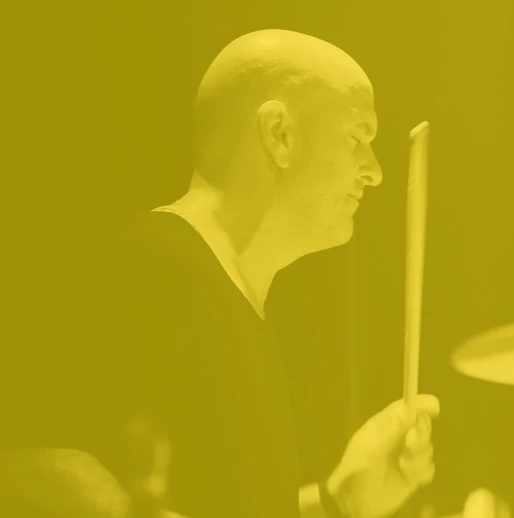
The problem I am facing is that the colour overlay is affecting all colours of said image, but I am only really seeking to change the darker colours... I want the whites to stay white and the darks to be coloured... If that makes sense. Also I would like the colour to be brighter (ie: first image) without adjusting the transparency -which obscures the image.

First picture is the result I am trying to achieve, the second is what am currently achieving.
This topic has been closed for replies.

3 replies

Stephen Marsh
Community Expert
Community Expert
July 31, 2021

@danielw41398108 – Please mark one or multiple answers as correct so that others with the same/similar question know that an answer was found.

didiermazier
Community Expert
Community Expert
July 28, 2021

With a hiue saturation setting you can adjust the wanted color and in  the color spaces affected with the sliders the bottom of the panel. So you can almost do anything you want.

Begin with checking the little hand and click on the image part you want to affect then work on the sliders…

Trevor.Dennis
Community Expert
Community Expert
July 31, 2021

I have always thought that Hue/Sat is underrated and under used. Colour Overlay depends on the tonal value of underlying pixels.  It has most effect on mid tones, and none at all on full black and full white. So with a Hue/Sat layer you can control that with the lightness slider.   One layer. Job done.

Grant H
Community Expert
Community Expert
July 28, 2021

Is it possible to post a screenshot of the original before the effect? I'm sure I can do a short tutorial for you.

/G

Participant
July 28, 2021

Thank you so much!

This is the image I'm working with. I do not have the original for the reference picture


D Fosse
Community Expert
Community Expert
July 28, 2021

The simplest way is a Gradient Map adjustment layer. The target symbols are where you double-click to edit: