

Hey Evgenii
Inspiring
March 6, 2023
Answered

turn off layer isolation via script

  • March 6, 2023
  • 1 reply
  • 3340 views

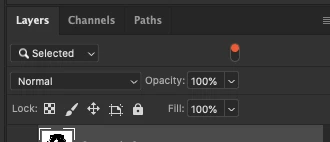
Guys is there a way to turn off layer filtering in photoshop via script? I used script listener to run menu item: select-isolate layers, if I run action again it cancels isolation - this is exactly what I need, but if I can the code from script listener again it doesn't cancels isolation, it only applies
This topic has been closed for replies.
Correct answer Stephen Marsh

@Hey Evgenii 


Some menu commands need to be inserted into an action step to be successfully recorded by ScriptListener. Here is the SL code cleaned and put into a function:


isolateLayers();

function isolateLayers() {
	function s2t(s) {
        return app.stringIDToTypeID(s);
    }
	var descriptor = new ActionDescriptor();
	var reference = new ActionReference();
	reference.putEnumerated( s2t( "layer" ), s2t( "ordinal" ), s2t( "targetEnum" ));
	descriptor.putReference( s2t( "null" ), reference );
	executeAction( s2t( "isolateLayers" ), descriptor, DialogModes.NO );
}


Or you can just call the menu item as follows:


app.runMenuItem(stringIDToTypeID('isolateLayers'));


Hope this helps!

1 reply

Stephen Marsh
Community Expert
Stephen MarshCommunity ExpertCorrect answer
Community Expert
March 6, 2023

@Hey Evgenii 


Some menu commands need to be inserted into an action step to be successfully recorded by ScriptListener. Here is the SL code cleaned and put into a function:


isolateLayers();

function isolateLayers() {
	function s2t(s) {
        return app.stringIDToTypeID(s);
    }
	var descriptor = new ActionDescriptor();
	var reference = new ActionReference();
	reference.putEnumerated( s2t( "layer" ), s2t( "ordinal" ), s2t( "targetEnum" ));
	descriptor.putReference( s2t( "null" ), reference );
	executeAction( s2t( "isolateLayers" ), descriptor, DialogModes.NO );
}


Or you can just call the menu item as follows:


app.runMenuItem(stringIDToTypeID('isolateLayers'));


Hope this helps!

Hey Evgenii
Inspiring
March 6, 2023

Thank you, Stephen, for clearing this up for me! However my question was on how to undo the isolation or clear filtering layers. The code you provided works in one way - it only enables the isolation, but doesn't disables, however if I run action with the menu item it will do both enable/disable

Stephen Marsh
Community Expert
Community Expert
March 6, 2023

You undo the isolation by running the call to the function a second time, it's a toggle. Run it once, and isolation is entered. Run it a second time and isolation is exited.


What happens "in-between" is something else.


Short of some esoteric Action Manager code being hand written by somebody such as @r-bin or @jazz-y , I don't believe that operations performed by the GUI while in isolation are scriptable.


The general rule is if it can be recorded into an action as a step, or registered in the SL output log, then it is captured. 


We can only do so much...


What are you wishing to script while in layer isolation mode? There may be other ways to achieve the same end.